EasyManua.ls Logo

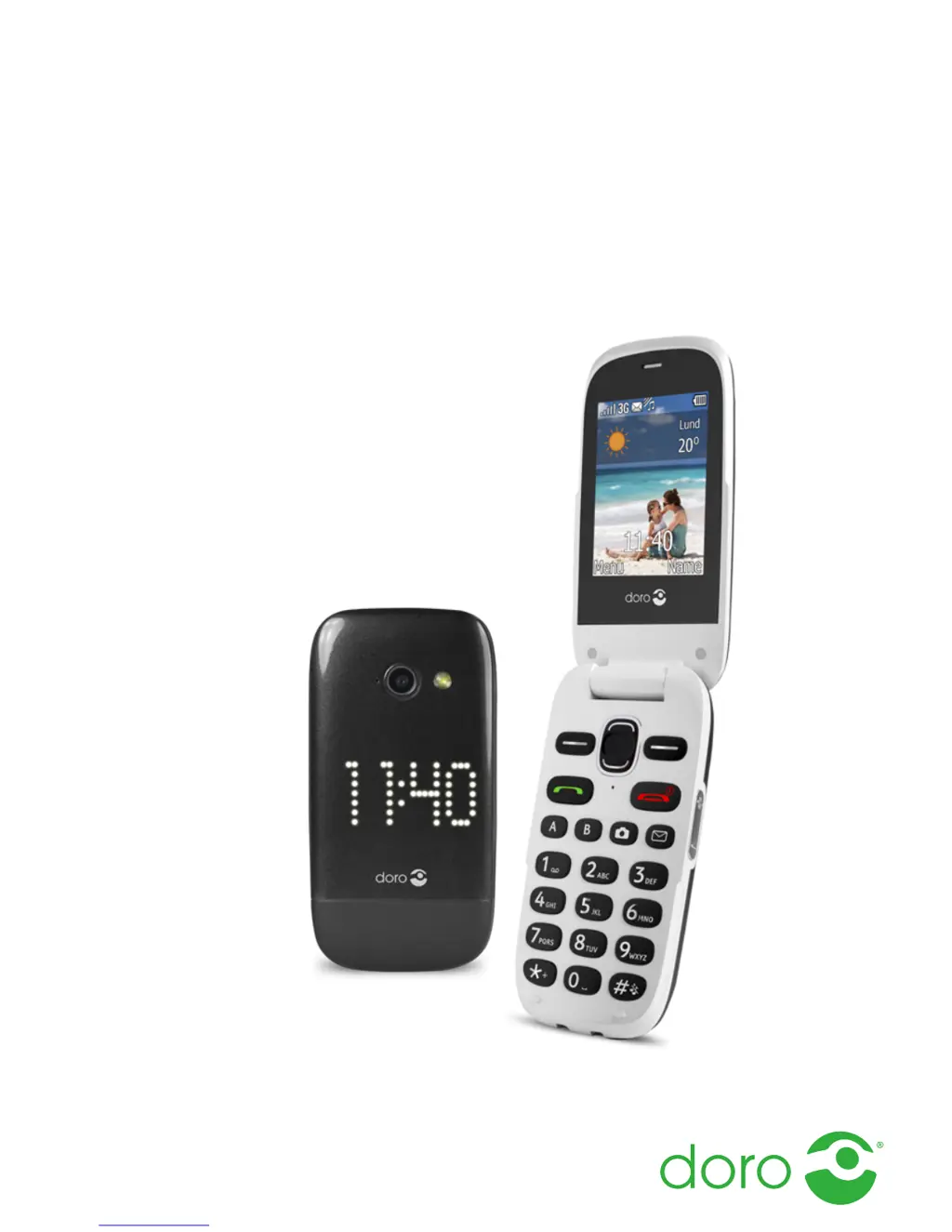
Doro PhoneEasy 632 - User Manual

Doro PhoneEasy 632
68 pages
Print Icon
To Next Page IconTo Next Page
Loading...
English
Doro PhoneEasy
®
632

Table of Contents

Questions and Answers

Summary

Phone Setup and Basics

Getting Started: SIM, Memory Card, and Battery

Instructions for inserting SIM and memory cards, and the battery into the device.

Phone Basics: On;Off, Setup, and Navigation

Covers powering on/off, setup wizard, display, indicators, and menu navigation.

Core Phone Features

Navigation and Location Services

Using the compass and 'Point the way' application for navigation.

Messaging Operations

Creating, sending, and managing text, picture, voice messages, and emails.

Camera and Multimedia Management

Using the camera for photos/videos and managing galleries.

Connectivity Options

Managing Bluetooth connections and mobile data settings.

Sound and Display Settings

Audio Setup and Ringtones

Adjusting audio output, ringtones, volume, and alert types.

Display Customization

Configuring display settings like backlight, brightness, text size, and themes.

Bluetooth Device Management

Bluetooth Settings and Visibility

Configuring Bluetooth visibility, device name, and pairing.

Managing Paired Devices and Security

Connecting, disconnecting, renaming, deleting devices, and setting security.

Mobile Data and Network Configuration

Mobile Data Functionality

Enabling/disabling mobile data for internet access and tracking usage.

Data Roaming and Network Setup

Configuring data roaming and selecting network modes (GSM/3G).

File Management and Computer Connectivity

Connecting to a Computer

Steps for connecting the phone to a computer via USB for data transfer.

File Manager Operations

Managing files on the phone's storage via the file manager.

Sound and Display Adjustments

Audio Setup and Tone Configuration

Adjusting audio settings, ringtones, volume, silent mode, and alert types.

Extra Tones and Menu Styles

Configuring warning/error tones and selecting main menu display styles.

Display and Personalization Settings

Wallpaper and Text Size

Setting wallpapers and adjusting text size for menus and messages.

Idle Display and Screen Backlight

Configuring idle display options and backlight delay.

Display Themes and Brightness Control

Themes and LCD Backlight

Selecting display themes and adjusting LCD backlight delay.

Display Brightness Adjustment

Adjusting the screen brightness level for optimal viewing.

My Doro Manager and Account Setup

Creating and Managing My Doro Manager Account

Setting up a Doro Manager account for phone management and synchronization.

Log In, Options, and Sync Intervals

Logging into the service, configuring sync options, and setting sync intervals.

Additional Functions: FM Radio and Torch

FM Radio Operation

Instructions for turning on, listening to, and managing FM radio stations.

Torch Functionality

How to turn the phone's torch on and off.

Calculator, Games, and Status Icons

Calculator and Games

Using the built-in calculator for math operations and playing phone games.

Phone Status Icons

Understanding the meaning of various status icons displayed on the phone.

Organiser Functions: Alarm and Calendar

Setting Alarms

How to set single or repeated alarms and manage snooze/turn off options.

Calendar Tasks Management

Adding, viewing, and editing tasks in the phone's calendar.

Organiser and Messaging Settings

Daily Reminders and Notes

Setting daily reminders and creating notes for important information.

Safety and Network Information

Guidelines for safe usage, network services, costs, and operating environment.

Medical Device and Environment Safety

Medical Units and Implanted Devices

Guidelines for using the phone near medical equipment and implanted devices.

Explosion Risk Areas and Battery Handling

Warnings for areas with explosion risk and proper Li-ion battery handling.

Emergency, Vehicle, and Hearing Safety

Hearing Protection and Emergency Calls

Advice on protecting hearing and crucial information regarding emergency calls.

Vehicle Safety and Prohibited Use

Information on radio signals in vehicles and restrictions on phone use in flights.

Care, Warranty, and Notices

Care and Maintenance Guidelines

Instructions for protecting the unit from moisture, dust, and extreme temperatures.

Warranty and Copyright Information

Details on product warranty, terms, and copyright notices.

Specifications and Compliance

Technical Specifications

Key technical details including network compatibility and dimensions.

SAR and Declaration of Conformity

Information on Specific Absorption Rate (SAR) and regulatory compliance.

Troubleshooting: SIM, Network, and Call Issues

SIM Card and Network Connectivity Errors

Resolving issues related to SIM card errors and network connection failures.

Standby Time and Call Problems

Solutions for standby time decreases and problems placing or receiving calls.

Handling Function Failures and Safety

Contact and MMS Function Failures

Troubleshooting failures in adding contacts or sending/downloading MMS.

Safety Instructions and Environment

Critical safety warnings for unit and accessories, and operating environment guidelines.

Medical Device and Environment Safety

Medical Units and Implanted Devices

Guidelines for using the phone near medical equipment and implanted devices.

Explosion Risk Areas and Battery Handling

Warnings for areas with explosion risk and proper Li-ion battery handling.

Emergency, Vehicle, and Hearing Safety

Hearing Protection and Emergency Calls

Advice on protecting hearing and crucial information regarding emergency calls.

Vehicle Safety and Prohibited Use

Information on radio signals in vehicles and restrictions on phone use in flights.

Doro PhoneEasy 632 Specifications

General IconGeneral
Display diagonal2.4 \
Display resolution320 x 240 pixels
Internal memory- MB
Flash card supportYes
Compatible memory cardsMicroSD (TransFlash)
Rear camera resolution (numeric)2 MP
WAP-
Data networkGPRS, GSM, HSDPA, HSUPA, UMTS
3G bands supported900, 2100 MHz
SIM card capabilitySingle SIM
2G bands (primary SIM)900, 1800, 1900 MHz
Bluetooth version2.1+EDR
Headphone connectivity3.5 mm
Headphone outputs1
Multimedia Messaging Service (MMS)Multimedia Messaging Service (MMS) is a standard way to send messages that include multimedia content to and from a mobile phone over a cellular network
Ringer typePolyphonic
Talk time (2G)- h
Battery capacity800 mAh
Subscription typeNo subscription
TypeEntry-level phone
Product colorLilac
Form factorClamshell
Personal info management (PIM)Alarm clock, Calculator, Calendar, Countdown timer, Events reminder
Head SAR (EU)- W/kg
Specific absorption rate (SAR) value (EU)0.538 W/kg
Weight and Dimensions IconWeight and Dimensions
Depth53 mm
Width104 mm
Height20 mm
Weight105 g

Related product manuals