5
Installation
Scope of delivery
• 1 mobile telephone
• 1 energy-efficient switching power supply
• 1 charger station
• 1 battery pack Li-Ion 3.7 V / 1200 mAh
• 1 stereo headset
• 1 micro-SD card
• 1 operating instructions
IMPORTANT!
Turn off the phone and disconnect the charger before
removing the battery cover.
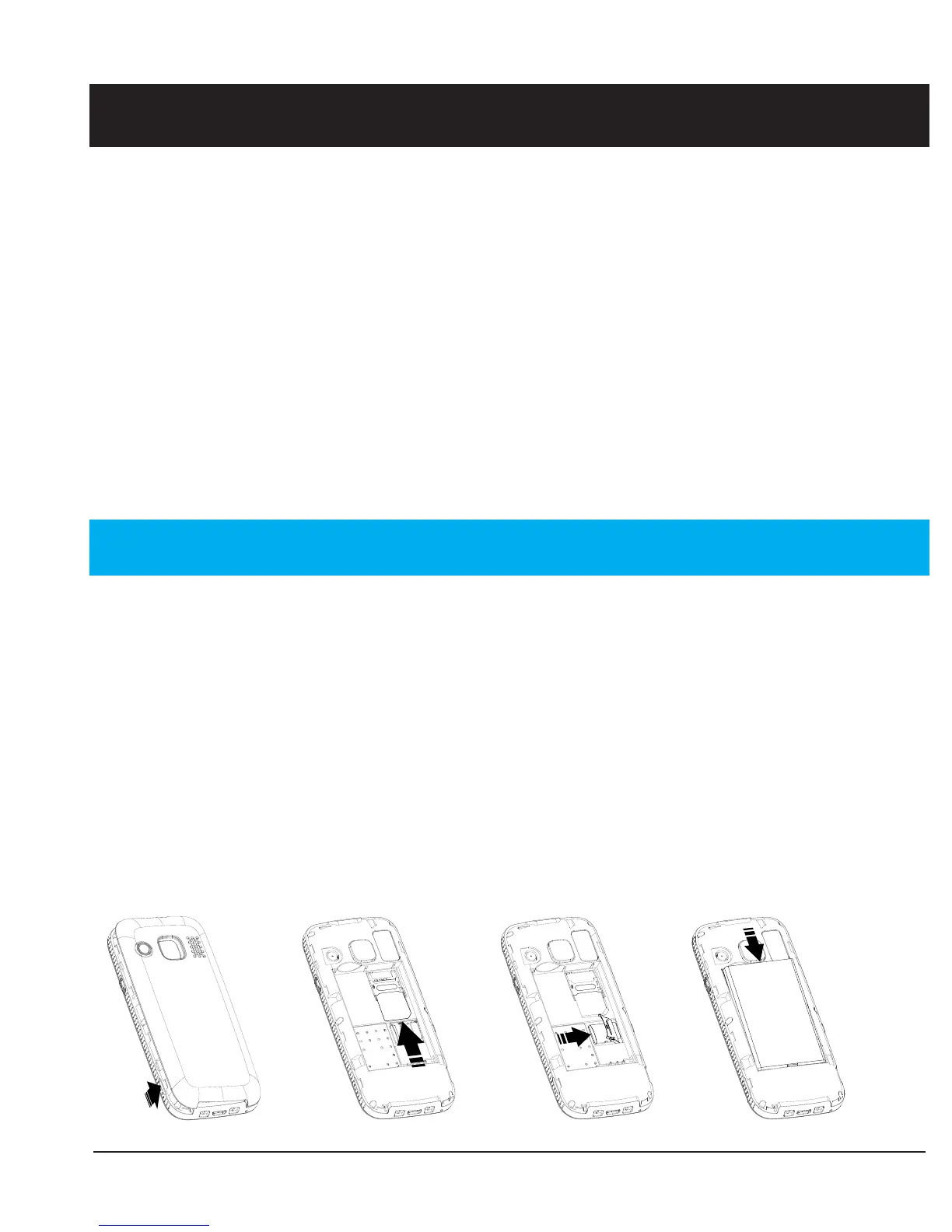
Installing the SIM card, memory card and the battery
The SIM and memory card holder’s are located inside the
battery compartment.



 To Next Page