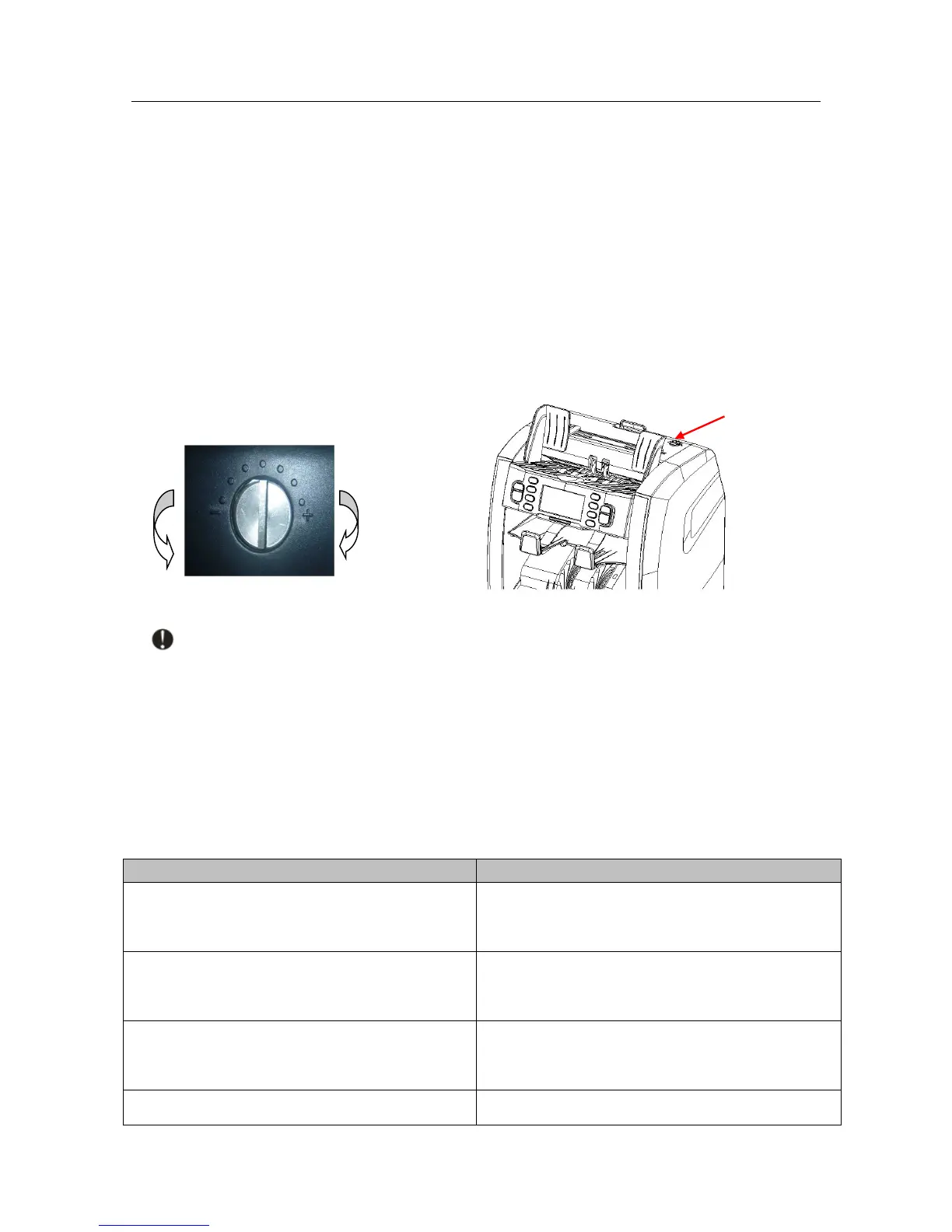
The adjusting screw of the feeding clearance on the top cover has already been set to the
best position in the factory. But when you meet the following problems during counting/sorting, it
is necessary to re-adjust the adjusting screw.
■ If the machine frequently occurs jammed notes or can't count the banknotes smoothly,
please turn the adjusting screw clockwise to make the clearance larger.
■ If the machine frequently frequently occurs double notes or chained notes, please turn the
adjusting screw counter-clockwise to make the clearance smaller.
Note: The adjusting screw is very sensitive, make only minor adjustment.
3. Self-test error message display and solutions
The machine will perform a self-test after powering on. If one of the following error messages
is displayed on the LCD, usually it is because the sensor is blocked by banknotes or dusts. Pls
use a brush or a piece of soft cloth to clean the dusts on the sensor or remove the banknotes, and
then restart the machine.



 To Next Page