EasyManua.ls Logo

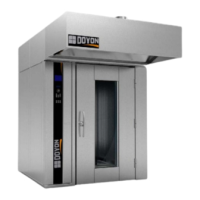
Doyon SRO1G - User Manual

Doyon SRO1G
46 pages
Print Icon
To Next Page IconTo Next Page
Loading...
SRO1G & SRO2G
Product / Produit:
Serial number / Numéro de série:
5600 13th Street
Menominee, MI, United States 49858
Tel.: 1 (906) 863-4401
Toll Free: 1 (800) 338-9886
Internet: http://www.doyon.qc.ca
e-mail: service@nu-vu.com

Questions and Answers

Doyon SRO1G Specifications

General IconGeneral
BrandDoyon
ModelSRO1G
CategoryOven
LanguageEnglish

Summary

Important Safety Instructions

Introduction and Overview

ATTENTION

Warning about damages caused by non-certified personnel for installation.

CONSTRUCTION

Oven is built with high-quality components and unique Jet Air convection system.

SHIPPING

Equipment is verified and carefully crated before shipment by qualified technicians.

Shipping Reception Procedure

RECEPTION OF THE MERCHANDISE

Verify equipment for damage before signing delivery receipt and report any issues to the carrier.

Installation Warnings

INSTALLATION AND SERVICE

Installation and service must be performed by specialized technicians adhering to local codes and regulations.

Installation Requirements and Precautions

DISTANCES TO RESPECT

Specifies required clearances around the oven near combustible materials for safety.

POWER FAILURE

Guidelines for operating the appliance during and after a power failure to ensure safety.

Installation Procedures by Trade

To the certified gas technician

Gas technician instructions for verifying burner pressure and adjusting for different gas types.

To the electrician

Electrician instructions for proper electrical supply connection, grounding, and phase sequence.

To the plumber

Plumber instructions for water supply connection, steam system hookup, and water softener recommendation.

Touch Screen Operation

OVEN START UP

Steps for powering on the oven and initiating the heating process via the touch screen.

POWER FAILURE

Recommended actions if power is lost and restored during operation to protect components.

Manual mode display Icon description

Explains various icons used in the manual mode of the touch screen interface for oven functions.

Recipe Management

SETTING OR EDITING A RECIPE

Procedure for creating, modifying, or saving cooking recipes on the touch screen interface.

Related product manuals