EasyManua.ls Logo

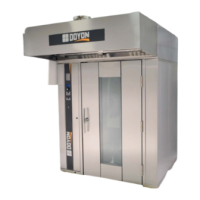
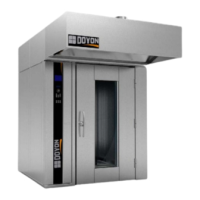
Doyon SRO2G - User Manual

Doyon SRO2G
46 pages
Print Icon
To Next Page IconTo Next Page
Loading...
SRO1G & SRO2G
Product / Produit:
Serial number / Numéro de série:
5600 13th Street
Menominee, MI, United States 49858
Tel.: 1 (906) 863-4401
Toll Free: 1 (800) 338-9886
Internet: http://www.doyon.qc.ca
e-mail: service@nu-vu.com

Questions and Answers

  • C
    Claudia ReedJul 25, 2025
    What to do if my Doyon Commercial Food Equipment oven does not turn on?
    • J
      Jo BellJul 26, 2025
      If your Doyon commercial food equipment oven does not turn on, check the building's breakers and the breaker on the front panel. Ensure the door is tightly closed. Inside the control compartment, verify that the convection blower's breaker is ON.
  • R
    robert65Jul 30, 2025
    Why does my Doyon Commercial Food Equipment oven not produce heat?
    • K
      Kimberly LewisJul 30, 2025
      If your Doyon commercial food equipment oven isn't producing heat, ensure the thermostat is set high enough. Check that the gas manual shut-off valve is open. If the hood vent blower isn't on, check its power supply. If the oven blower isn't on, check the breaker behind the control door. Check the burner draft inducer and damper. If a gas system fault appears on the control display, press the dial to reset and restart the oven. Check the LED blinking sequence on the ignition module.
  • P
    parkermartinAug 4, 2025
    What to do if the steam device of my Doyon Commercial Food Equipment oven does not work properly?
    • C
      Claudia TorresAug 4, 2025
      If the steam device of your Doyon commercial food equipment oven isn't working correctly, check that the building's water supply valve is open. Verify the water manual shut-off valve behind the control panel is open. Steam injection is not permitted if the oven temperature is below 250F. The oven must idle above 350F for at least 15 minutes for good steam. Verify if the 'Y' filter is clean.
  • E
    ebartonAug 9, 2025
    Why does the burner on my Doyon Commercial Food Equipment go to lock-out?
    • H
      howejodiAug 9, 2025
      The burner is equipped with multiple interlocked safety devices. In the event of a flame failure, blockage of combustion air supply, or exhaust issues, the burner will 'lock out' for safety. This can occur if air hasn't been bled from the gas line, porcelain insulators are cracked, the spark probe is grounded, disconnected, incorrectly set, defective, or the blower isn't running.
  • L
    lrandallAug 14, 2025
    How to fix uneven baking in my Doyon Commercial Food Equipment?
    • M
      Margaret MolinaAug 14, 2025
      To fix uneven baking in your Doyon commercial food equipment, verify that the hot air diffuser and convection air intake aren't blocked. Avoid using foil on the grills. Check the oven's temperature with an oven thermometer to ensure it matches the thermostat setting.
  • J
    Joseph FloresAug 19, 2025
    Why does the temperature drop in my Doyon Commercial Food Equipment when loading?
    • C
      catherinewoodAug 19, 2025
      This is normal. Opening the door causes a significant heat loss. Racks loaded with cold pastries require considerable heat to return to the original temperature.

Summary

Important Safety Instructions

For Your Safety

Introduction

Construction

Shipping

Reception of the Merchandise

Verify received equipment is not damaged before signing delivery receipt and report any damages.

Installation Warnings

Installation and Service

Installation and service must be done by specialized technicians. Contact certified professionals for setup.

Distances to Respect

Power Failure

Installation

To the Certified Gas Technician

Instructions for gas technician on burner adjustment, pressure verification, and conversion procedures.

To the Electrician

Electrical supply installation must comply with electrical rating. Phase sequence and loss of phase relay checks.

To the Plumber

Connect water supply pipe, check electrical valve, connect steam system, and recommend water softener.

Touch Screen Operation

Oven Start Up

Instructions for powering on the oven controller, pressing the power button, and setting initial temperature.

Manual Mode Display Icon Description

Description of icons for fan delay, steam functions, fan speed, rack, and power vent in manual mode.

Fan Off Delay Function

Details on setting fan off delay periods (1, 2, or 3 minutes) and how to cancel it.

Steam Function

Explanation of pulse steam and shot steam functions, including their effects and cancellation.

Fan Speed Function

How to change fan speeds (LOW, MEDIUM, HIGH) for different baking needs.

Rack Function

Describes rack rotation, automatic indexing to door, and manual stop/restart options.

Power Vent Function

How power vent rapidly exhausts steam or cools the oven, and how to cancel it.

Setting or Editing a Recipe

Doyon SRO2G Specifications

General IconGeneral
BrandDoyon
ModelSRO2G
CategoryOven
Weight150 lbs
MaterialStainless Steel
Temperature Range200°F to 500°F
Warranty1 Year
IgnitionElectronic Ignition

Related product manuals