8
Installation
■
■
The opera�on mode of interior lights:(available for T40W/T60M)
anual Press F(★)
Close door or
wait 3 minutes
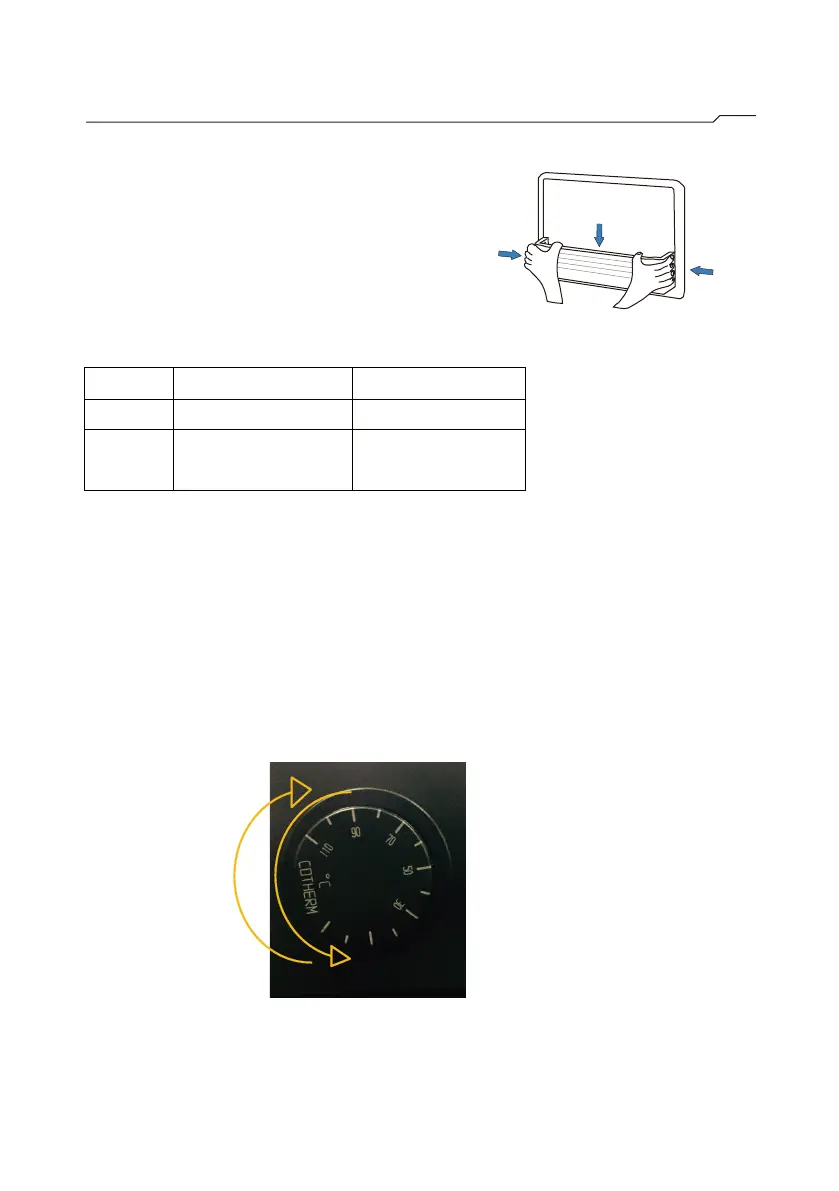
Default for overheat protector: 50℃ for T40W and 70℃ for T60M.
If they are not set at above values,please follow below steps to set it:
1
st. Turn the temperature protection switch knob to the end in a
counter-clockwise direction.
2nd. Turn the temperature protection switch knob to the scale 50/70
to complete the setting.
1.
2.
■Bin set up(available for F1/X2B/A1B)
1
2
1.Insert the tenons at the bottom
of
bin into the slots on window frame.
2.Bend both
sides of bin then insert
the tenons into the slots on window
frame
.
2



 To Next Page