9
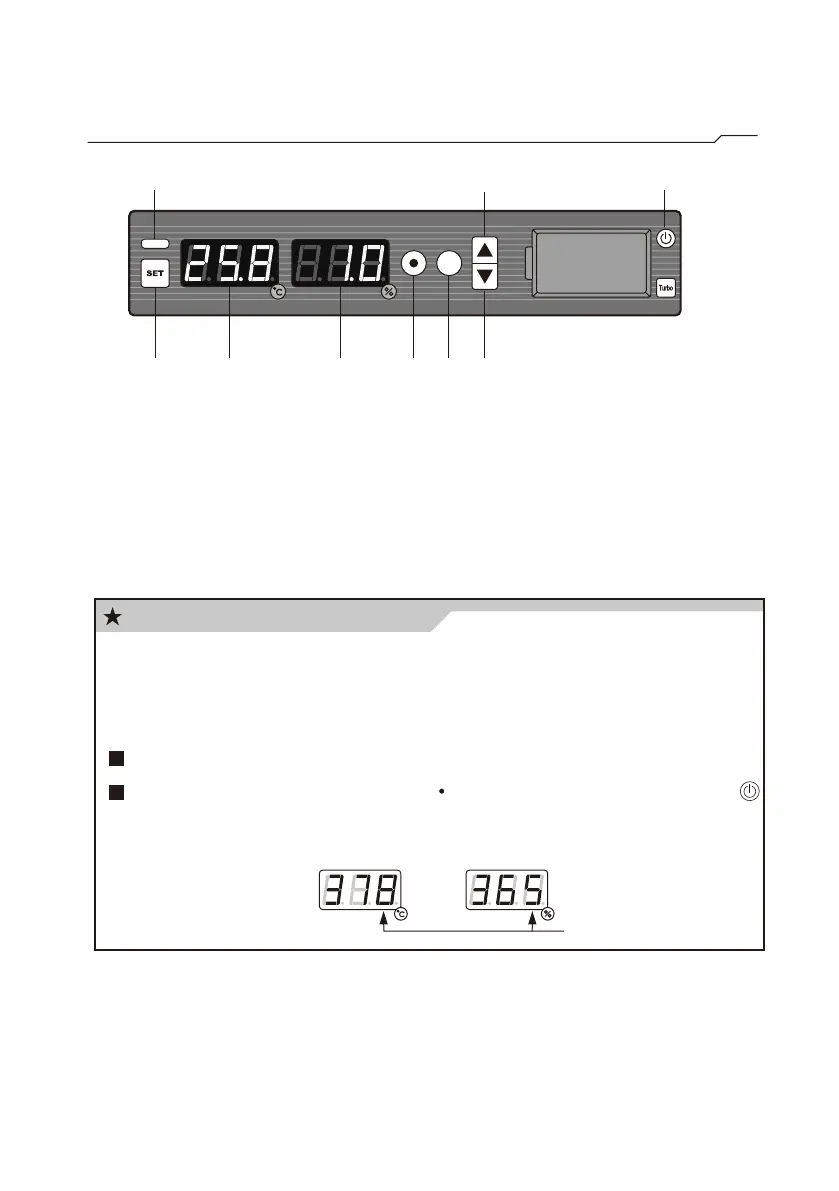
Introduction of control Panel
(elapsed days) (default expiration days)
(decimal place)
Calibration Reminding function
The drift effect of sensor might influence the accuracy. In order
to help complying with the regulation of ISO. When the sensor
runs over 365 days, the decimal place in the panel will be flash
to remind the user.
Description:
1. SET Button 7. UP Button
2. Temperature Display 8. Power Button of Display
3. Humidity Display 9. Flash Alarm Lamp
4. Select Button
5. Calibration Expiration Button
6. DOWN Button
1 2 3 4 5 6
7 89
Check the elapsed days: Press “○”
Reset the elapsed days: Press “○”about 15 seconds,then press
to restart the display.



 To Next Page