13
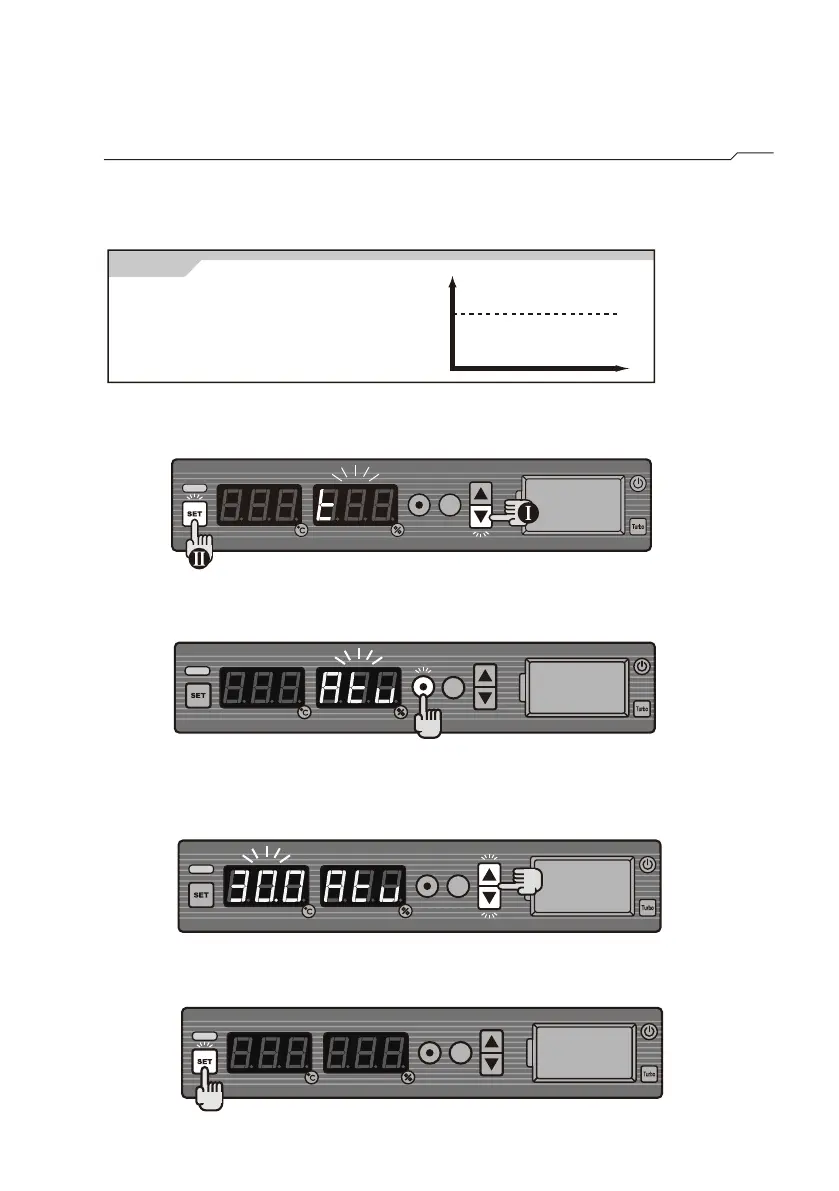
Alert Setting for Temperature(all models)
STEP1 Press and hold ▼, then press SET.
STEP4 Press SET to save the setting.
■ Set upper limit of temperature
alarm(Atu)
STEP2 Press ⊙ to select from t→Atu. Choose Atu.
STEP3 Press ▲ or ▼ to reach the required upper limit level of
30
℃.
[ Alert ]
Set Atu as 30
℃.
Alert is activated when the
temperature is higher than 30
℃.
℃
Atu
Example
OFF
ON



 To Next Page