16
■ Relative humidity setting:
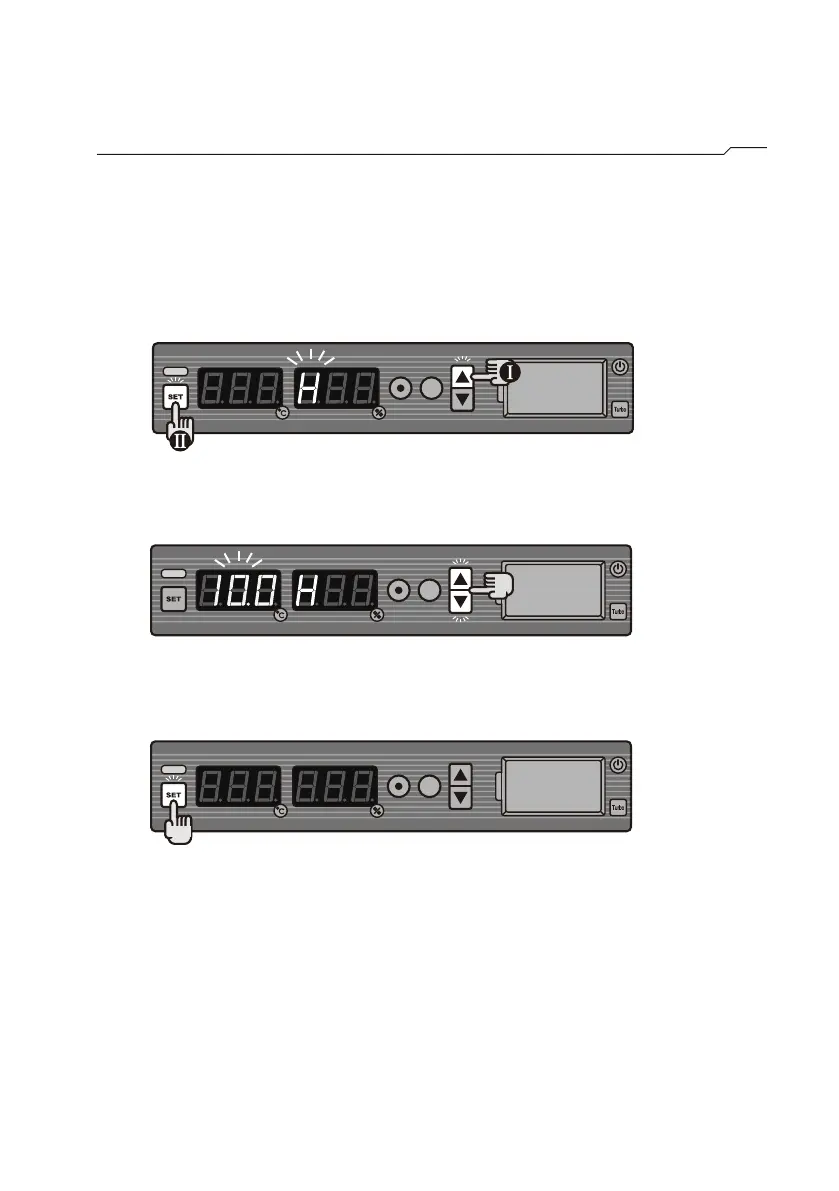
How to set the relative humidity(A1B Only)
STEP1 Press and hold ▲, then press SET. (The humidity display will show
H, while the temperature display will flash the current humidity
setting.)
STEP2 Press ▲ or ▼ to reach the required humidity level .
(setting range: 0~99%RH)
STEP3 Press SET to store the setting.



 To Next Page