11
Alert Setting for Humidity(all models)
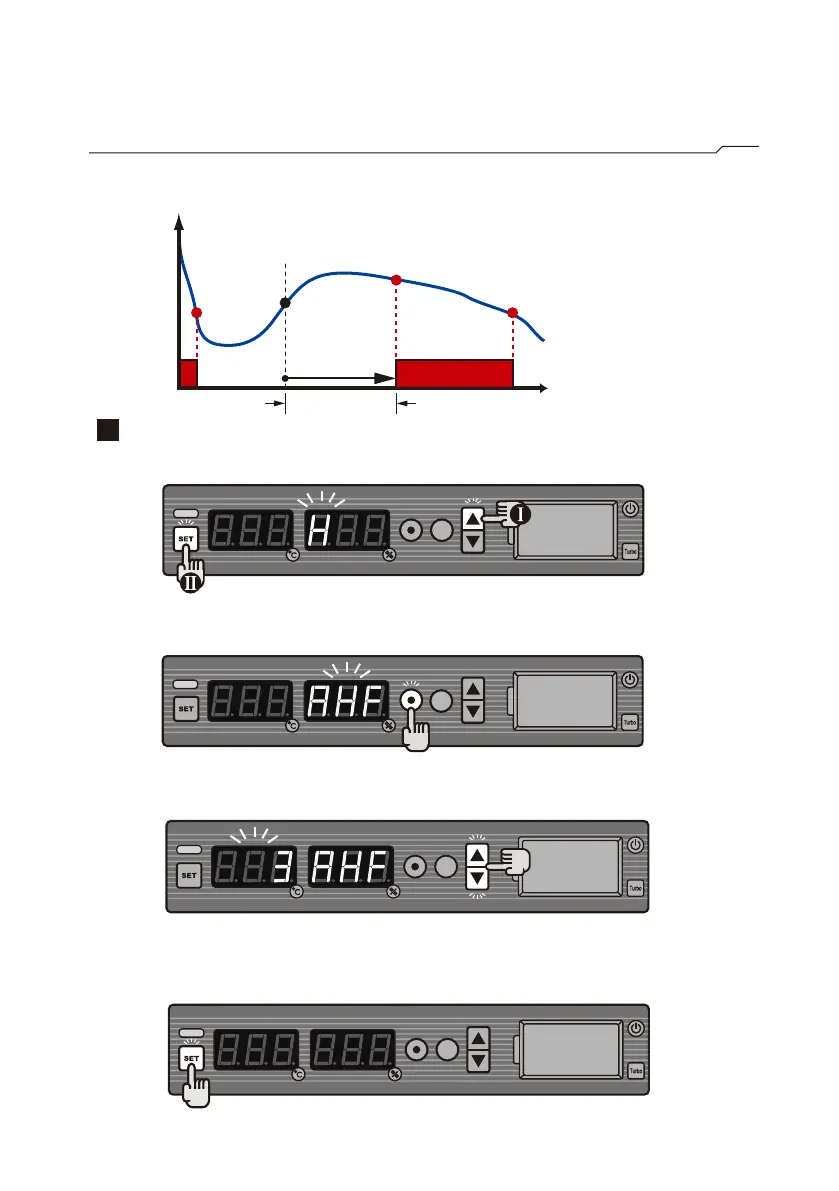
■Time delay setting of humidity Flash alarm(AHF)
AHF=3 min
time
%RH
AHu=60
Flash
ON
When the relative humidity is higher than 60%RH,
flash will be activated from Hb to Hc.
Hb
Ha
HcHc
Time delay
Set AHF
Step 1
Press and hold ▲, then press SET.
Step 2
Press ⊙ to select from H→AHu→AHF. Choose AHF.
Step 3
Press ▲ or ▼ to reach the required time delay of 3 minutes.
Step 4
Press SET to store the setting.



 To Next Page