21
How to use software Humidity Manager V3
PM
4
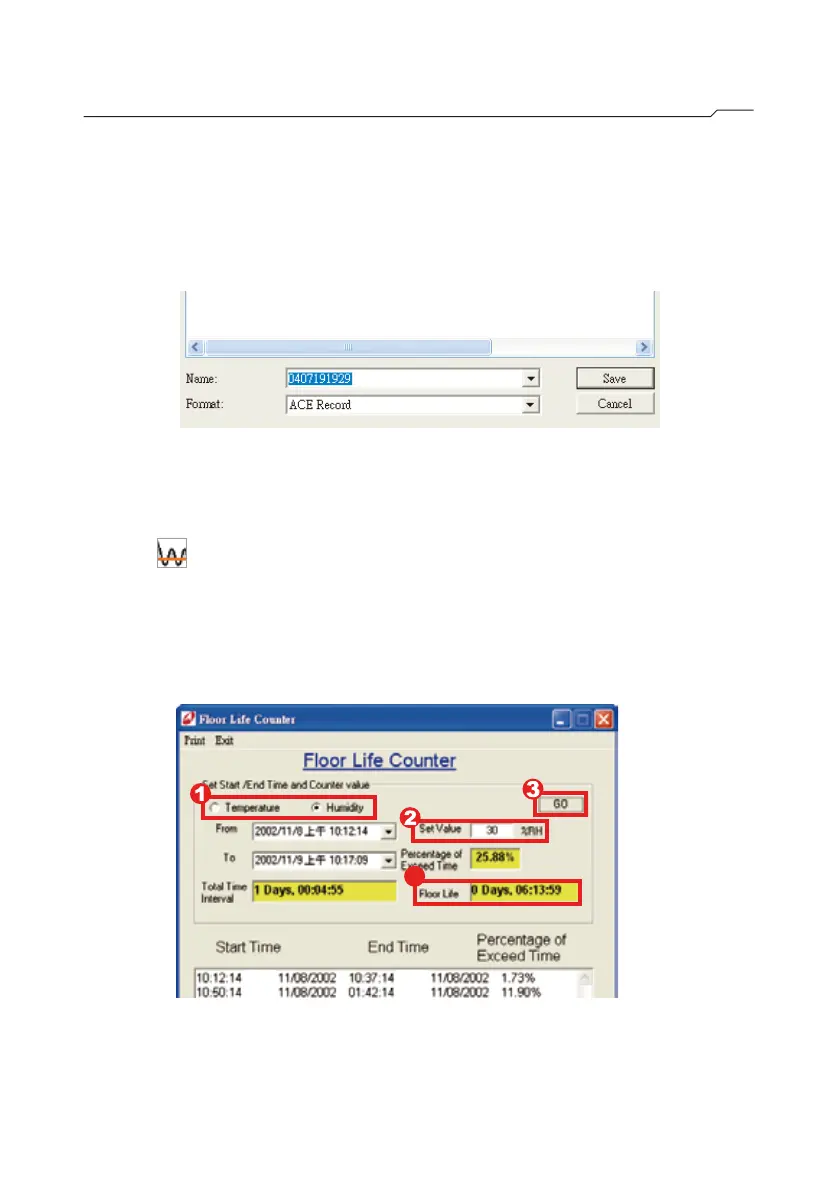
Press “ ”, “Floor Life Counter” will appear.
AMAM
AM
STEP3“Is the time interval correct?” will appear. Press “Yes” to confirm
the settings. Enter a file name and press “Save”. The software
begins to capture the data and the procedure is completed.
Step1 Choose “Temperature” or “Humidity”.
Step2 Enter the“Set Value”.
Step3 Press “Go”.
Step4 Floor Life is shown as follow.
■Floor Life Counter (V3)



 To Next Page