EasyManua.ls Logo

DR Premier - User Manual

DR Premier
52 pages
Print Icon
To Next Page IconTo Next Page
Loading...
CONTACT US AT www.DRpower.com 1
Serial No.
Order No.
DR Power Equipment
Toll-free phone: 1-800-DR-OWNER (376-9637)
Website: www.DRpower.com
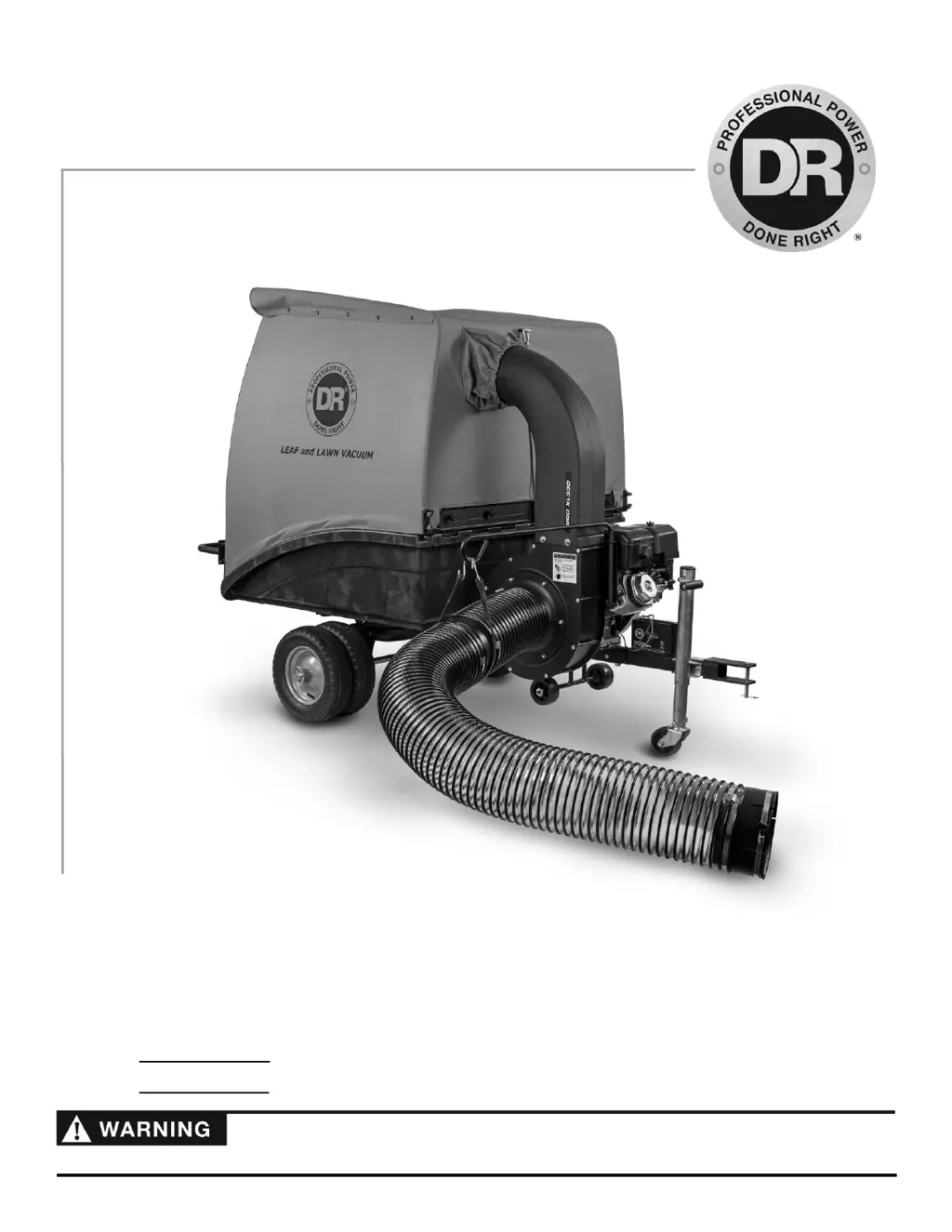
Read and understand this manual and all instructions before operating the DR LEAF and LAWN VACUUM.
DR
®
LEAF & LAWN VACUUM
SAFETY & OPERATING INSTRUCTIONS
Models:
Premier
Pro
Pro-XL

Other manuals for DR Premier

Questions and Answers

  • T
    Terry LambAug 25, 2025
    Why my DR Premier Lawn and Garden Equipment engine fails to start?
    • M
      millerashleyAug 26, 2025
      Your DR Lawn and Garden Equipment engine might fail to start due to several reasons. First, check if the fuel tank is empty and fill it with clean, fresh fuel if needed. Another possible cause is a disconnected spark plug wire; make sure to connect the wire to the spark plug. Lastly, a faulty spark plug could be the culprit, so clean, adjust the gap, or replace the spark plug.
  • K
    Kevin PattersonSep 2, 2025
    What to do if my DR Lawn and Garden Equipment chipper does not chip?
    • B
      Brittany LeeSep 2, 2025
      If your DR Lawn and Garden Equipment chipper isn't chipping, check for any solid objects jammed in the unit and remove any obstruction. Also, inspect the chipper knife for damage; replace it if it's broken or missing.
  • J
    jloganSep 3, 2025
    How to improve poor chipping performance of DR Lawn and Garden Equipment?
    • W
      William JimenezSep 3, 2025
      To improve the chipping performance of your DR Lawn and Garden Equipment, start by checking the chipper knife. If it's dull, sharpen or replace it. Also, tighten any loose mounting bolts on the impeller assembly.
  • B
    bcannonSep 4, 2025
    What to do if Range Select Lever does not shift on DR Lawn and Garden Equipment?
    • M
      Mary ThomasSep 4, 2025
      If the Range Select Lever on your DR Lawn and Garden Equipment does not shift, check the connections for loose nuts and bolts. Also, inspect the Range Select Cable and replace it if it is broken.
  • M
    Matthew MooreSep 5, 2025
    How to prevent debris build-up in DR Lawn and Garden Equipment Vacuuming/Chipper Housing?
    • J
      Justin SmithSep 5, 2025
      To prevent debris build-up in the vacuuming/chipper housing of your DR Lawn and Garden Equipment, clean out the housing and vacuum at a slower speed.
  • T
    teresaprinceSep 5, 2025
    How to restore loss of traction in DR Lawn and Garden Equipment?
    • D
      deborah04Sep 6, 2025
      To restore loss of traction in your DR Lawn and Garden Equipment, adjust the drive engagement cable if it is loose. If the drive belt is stretched or broken, replace it. Also, check the drive engagement cable tension spring; reconnect the spring or replace the cable if it's broken.
  • C
    cummingsmarySep 6, 2025
    What to do if my DR Tractor Accessories engine will not start manually?
    • B
      Brittany SotoSep 6, 2025
      If your DR Tractor Accessories engine won't start manually, make sure the key is in the RUN position and the spark plug wire is attached. Inspect the operator presence switch connections beneath the panel at the key switch and at the engine. Check the oil and gas levels, replacing old gas if necessary, and consider using a fuel stabilizer. Verify the throttle adjustment and travel. Examine the spark plug for dirt or cracks, replacing it if needed. If the spark plug is oily, remove it, cover the plug hole with a rag, and pull the recoil cord to clear any oil. Finally, check the air filter and replace it if dirty, following the engine owner’s manual.
  • A
    angel85Sep 7, 2025
    What to do if my DR Tractor Accessories engine lacks power or is not running smoothly?
    • R
      robertyoungSep 7, 2025
      If your DR Tractor Accessories engine lacks power or isn't running smoothly, start by checking the throttle travel and adjustment. Inspect the air filter and replace it if it's dirty, following the engine owner’s manual. Examine the spark plug for dirt or cracks, replacing it if necessary. If the spark plug is oily, remove it, cover the plug hole with a rag, and pull the recoil cord to clear any oil. Replace old gas and use a fuel stabilizer if you store gas for more than a month. Ensure the engine has the correct amount of clean oil, changing it if dirty.
  • N
    Nicole TylerSep 8, 2025
    What to do if my DR Tractor Accessories engine smokes?
    • B
      Brad MossSep 8, 2025
      If the engine of your DR Tractor Accessories is smoking, check the oil level and adjust as needed. Ensure you are not operating the machine on too steep of an incline. Inspect the air filter and clean or replace it if necessary. Verify you are using the correct oil type for the temperature; refer to the Engine Owner’s Manual for details. Also, clean the engine cooling fins and the carburetor housing if they are dirty.

Summary

General Safety Rules

Labels

Safety and information labels that appear on the equipment.

Protecting Yourself and Those around You

Precautions for safe operation, clothing, and protective gear.

Safety for Children and Pets

Precautions to prevent accidents involving children and pets.

Safety with Gasoline - Powered Machines

Hazards and precautions for using gasoline-powered equipment.

Slope Operation

Guidelines for operating the machine safely on slopes.

General Safety

General precautions for safe operation of the machine.

A Note to All Users

Important notes and contact information for users.

Setting Up the DR LEAF and LAWN VACUUM

DR LEAF and LAWN VACUUM Controls and Features

Identification and description of the machine's controls and features.

Specifications

Detailed specifications for different models of the vacuum.

Assembly Parts Identification

Lists and identifies hardware and parts for assembly.

Installing the Wheels

Step-by-step instructions for installing the machine's wheels.

Installing the Power Unit

Procedures for assembling and attaching the power unit.

Attaching the Enclosure

Instructions for securing the fabric enclosure to the frame.

Connecting the DR Leaf and Lawn Vacuum to your Mower

Steps to connect the vacuum to a tractor.

Adding Engine Oil and Gasoline

Instructions for adding necessary fluids before operation.

Connecting the Battery Wire

Guide for connecting the battery for electric-start models.

Operating the DR LEAF AND LAWN VACUUM

Before Starting the Engine

Pre-operation checks and preparations before starting the engine.

Starting and Stopping the Engine

Procedures for safely starting and stopping the engine.

Operating Safety

Critical safety warnings and practices during operation.

Towing the DR LEAF and LAWN VACUUM

Instructions for safely towing the unit with a tractor.

Slopes and Uneven Terrain

Guidelines for safe operation on inclines and uneven ground.

Dumping

Procedures for safely emptying the collector load.

Collapsing the Upper Collector for Compact Storage

Steps to reduce the collector size for storage.

Maintaining the DR LEAF and LAWN VACUUM

Regular Maintenance Checklist

A schedule of maintenance tasks to perform regularly.

Lubrication

Instructions for lubricating the machine's moving parts.

Removing and Replacing the Engine Oil

Steps for changing the engine oil.

Replacing the Wheels

Guide for removing and installing new wheels.

Battery Care (For Electric-Starting Models Only)

Recommendations for battery maintenance and charging.

Replacing the Battery

Steps for replacing a used or faulty battery.

Troubleshooting

Troubleshooting Table

Common problems and their solutions for engine and vacuum issues.

Parts Lists and Schematic Diagrams

Parts List - FRAME AND CART ASSEMBLY

Identifies parts for the frame and cart assembly.

Parts List - POWER UNIT ASSEMBLY

Identifies parts related to the power unit.

Parts List - COLLECTOR ASSEMBLY

Lists components of the collector assembly.

Parts List and Schematic - HOSE ASSEMBLY

Details and diagrams for the hose assembly.

DR Premier Specifications

General IconGeneral
BrandDR
ModelPremier
CategoryLawn and Garden Equipment
LanguageEnglish

Related product manuals