CONTACT US AT www.DRpower.com 13
Chapter 3: Operating the PRO XL520 CHIPPER-SHREDDER
This chapter covers the procedures for starting and stopping your new DR PRO XL520 CHIPPER-SHREDDER and discusses basic
operation features. It may be helpful to better familiarize yourself with the features of your DR PRO XL520 CHIPPER-SHREDDER
by reviewing Figure 2 in Chapter 2 before beginning the steps outlined in this chapter.
Starting the Engine
1. Check the Oil and Fuel level every time you use the DR PRO XL520
CHIPPER-SHREDDER.
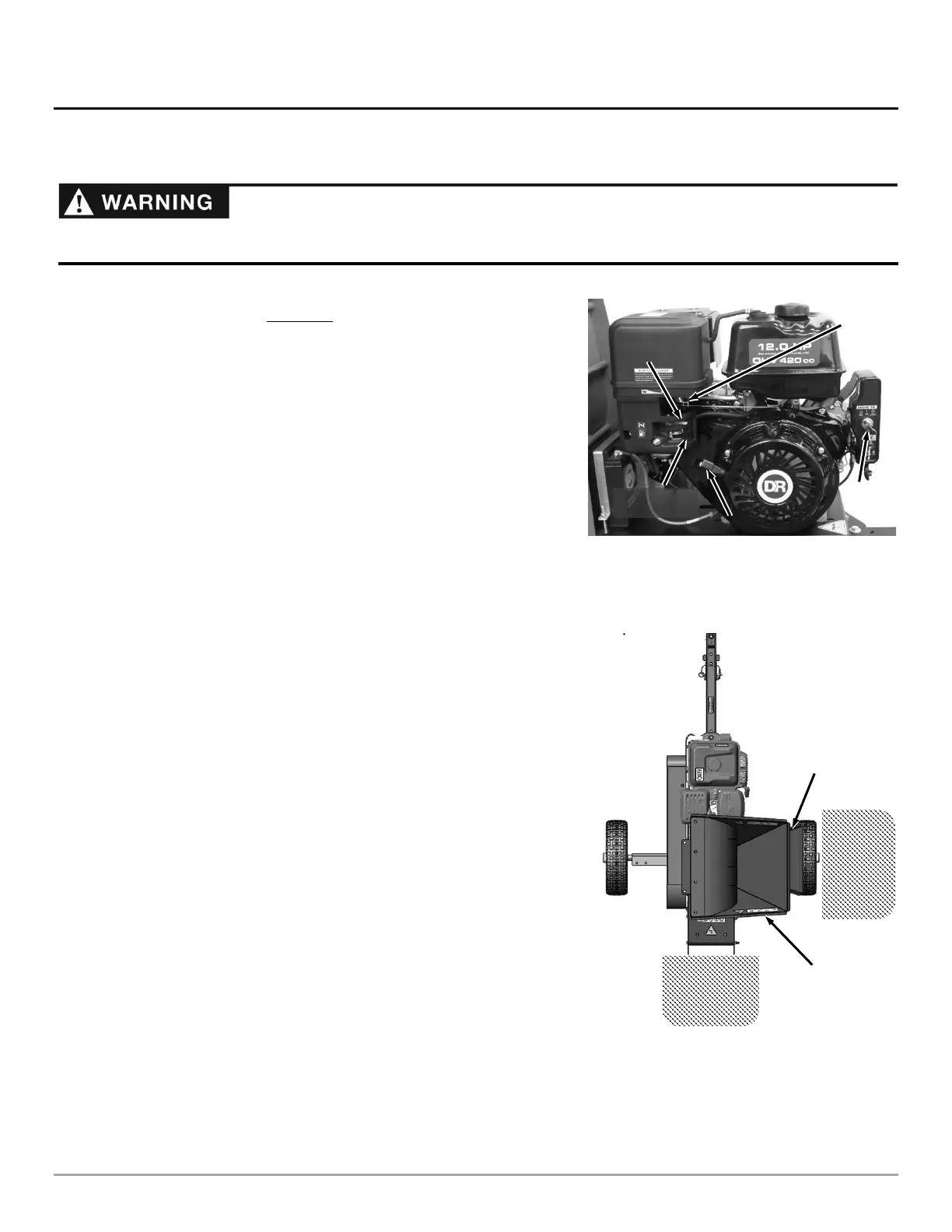
2. Turn the Fuel Shut-Off Valve to the right to the ON position (Figure 10).
3. Position Choke Control Lever to the left so it is in the Choke position (Leave
it in the RUN position to the right if the Engine is already warm).
4. Move the Throttle Control Lever to about half way between Slow (turtle) and
Fast (rabbit) Position.
5. Turn the Key fully to the right to the START position until the Engine starts,
then release. The Key will snap back to the middle RUN position and the
Engine will continue to run.
6. When the Choke is on, the Engine will soon begin to run rough. Adjust the
Choke to the right until the engine runs smoother. Continue this process
until the engine runs well with the Choke Lever fully in the run position.
Note: Ensure that the Choke Lever is always in the right “Run” position and the
Throttle Control Lever is fully to the left (rabbit) Position for Chipping and
Shredding.
Stopping the Engine
1. Move the Throttle Control Lever all the way to the SLOW (turtle) position
and then turn the Key to left OFF.
2. Remove the Key for safety.
NOTE: Close the Fuel Shut-Off when transporting or storing the DR PRO XL520
CHIPPER-SHREDDER.
Before You Begin
• Visually check the Chipper Knife for damage each time you use the machine.
NOTE: Check for shaft movement while increasing Engine speed. If the shaft does
not turn, clean out the Chipper/Shredder Hopper(s).
• When viewed from the Chipper Hopper side of the Operator’s Zone (Figure
11), the Rotor turns in a clockwise direction.
• ALWAYS operate the PRO XL520 CHIPPER-SHREDDER from the Operator
Zone.
• ALWAYS stop the Engine when leaving the Operator’s Zone or when moving
the machine.


 To Next Page
 Loading...