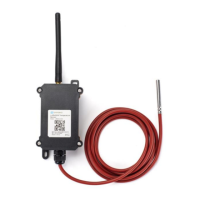
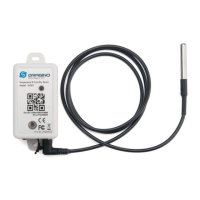
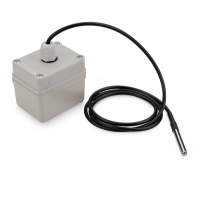
/ D20-LB/D20S-LB/D22-LB/D23-LB LoRaWAN Temperature Sensor User Manual (/xwiki/bin/view/Main/User%20Manual%20for%20LoRaWAN%20End%20Nodes/D20-LBD22-LBD23-
LB_LoRaWAN_Temperature_Sensor_User_Manual/)
D20-LB/D20S-LB/D22-LB/D23-LB LoRaWAN Temperature Sensor
User Manual
Last modified by Xiaoling (/xwiki/bin/view/XWiki/Xiaoling) on 2023/06/12 10:25
Table of Contents:
1. Introduction
1.1 What is D2x-LB LoRaWAN Temperature Sensor
1.2 Features
1.3 Specification
1.4 Sleep mode and working mode
1.5 Button & LEDs
1.6 BLE connection
1.7 Pin Definitions
1.8 Hardware Variant
1.9 Mechanical
2. Configure D2x-LB to connect to LoRaWAN network
2.1 How it works
2.2 Quick guide to connect to LoRaWAN server (OTAA)
2.3 Uplink Payload
2.3.1 Device Status, FPORT=5
2.3.2 Sensor Data. FPORT=2
Decode corresponding probe color:
Battery:
Temperature RED or Temperature White :
Temperature White:
Temperature Black:
Alarm Flag & MOD & Level of PA8:
2.4 Payload Decoder file
2.5 Datalog Feature
2.5.1 Ways to get datalog via LoRaWAN
2.5.2 Unix TimeStamp
2.5.3 Set Device Time
2.5.4 Datalog Uplink payload (FPORT=3)
2.6 Temperature Alarm Feature
2.7 Frequency Plans
2.8 Firmware Change Log
3. Configure D2x-LB
3.1 Configure Methods:
3.2 General Commands
3.3 Commands special design for D2x-LB
3.3.1 Set Transmit Interval Time
3.3.2 Get Device Status
3.3.3 Set Alarm Thredhold
3.3.4 Set Alarm Interval
3.3.5 Get Alarm settings
3.3.6 Set Interrupt Mode
3.3.7 Set Power Output Duration
4. Battery & Power Consumption
5. OTA firmware update
6. FAQ
7. Order Info

 Need help?
 General

 To Next Page