Vigor2925 Series User’s Guide
178
Confirm Password
Type the password again to make the confirmation.
Tunnel Broker
Type the address for the tunnel broker IP, FQDN or an
optional port number.
Subnet Prefix
Type the subnet prefix address getting from service
provider.
The maximum length of the prefix you can set is 128
characters.
After finished the above settings, click OK to save the settings.
D
D
e
e
t
t
a
a
i
i
l
l
s
s
P
P
a
a
g
g
e
e
f
f
o
o
r
r
I
I
P
P
v
v
6
6
–
–
D
D
H
H
C
C
P
P
v
v
6
6
C
C
l
l
i
i
e
e
n
n
t
t
i
i
n
n
W
W
A
A
N
N
1
1
/
/
W
W
A
A
N
N
2
2
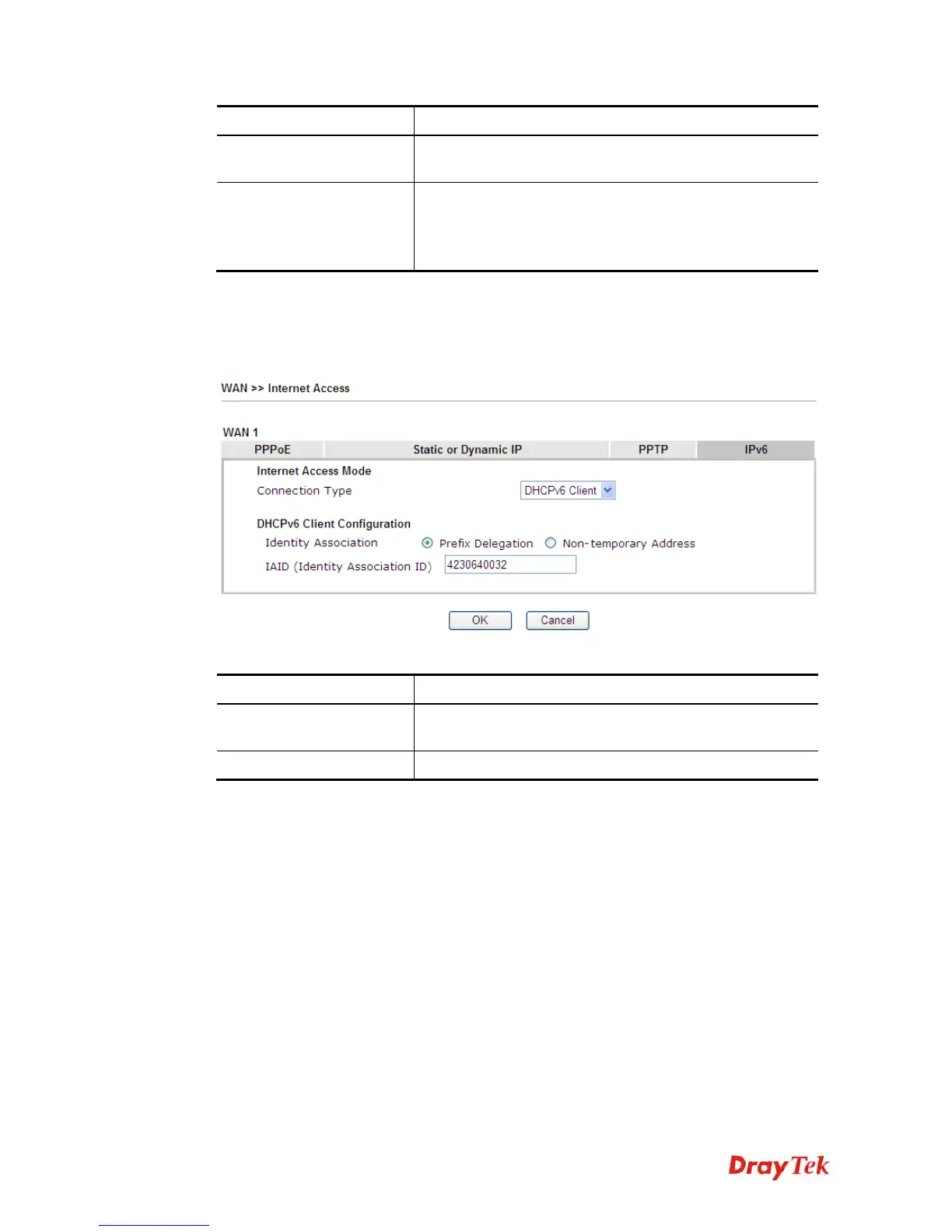
DHCPv6 client mode would use DHCPv6 protocol to obtain IPv6 address from server.
Available settings are explained as follows:
Item Description
Identify Association
Choose Prefix Delegation or Non-temporary Address as
the identify association.
IAID
Type a number as IAID.
After finished the above settings, click OK to save the settings.













 To Next Page