Vigor2950 Series User’s Guide
8
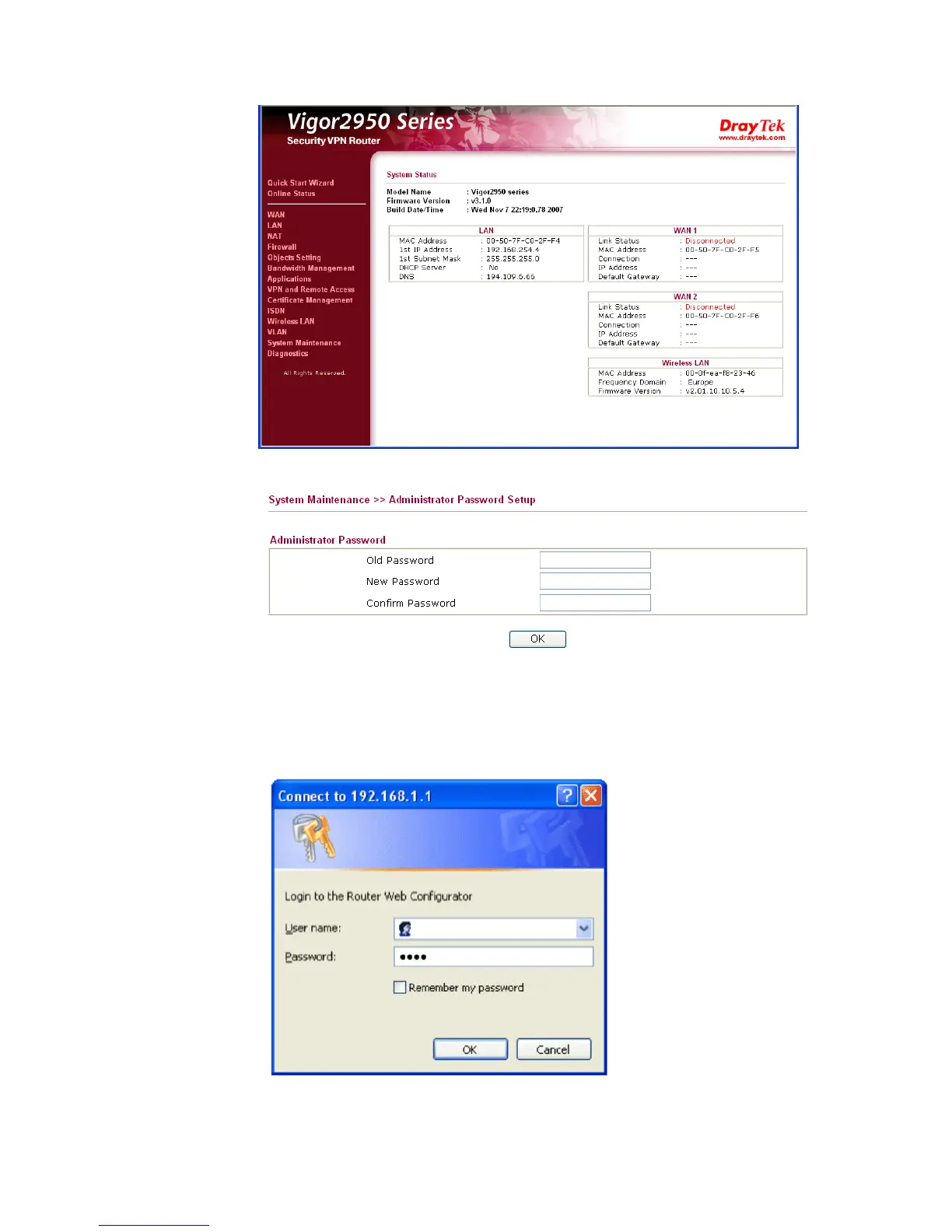
4. Go to System Maintenance page and choose Administrator Password.
5. Enter the login password (the default is blank) on the field of Old Password. Type a
new one in the field of New Password and retype it on the field of Retype New
Password. Then click OK to continue.
6. Now, the password has been changed. Next time, use the new password to access the
Web Configurator for this router.














 To Next Page