Vigor2950 Series User’s Guide
188
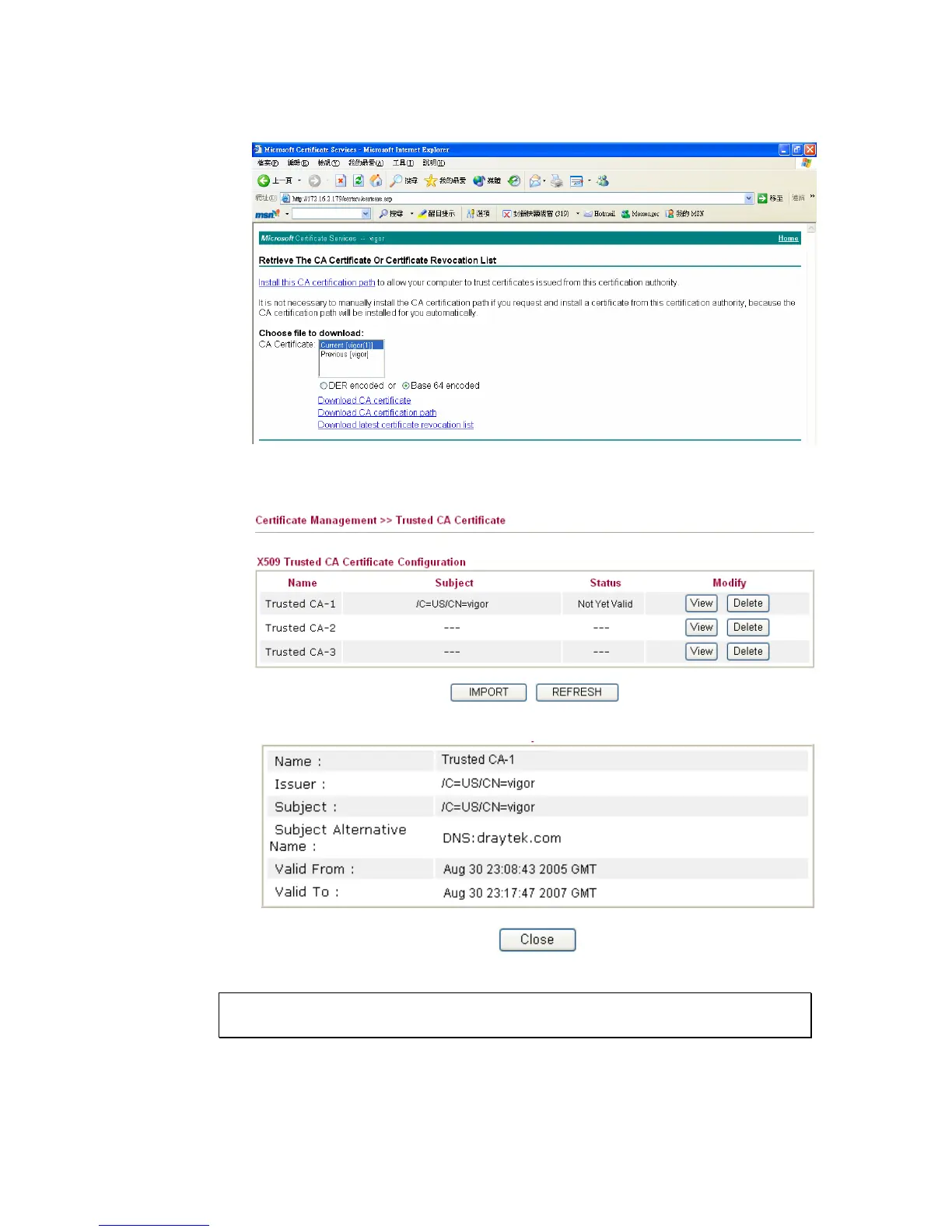
2. In Choose file to download, click CA Certificate Current and Base 64 encoded, and
Download CA certificate to save the .cer. file.
3. Back to Vigor router, go to Trusted CA Certificate. Click IMPORT button and
browse the file to import the certificate (.cer file) into Vigor router. When finished,
click refresh and you will find the below illustration.
4. You may review the detail information of the certificate by clicking View button.
Note: Before setting certificate configuration, please go to System Maintenance
>> Time and Date to reset current time of the router first.














 To Next Page