Vigor2950 Series User’s Guide
73
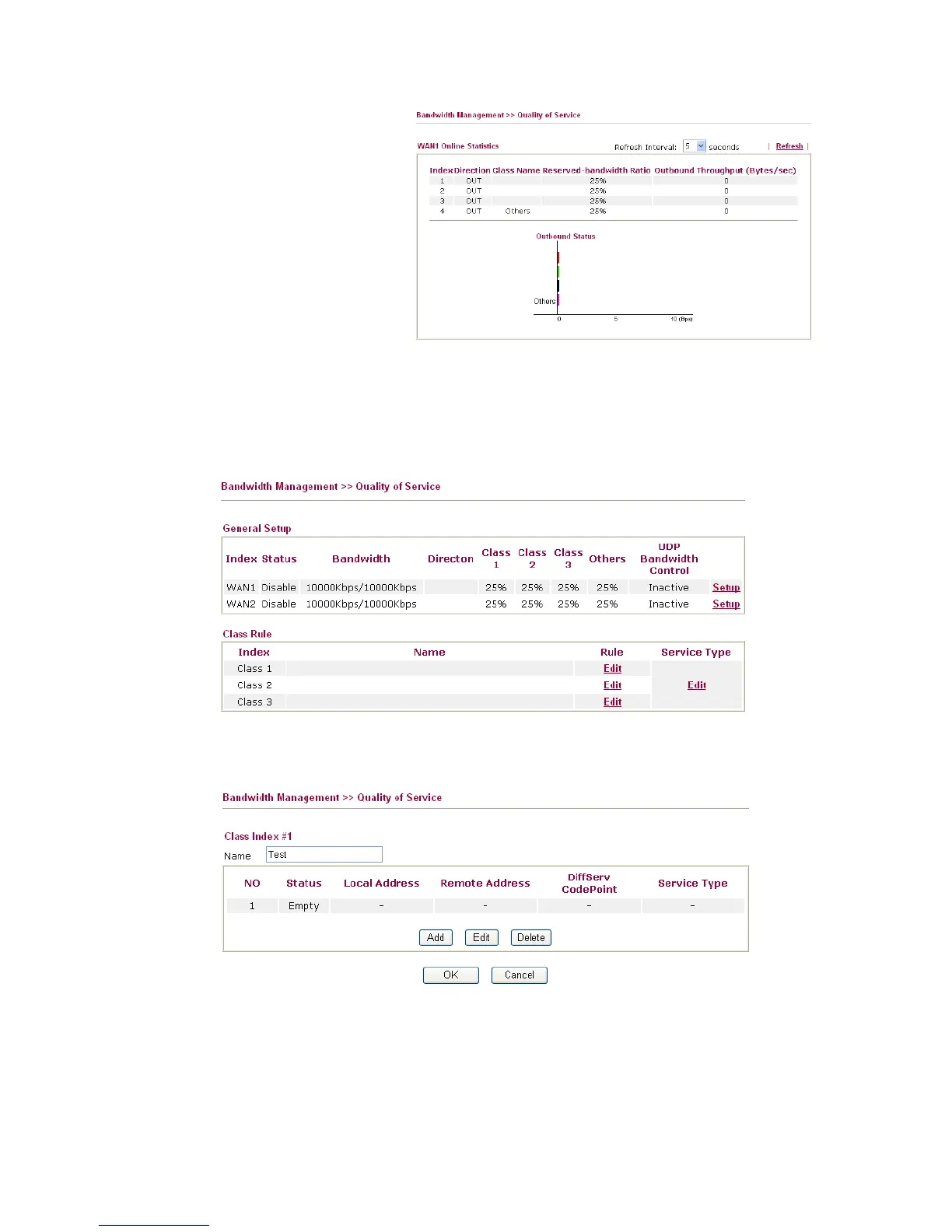
Such function is available only after QoS Control is enabled
and access Setup link from Quality of Service page again.
E
E
d
d
i
i
t
t
t
t
h
h
e
e
C
C
l
l
a
a
s
s
s
s
R
R
u
u
l
l
e
e
f
f
o
o
r
r
Q
Q
o
o
S
S
The first three (Class 1 to Class 3) class rules can be adjusted for your necessity. To add, edit
or delete the class rule, please click the Edit link of that one.
After you click the Edit link, you will see the following page. Now you can define the name
for that Class. In this case, “Test” is used as the name of Class Index #1.














 To Next Page