Vigor120 Series User’s Guide
6
2
2
.
.
2
2
C
C
h
h
a
a
n
n
g
g
i
i
n
n
g
g
P
P
a
a
s
s
s
s
w
w
o
o
r
r
d
d
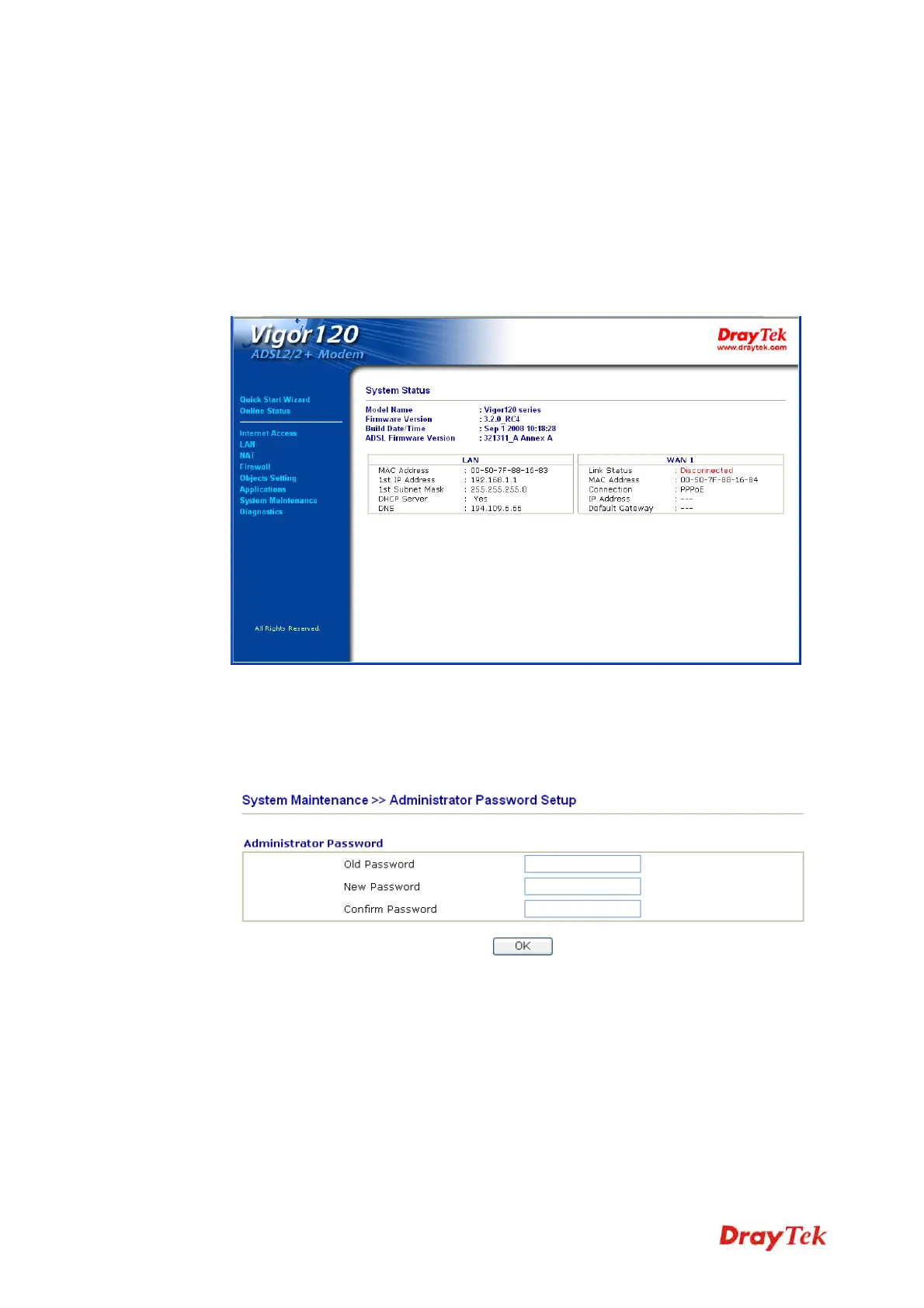
Please change the password for the original security of the modem.
1. Open a web browser on your PC and type http://192.168.1.1. A pop-up window will
open to ask for username and password.
2. Do not type any word (both username and password are Null for user operation) on the
window and click Login on the window.
3. Now, the Main Screen will appear.
Note: The home page will change slightly in accordance with the type of the modem
you have.
4. Go to System Maintenance page and choose Administrator Password/User
Password.
5. Enter the login password (the default is blank) on the field of Old Password. Type
New Password. Then click OK to continue.



 To Next Page