Vigor120 Series User’s Guide
78
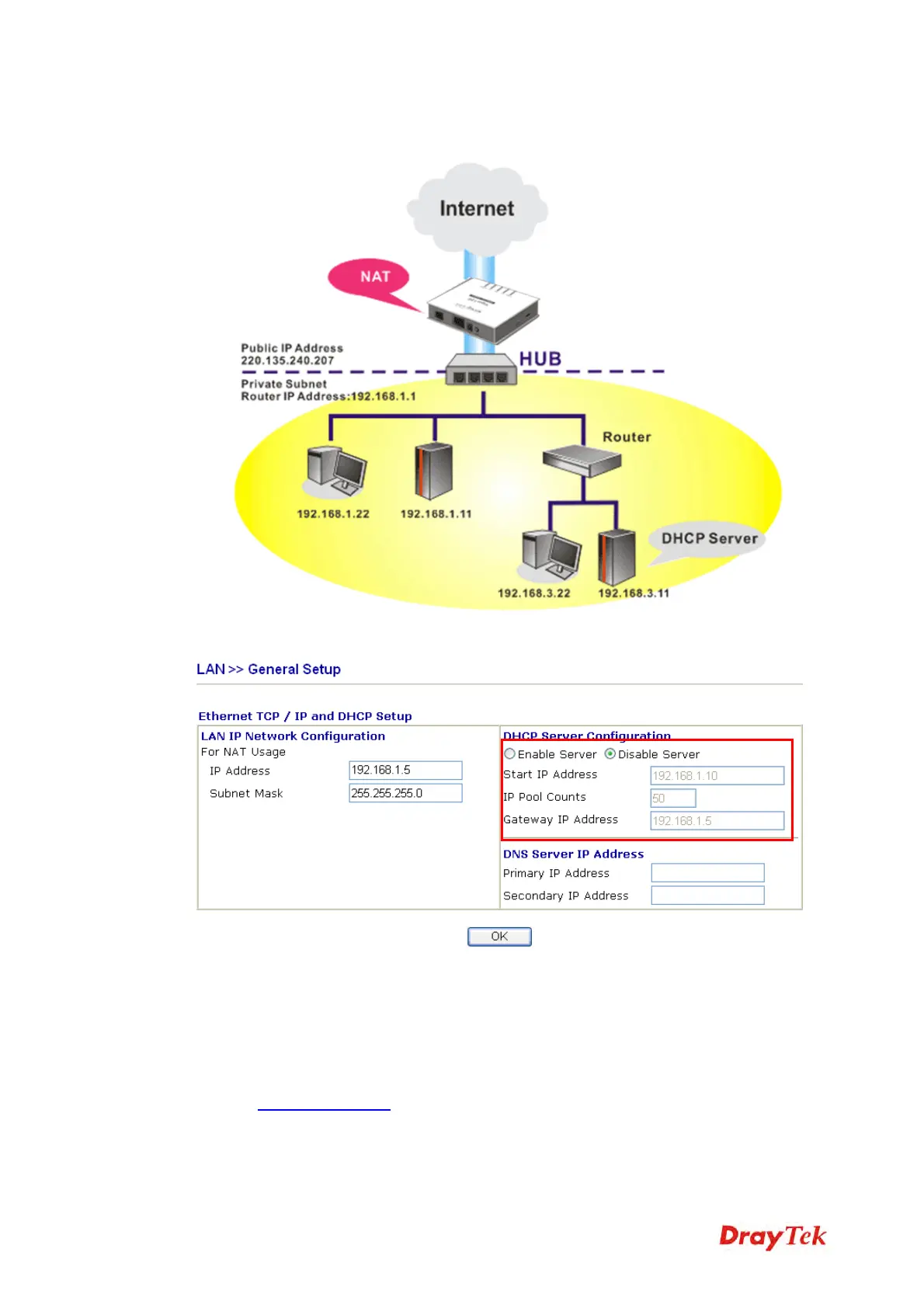
To use another DHCP server in the network rather than the built-in one of Vigor Modem, you
have to change the settings as show below.
4
4
.
.
2
2
U
U
p
p
g
g
r
r
a
a
d
d
e
e
F
F
i
i
r
r
m
m
w
w
a
a
r
r
e
e
f
f
o
o
r
r
Y
Y
o
o
u
u
r
r
M
M
o
o
d
d
e
e
m
m
Before upgrading your router firmware, you need to install the Router Tools. The file
RTSxxx.exe will be asked to copy onto your computer. Remember the place of storing the
execution file.
1. Go to www.draytek.com.
2. Access into Support >> Downloads. Please find out Firmware menu and click it.
Search the model you have and click on it to download the newly update firmware for
your router.



 To Next Page