Vigor120 Series User’s Guide
69
Current System Time Click Inquire Time to get the current time.
Use Browser Time Select this option to use the browser time from the
remote administrator PC host as modem’s system time.
Use Internet Time Select to inquire time information from Time Server on
the Internet using assigned protocol.
Time Protocol Select a time protocol.
Server IP Address Type the IP address of the time server.
Time Zone Select the time zone where the modem is located.
Automatically Update Interval Select a time interval for updating from the NTP server.
Click OK to save these settings.
3
3
.
.
7
7
.
.
7
7
M
M
a
a
n
n
a
a
g
g
e
e
m
m
e
e
n
n
t
t
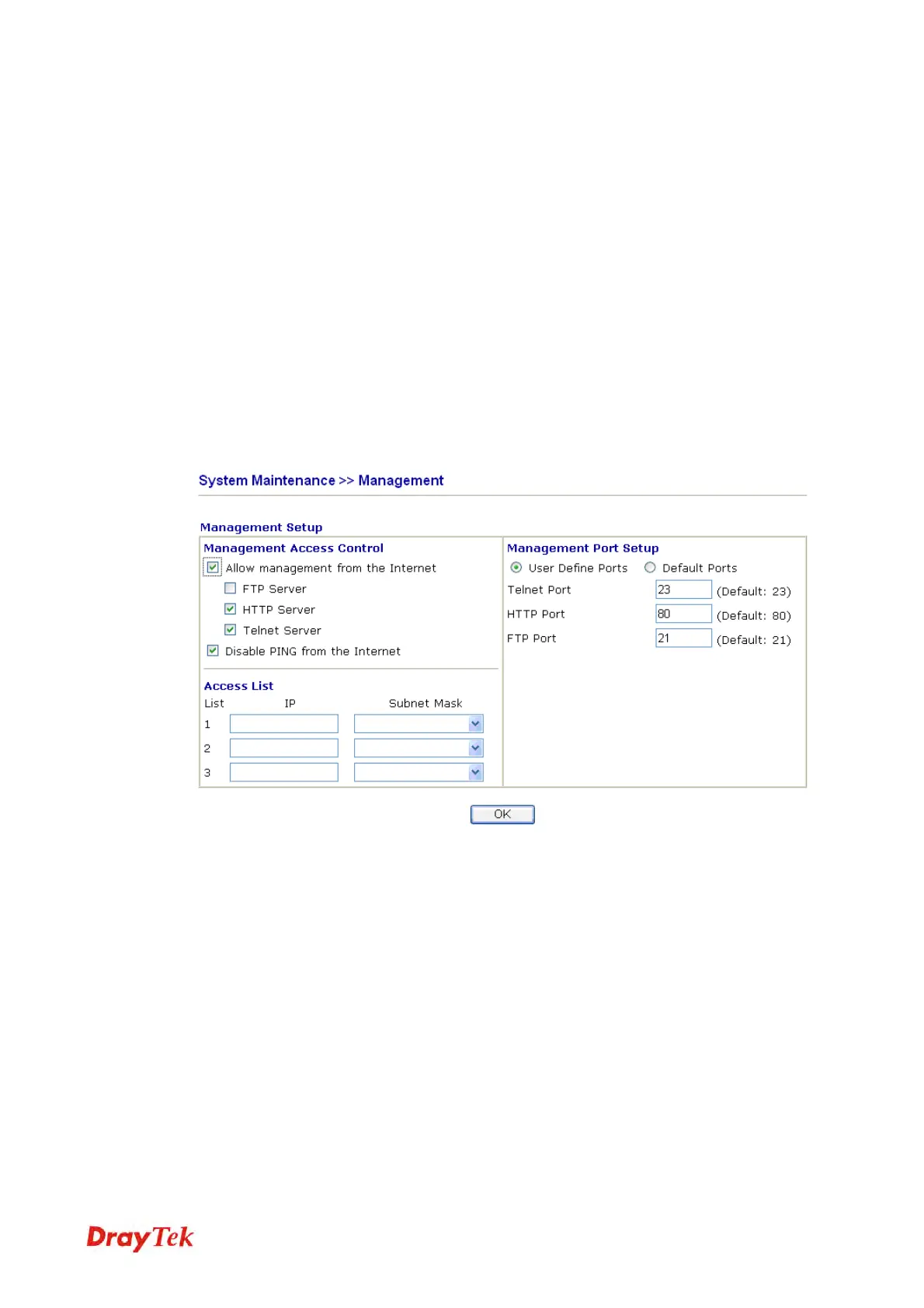
This page allows you to manage the settings for access control, access list, port setup, and
SNMP setup.
Allow management from the
Internet
Enable the checkbox to allow system administrators to
login from the Internet. There are several servers
provided by the system to allow you managing the
modem from Internet. Check the box(es) to specify.
Disable PING from the Internet
Check the checkbox to reject all PING packets from the
Internet. For security issue, this function is enabled by default.
Access List You could specify that the system administrator can only
login from a specific host or network defined in the list.
A maximum of three IPs/subnet masks is allowed.
List IP - Indicate an IP address allowed to login to the
modem.
Subnet Mask - Represent a subnet mask allowed to login
to the modem.
Default Ports Check to use standard port numbers for the Telnet, FTP
and HTTP servers.



 To Next Page