Vigor120 Series User’s Guide
13
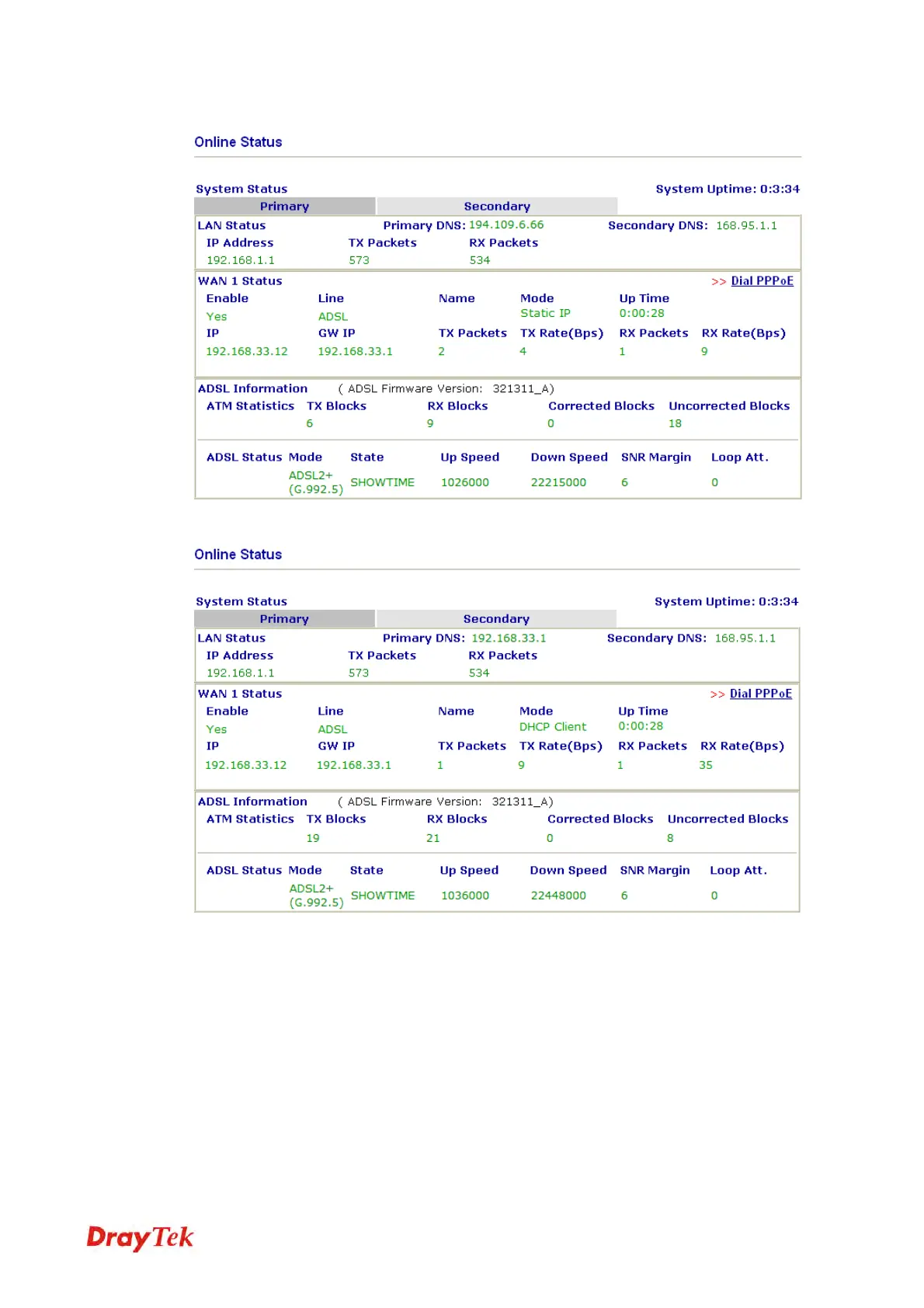
Online status for Static IP
Online status for DHCP
Detailed explanation is shown below:
Primary DNS Displays the IP address of the primary DNS.
Secondary DNS Displays the IP address of the secondary DNS.
LAN Status
IP Address Displays the IP address of the LAN interface.
TX Packets Displays the total transmitted packets at the LAN interface.
RX Packets Displays the total number of received packets at the LAN interface.
WAN1 Status
Line Displays the physical connection (Ethernet) of this interface.



 To Next Page