Vigor120 Series User’s Guide
22
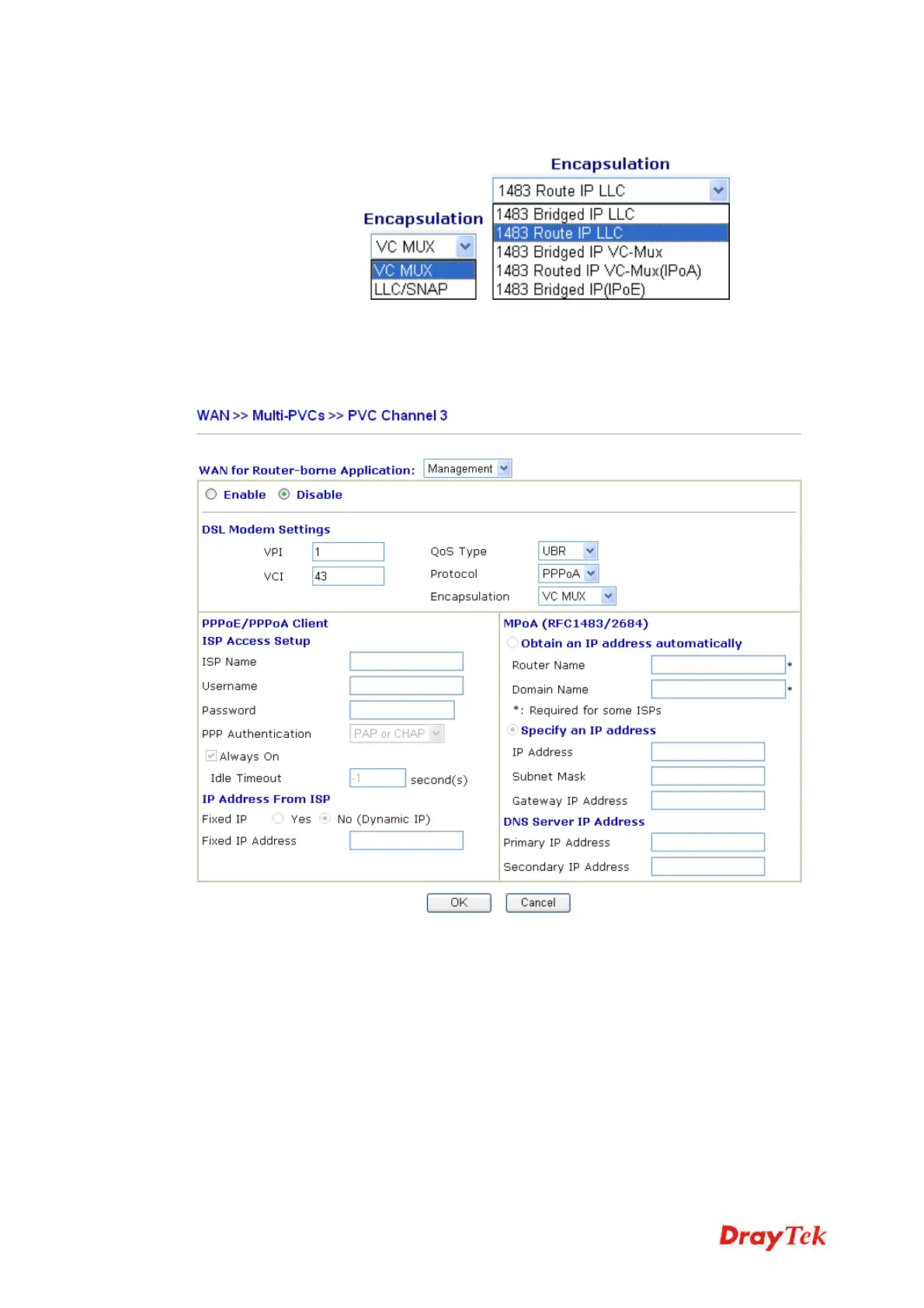
Encapsulation Choose a proper type for this channel. The types will be different
according to the protocol setting that you choose.
WAN link for Channel 3, 4 are provided for modem-borne application such as TR069 and
VoIP. The settings must be applied and obtained from your ISP. For your special request,
please contact with your ISP and then click WAN link of Channel 3 or 4 to configure your
modem.
A
A
T
T
M
M
Q
Q
o
o
S
S
Such configuration is applied to upstream packets. Such information will be provided by ISP.
Please contact with your ISP for detailed information.


 To Next Page