Vigor2830n V2 Quick Start Guide
18
F
F
o
o
r
r
W
W
A
A
N
N
1
1
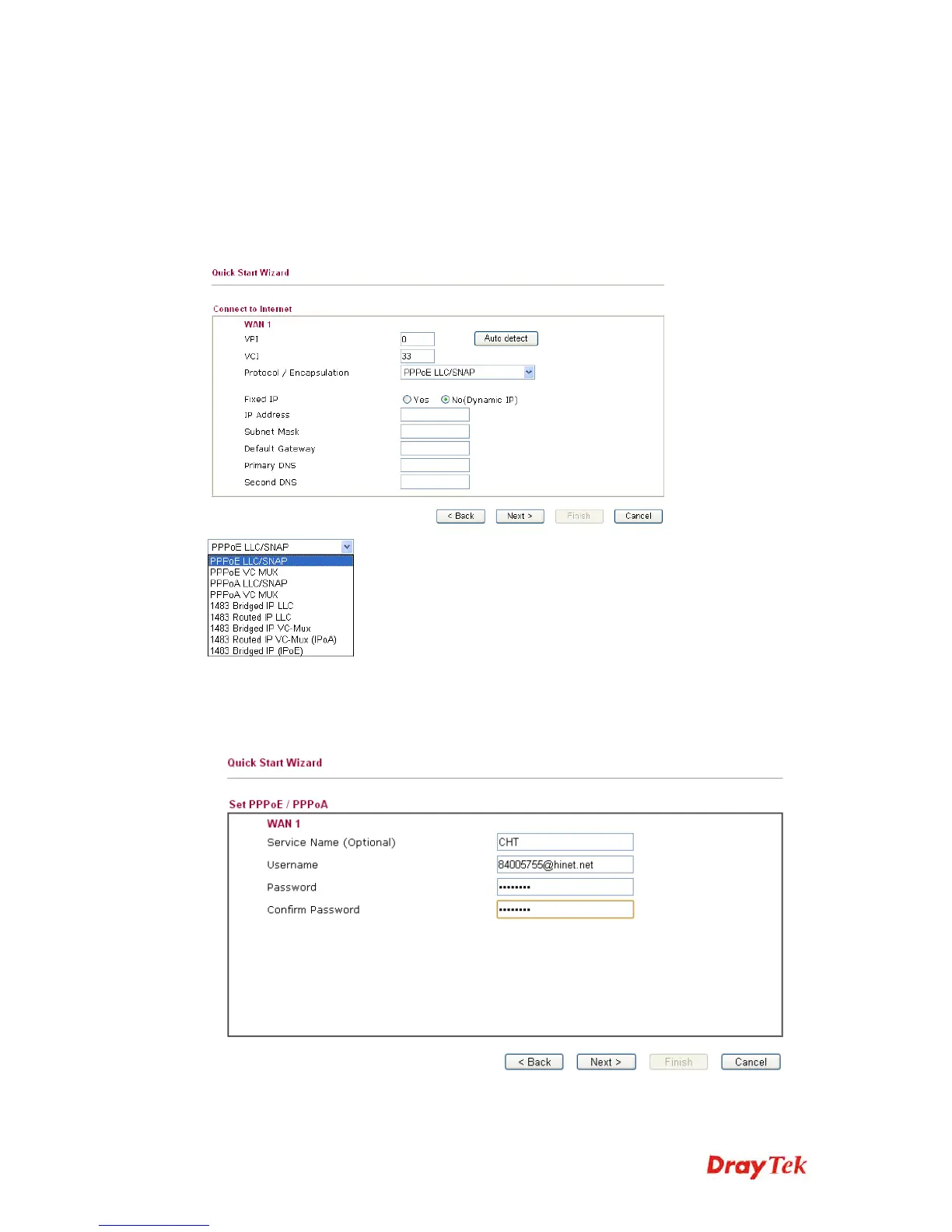
Choose WAN1 and click Next to display the following page. Please
select the appropriate Internet access type according to the
information from your ISP. For example, you should select PPPoE
mode if the ISP provides you PPPoE interface. Then click Next for
next step.
PPPoE/PPPoA: if you click PPPoE or PPPoA as the protocol, please
manually enter the Username/Password provided by your ISP. Then
click Next.














 To Next Page