Vigor2830n V2 Quick Start Guide
19
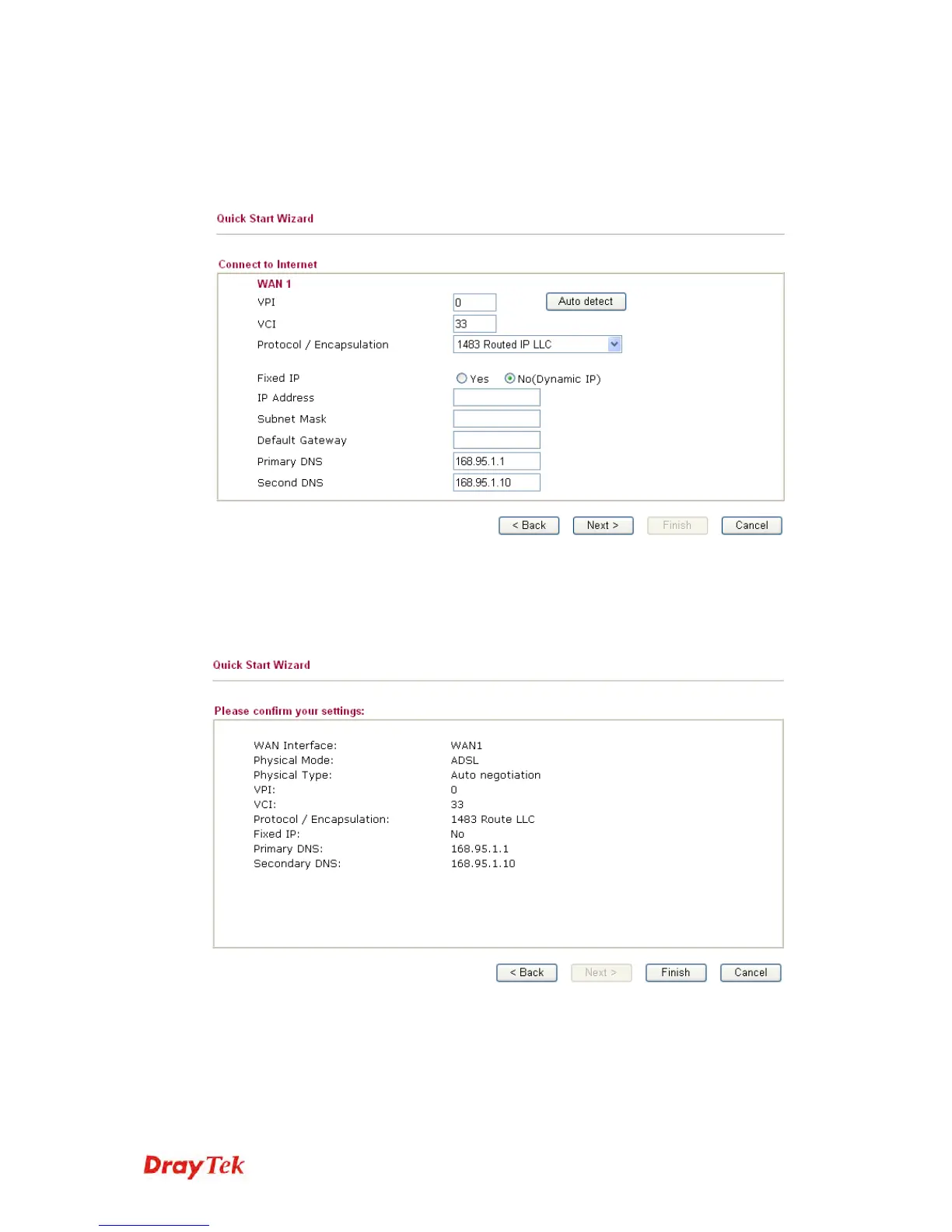
1483 Bridged IP /1483 Routed IP: if you choose 1483 Bridged IP /
1483 Routed IP as the protocol, you will get the following page. Please
type in the IP address information originally provided by your ISP. Then
click Next for next step.
Now you can see the following screen. It indicates that the setup is
complete. Different types of connection modes will have different
summary. Click Finish and then restart the router. Afterward, you will
enjoy surfing on the Internet.














 To Next Page