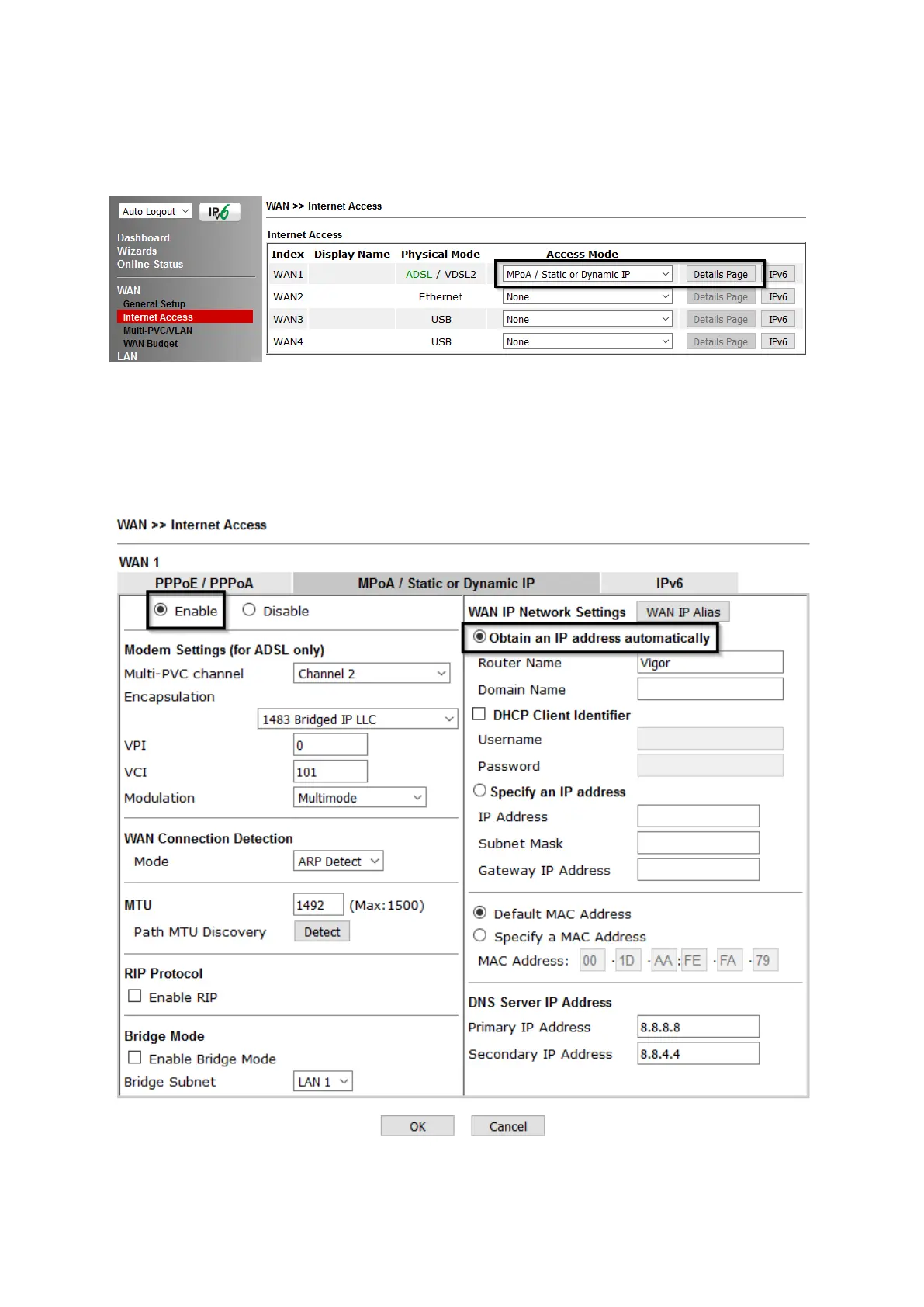
3. Go to [WAN] > [Internet Access]
Set the WAN1 Access Mode to MPoA / Static or Dynamic IP, then click the
Details Page button to proceed:
4. In the MPoA / Static or Dynamic IP settings:
Select the Enable option and select Obtain an IP address automatically which
will obtain an IP from the ISP using DHCP.
If your ISP has provided a static IP range, with a Network address and a Subnet
Mask, specify that with the Specify an IP address option.
Click OK on this page to apply the changes and the router will then prompt to
restart. Click OK to restart the router.















 To Next Page