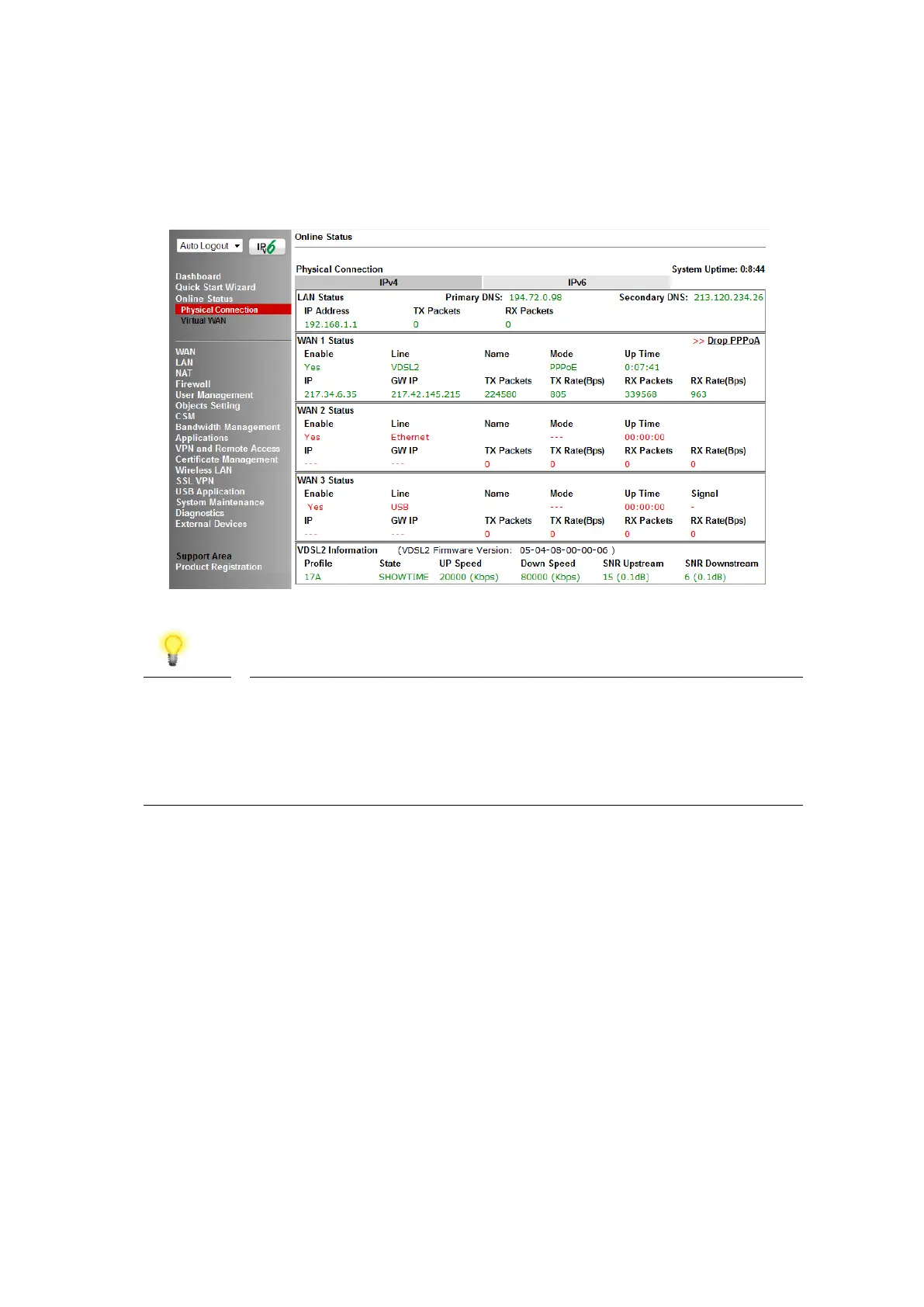
3. Once the router has restarted, the [Online Status] > [Physical Connection]
page will display the ADSL information and PPP connection status, if the
WAN1 section shows an IP address, it has connected to the internet
successfully:
If the WAN 1 IP address displayed begins with 172.16.x.x, it’s
possible that the ISP has not accepted the supplied Username
and Password for the Internet connection.
Check that the ISP Access Setup - Username and Password
match the details supplied by your ISP.
4
4
.
.
3
3
W
W
A
A
N
N
2
2
–
–
E
E
t
t
h
h
e
e
r
r
n
n
e
e
t
t
C
C
o
o
n
n
n
n
e
e
c
c
t
t
i
i
o
o
n
n
S
S
e
e
t
t
u
u
p
p
The WAN2 interface of the Vigor 2865 router can connect to a modem such as the
Vigor 130 VDSL2 to Ethernet modem, an ISP supplied router or another network with
an Internet connection.
If you are using a modem and your ISP has supplied you with a Username and
Password to connect to the Internet, go to section 4.3.1 PPPoE
If the router is connected to a modem and the ISP does not supply or require a
Username and Password to connect to the Internet, or you are connecting the WAN2
connection to another router or network go to section 4.3.2 Static or Dynamic IP















 To Next Page