4
H
H
a
a
r
r
d
d
w
w
a
a
r
r
e
e
I
I
n
n
s
s
t
t
a
a
l
l
l
l
a
a
t
t
i
i
o
o
n
n
This section will guide you to install the switch through hardware connection and
configure the switch’s settings through web browser.
Before starting to configure the switch, you have to connect your devices
correctly.
Note
Power the device to this switch and get 54V power source through
Cat. 5e Cable.
3
3
.
.
1
1
N
N
e
e
t
t
w
w
o
o
r
r
k
k
C
C
o
o
n
n
n
n
e
e
c
c
t
t
i
i
o
o
n
n
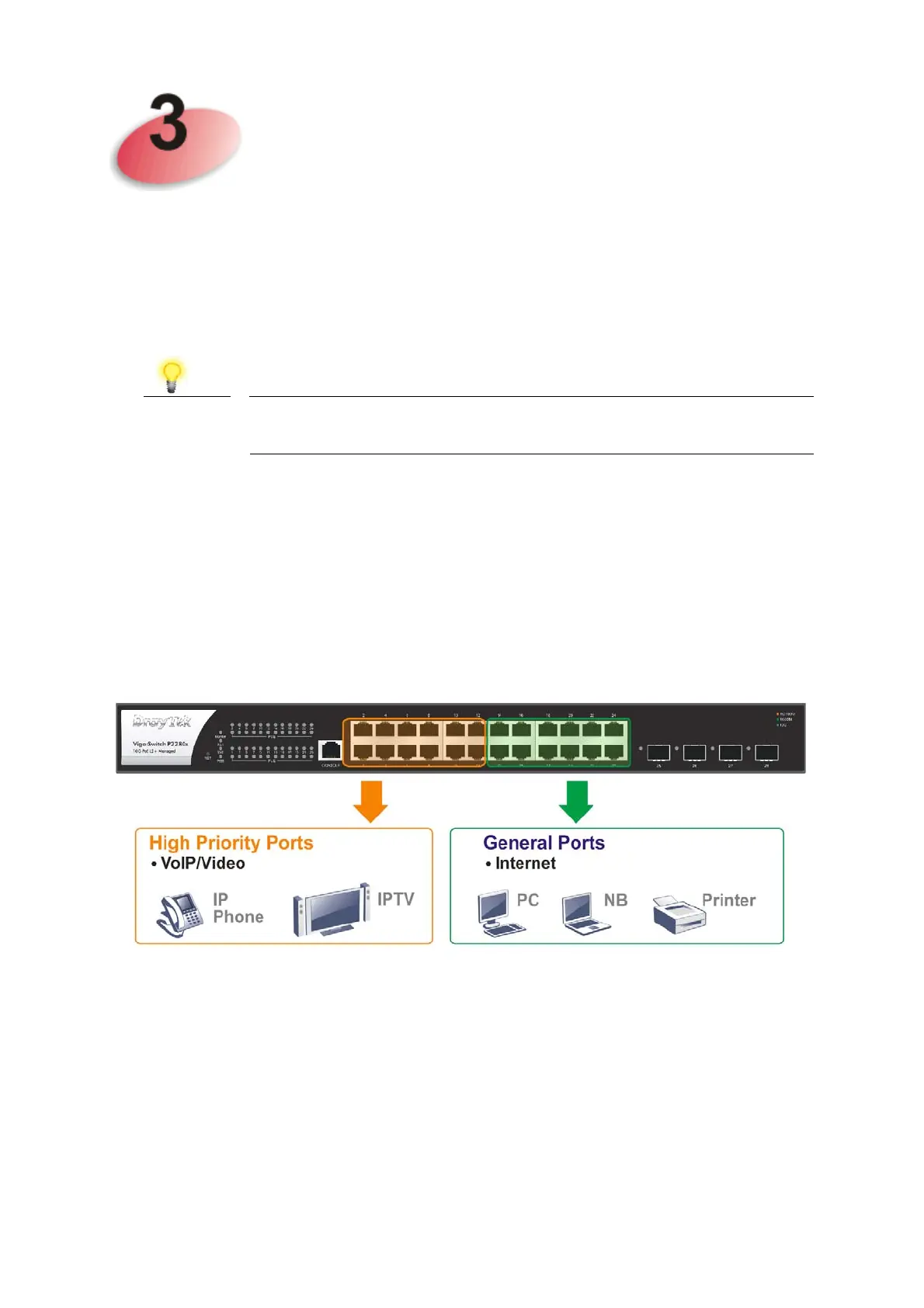
Use a Cat. 5e twisted-pair cable to connect a PoE device to the port (1~24)
of this switch.
The switch will supply power to PoE Device over the twisted-pair cable.
Please note that Power Device must comply with IEEE 802.3af/at.
Other PCs, servers and network devices can be connected to the switch using
a standard ‘straight through’ twisted pair cable.
(Take VigorSwitch P2280x as an example)














 To Next Page