24
Status Indicator
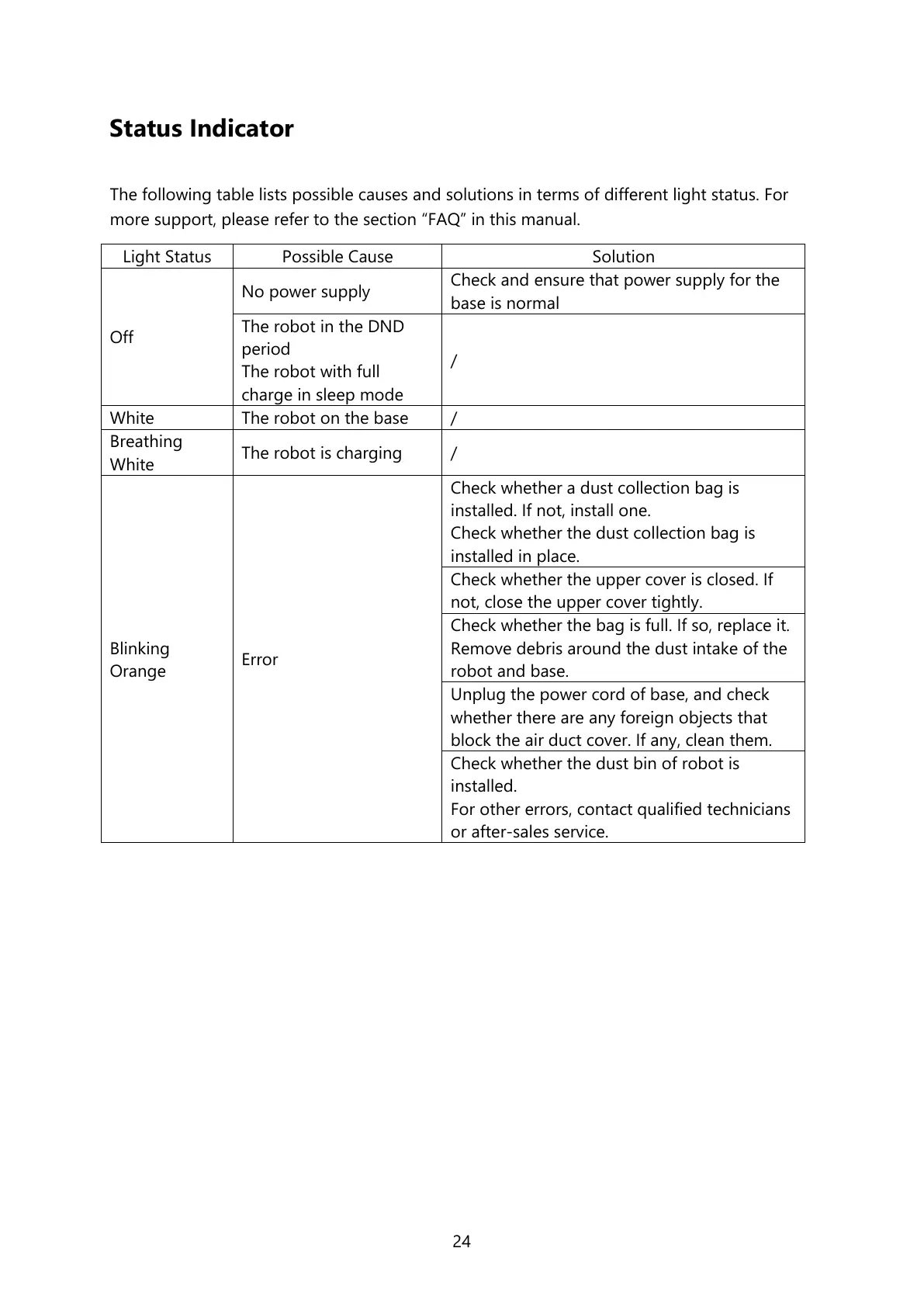
The following table lists possible causes and solutions in terms of different light status. For
more support, please refer to the section “FAQ” in this manual.
Check and ensure that power supply for the
base is normal
The robot in the DND
period
The robot with full
charge in sleep mode
Check whether a dust collection bag is
installed. If not, install one.
Check whether the dust collection bag is
installed in place.
Check whether the upper cover is closed. If
not, close the upper cover tightly.
Check whether the bag is full. If so, replace it.
Remove debris around the dust intake of the
robot and base.
Unplug the power cord of base, and check
whether there are any foreign objects that
block the air duct cover. If any, clean them.
Check whether the dust bin of robot is
installed.
For other errors, contact qualified technicians
or after-sales service.






 To Next Page