15
Spot Clean Mode
When the robot is paused or in Standby Mode, press and hold the button for 3 seconds to
start Spot Clean Mode. In this mode, it will clean a square-shaped area of
1-5x1.5 meters directly around the robot. When the spot cleaning is done, the robot will
automatically return to its original location and power off.
Note: Activating Spot Clean Mode will end the current cleaning task of the robot.
Additional App Functions
Follow the instructions on the app interface to use more functions. The versions of the app
might have been updated; please follow the instructions based on the current app version.
Routine Maintenance
Clean the Dust Bin
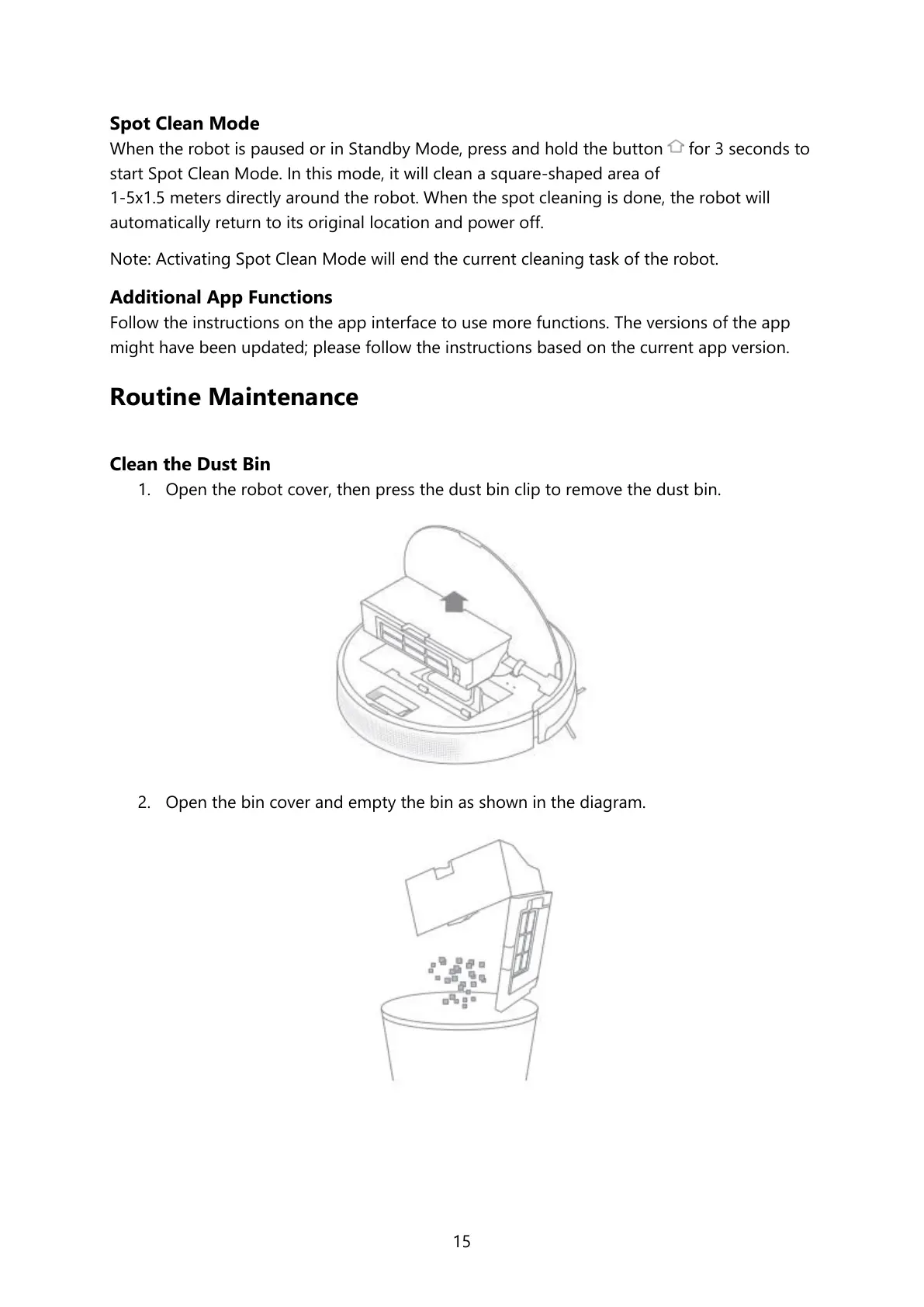
1. Open the robot cover, then press the dust bin clip to remove the dust bin.
2. Open the bin cover and empty the bin as shown in the diagram.





 To Next Page