
 Need help?
Do you have a question about the Dreame D10 Plus and is the answer not in the manual?
Guidelines for safe operation and prohibited uses of the robot vacuum.
Compliance of the laser distance sensor with safety standards.
Lists pre-installed and other accessories included with the robot vacuum.
Identifies key parts of the robot, including buttons, indicators, and sensors.
Details the various sensors on the robot for navigation and operation.
Describes the dust bin components and their function.
Information about the dust collection bag and its installation.
Details the components of the mopping module, including water tank and mop pad.
Instructions on removing protective strips before operation.
Guide for attaching the side brush to the robot.
Steps to connect the robot to the charging base and power.
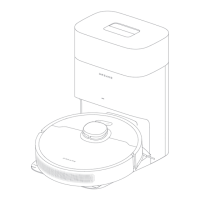
Information regarding the auto-empty base function and its operation.
Instructions for downloading and installing the companion mobile application.
Steps for connecting the robot to the mobile app via Wi-Fi.
Procedure for resetting the robot's Wi-Fi connection.
How to power the robot on and off.
Initiating the robot's cleaning cycle and its navigation pattern.
Explanation of different cleaning modes available for the robot.
How to pause the robot and its automatic sleep mode.
How to activate and use the spot cleaning function.
Overview of advanced features available through the mobile app.
Instructions for emptying and cleaning the robot's dust bin and intake.
Steps for cleaning and maintaining the robot's filter.
Guide for cleaning the water tank and mop pad.
How to remove and clean the robot's main brush and its guard.
Procedures for cleaning side brushes, wheels, and laser sensor.
Instructions for cleaning cliff sensors, charging contacts, and dust intake.
How to clear blockages in the auto-empty base's air duct.
Procedure for forcefully restarting a frozen or unresponsive robot.
Details on the robot's battery and charging recommendations.
Explains the meaning of different LED light statuses and their solutions.
Frequently asked questions and their answers for common issues.
Technical specifications for the robot and auto-empty base.
Terms and conditions related to the product's warranty coverage.
Statement of compliance with relevant EU directives and standards.
Guidelines for the proper disposal of the product according to WEEE regulations.
 General
| Shape | Round |
|---|---|
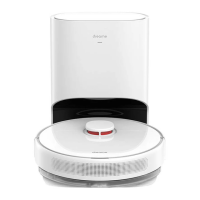
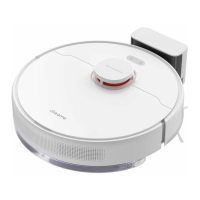
| Product color | White |
| Number of wheels | 2 wheel(s) |
| Remotely operated | Yes |
| Dust container type | Combi |
| Brush type | Roller brush & Side brush |
| Noise level | - dB |
| Navigation type | 3D Smart Navigation |
| Number of brushes | 3 |
| Integrated sensors | Laser |
| Water tank capacity | 0.145 L |
| Dust capacity (base) | 2.5 L |
| Dust capacity (total) | 2.9 L |
| Base station functions | Charging, Purification |
| Vacuum cleaner programs | - |
| Floor surfaces supported | Carpet, Hard floor, Laminate, Linoleum, Parquet, Wood |
| Dust capacity (vacuum cleaner) | 0.4 L |
| Battery life | 250 m² |
| Battery voltage | 19.8 V |
| AC input voltage | 220-240 V |
| Battery capacity | 5200 mAh |
| AC input frequency | 50-60 Hz |
| Power consumption (typical) | 46 W |
| Number of filters | 3 pc(s) |
| Quantity per pack | 9 pc(s) |
| Package type | Box |
| Product type | Accessory kit |
| Brand compatibility | Dreame |
| Suitable for vacuum cleaner type | Robot vacuum |
| Warranty period | 1 year(s) |
 Weight and Dimensions
| Depth | 350 mm |
|---|---|
| Width | 349 mm |
| Height | 96.3 mm |
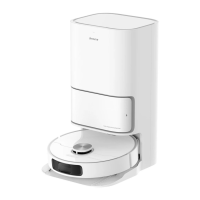
| Base station dimensions (W x D x H) | 303 x 403 x 399 mm |





 To Next Page