8
EN
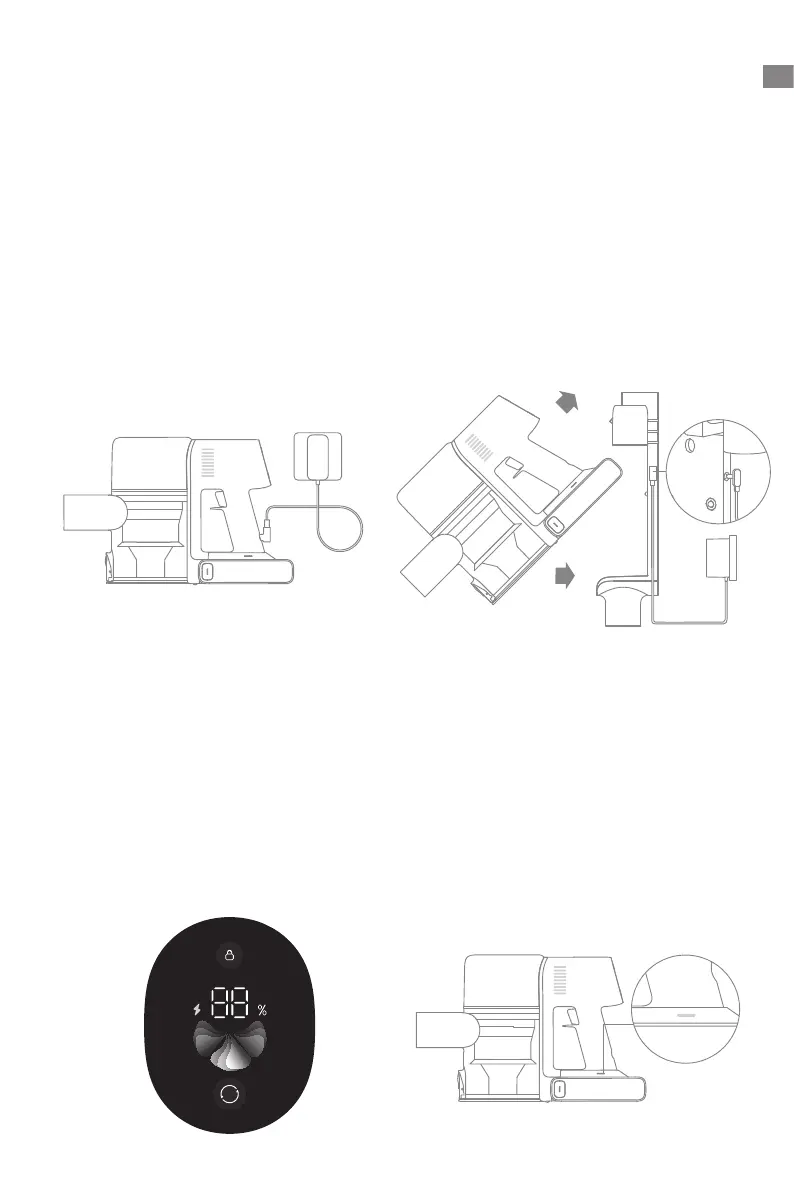
Charging
Note: Once the vacuum is fully charged, the
indicator will turn off after 5 minutes, and
the vacuum will enter energy-saving mode.
Charging the vacuum with the charger Charging the vacuum on the charging mount
Charging Methods
LED Battery Status IndicatorDisplay Screen
Battery Status Display
When charging, the indicators blink white.
When the charging is completed, the
indicators keep solid white.
The number on the display screen
represents the current battery level in a
percentage during charging. When the
number becomes 100, the battery is fully
charged.
• Fully charge the vacuum before using it for the first time.
• A full charge will take approx. 4 hours.
• Vacuuming in Turbo Mode for a prolonged period will cause the battery to heat up, which
increases charging time. Allow the vacuum to cool down for 30 minutes before charging it.
Note:
1
2


 To Next Page
 Loading...