16
EN
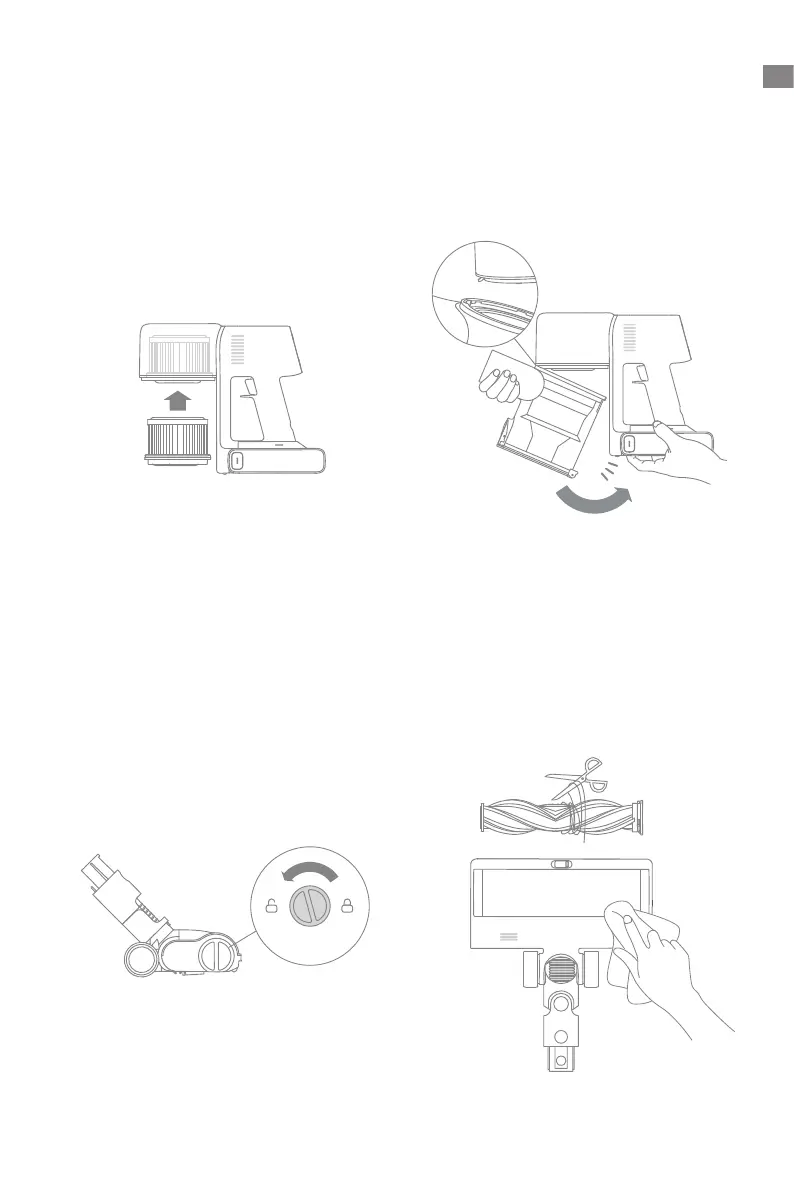
2. Reinstall the dust cup.
Installing the Filter
1. Insert the lter into the vacuum and
gently press down, as illustrated.
Care & Maintenance
2. Use scissor to cut o the hairs and
bers that get stuck on the brush. Wipe
the dust from the notch and transparent
cover with a dry cloth or paper towel.
Thoroughly dry before use.
Cleaning the Smart Multi-Surface Brush
1. Turn the lock counterclockwise until
it stops, then remove the brush roller
from the brush.


 To Next Page
 Loading...