Need help?
Do you have a question about the dreo DR-HAF004S and is the answer not in the manual?
General safety guidelines for appliance use, including child safety and proper usage recommendations.
Safe operating procedures for placing and using the air circulator, avoiding hazards like immersion or obstruction.
Crucial electrical safety precautions, including voltage checks, cord handling, and using approved power adapters.
Details the items included in the product package, such as the fan unit, remote, and power adapter.
Explains the functions of each button on the fan's control panel for operation and settings.
Guide to connecting the smart air circulator to a mobile device via Bluetooth and Wi-Fi, including app setup.
Step-by-step instructions on basic fan operations like turning on, adjusting speed, setting timers, and changing direction.
Details the different operating modes such as Normal, Auto, Turbo, Natural, Custom, and Sleep modes.
Description of the remote control layout and how to use its buttons for fan operation.
Instructions for safely replacing the battery in the remote control, ensuring correct polarity.
Simple instructions for cleaning the exterior of the air circulator with a soft, dry cloth.
Detailed steps for safely disassembling, cleaning, and reassembling the front grille and blades.
Addresses common problems like the fan not turning on, wobbling, or making noise, with troubleshooting steps.
Details the default 12-month warranty, how to extend it, and conditions under which the warranty is void.
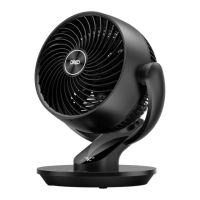
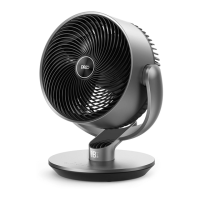
The Dreo Smart Air Circulator Fan (Model: DR-HAF004S) is a versatile appliance designed to enhance air circulation and comfort in various indoor environments. It offers a range of features, including multiple operating modes, oscillation capabilities, and smart connectivity, making it suitable for year-round use.
The Dreo Smart Air Circulator Fan is primarily used to move air efficiently throughout a room. In summer, it can be positioned in front of an air conditioner to circulate cold air more effectively, providing better cooling. During winter, it helps distribute heat from a heater to the corners of the room, warming the space faster. In spring and fall, it aids in general air circulation, making indoor environments fresher and more pleasant. The fan can be controlled via a touch-sensitive control panel on the device itself, a remote control, or through the Dreo app, which also enables integration with Amazon Alexa and Google Assistant for voice control.
The fan offers a comprehensive set of controls and modes for customized air circulation:
The LED display shows the current settings, including fan speed, timer hour, and oscillation angle. It features auto-brightness, adapting to ambient lighting conditions.

 To Next Page
 General