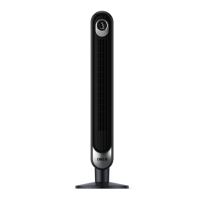
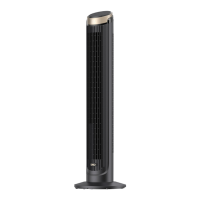
This document provides a comprehensive guide for the Dreo Tower Fan (DR-HTF005), covering its functions, usage, and maintenance.
Function Description
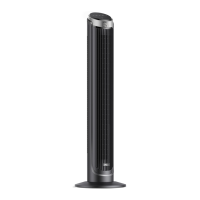
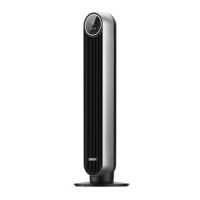
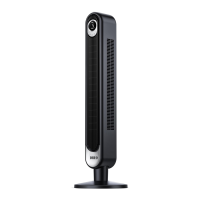
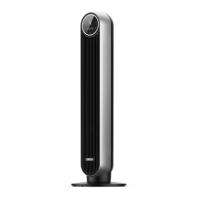
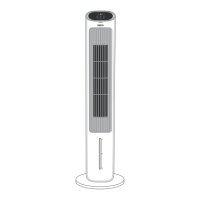
The Dreo Tower Fan is designed to provide adjustable airflow for personal comfort. It features a sleek, upright design with a control panel and LED display at the top, and an air outlet along the front. The fan is equipped with a base for stability and a carry handle/remote holder for convenience. It operates with a power adapter and can be controlled via both the integrated control panel and a remote control.
Usage Features
The fan offers a variety of modes and settings to customize your experience:
- Power On/Off: The fan can be turned on or off using the power button on the control panel or remote.
- Oscillation: An oscillation button allows you to adjust the airflow direction, ensuring wider coverage.
- Timer: A timer function enables you to set the fan to operate for a specific duration, from 1 to 12 hours. The fan will automatically stop or start after the set time. If the auto-off timer is enabled, the display will revert to showing the fan speed after 3 seconds. To cancel the timer, set it to 0 hours.
- Mute Function: A mute button allows you to turn button sounds on or off, providing a quieter operation experience.
- Fan Speed Adjustment: The fan offers 9 levels of fan speed, which can be adjusted using the fan speed button.
- Working Modes: The fan includes four distinct working modes:
- Normal Mode: The fan runs at a constant speed, providing continuous airflow.
- Natural Mode: The fan runs at alternating speeds, simulating a natural breeze.
- Sleep Mode: This mode is designed for quiet operation, with the display automatically turning off after 1 minute (or 5 seconds in sleep mode) and button sounds muted. The fan speed gradually decreases every 30 minutes, reducing by two levels at most, and remaining constant if at level 3, 2, or 1. For example, if starting at level 9, it will decrease to 8, then 7. If starting at level 5, it will decrease to 4, then 3.
- Auto Mode: In this mode, the fan speed automatically adapts to the ambient temperature, optimizing comfort without manual adjustment.
- Memory Function: The fan retains its previous settings (except for the timer) when turned off or disconnected from power, and will resume these settings when turned on again.
- Remote Control: A remote control is included for convenient operation from a distance. It features buttons for power, oscillation, timer, mute, fan speed adjustment, and mode selection. The remote control uses a CR2025 3V battery, which can be replaced by pressing the locking button to pop out the battery holder, replacing the battery with the (+) side facing up, and pushing the holder back into place until securely locked.
Getting the Most Out of Your Tower Fan:
- The Dreo Tower Fan is not an air conditioner; it circulates air for cooling.
- Ensure no tall obstacles block the airflow from the fan.
- Combine the fan with an AC unit for enhanced cooling throughout the room.
- Position the fan closer to you for more direct airflow.
- For an extra cooling boost, place a bucket of ice in front of the fan.
Maintenance Features
Proper maintenance ensures the longevity and optimal performance of your Dreo Tower Fan.
- Outer Surface Cleaning: Gently wipe the outer surface of the fan with a soft, dry cloth to remove dust.
- Grilles & Blades Cleaning: Use a vacuum cleaner or an air duster to remove dust from the grilles and blades.
- Base Disassembly for Cleaning: To clean the base, press on the lock sign and rotate counterclockwise to release it. Then, disassemble the base in the reverse order of assembly.
- Safety Precautions for Cleaning:
- Always unplug the fan before any cleaning or maintenance to prevent the risk of fire, electric shock, or injury.
- Do not immerse the fan in water or allow water to get inside the motor housing.
- Avoid using any chemical agents when cleaning the fan.
- Store the fan in a cool, dry place and cover it to protect it from dust when not in use.
Assembly Instructions:
When using the appliance for the first time, remove all wraps and follow these steps to assemble the base:
- Assemble Base Halves: Take the two base halves and place them in a crossed position. Insert the pegs on one half into the slots on the other half.
- Secure Base Halves: Press down on the edges to click the two base halves together, ensuring they are securely joined.
- Attach Base to Fan: Fit the assembled base onto the bottom of the fan. Align the arrows on the underside of the base with the corresponding points on the fan. Make sure the jutting points in the center of the base fit into the recesses on the fan.
- Lock Base: Rotate the base clockwise to lock it securely in place.
- Power Connection: Place the fan upright. Plug the power adapter into the power input located at the back of the fan, and then into a power outlet.
Important Note: Do not operate the tower fan if the base has not been properly installed.
Troubleshooting:
- Fan Not Turning On:
- Ensure the power cord is securely connected to a powered outlet and that the mains voltage matches the fan's indicated voltage.
- Verify that the power adapter is securely inserted into both the power outlet and the tower fan.
- Fan Shaky or Wobbling:
- Place the fan on a flat, level surface.
- Incorrect installation of the base can cause shakiness. Refer to the assembly instructions (pages 3-4) to ensure correct installation.
- Fan Making Vibration or Noise:
- Ensure the fan is placed on a flat, level surface.
- Do not insert anything into the air inlet and outlet.
If problems persist or are not listed, contact customer support for assistance.

 Need help?
 General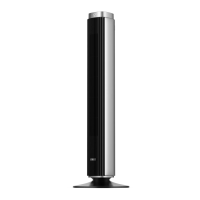

 To Next Page