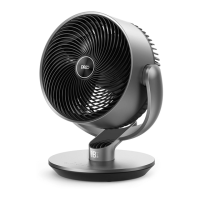
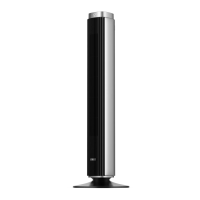
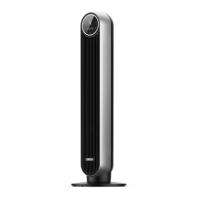
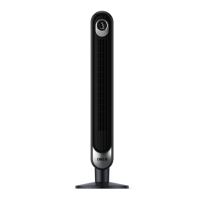
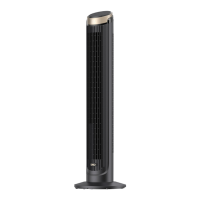
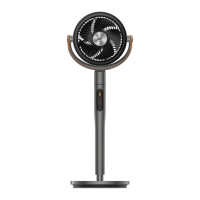
This document is the user manual for the Dreo Air Circulator Fan, model DR-HAF001S. It provides comprehensive information on the fan's operation, safety, maintenance, and troubleshooting.
Function Description:
The Dreo Air Circulator Fan is designed to improve air circulation within a room, offering various modes and settings to suit different needs. It can be used in conjunction with air conditioners to circulate cold air for better cooling in summer, with heaters to distribute warm air more effectively in winter, and for general air circulation in spring and fall to keep indoor air fresh. The fan features a control panel and a remote control for easy operation, and it also supports smart connectivity via the Dreo app, allowing control through Amazon Alexa or Google Assistant.
Important Technical Specifications:
- Model: DR-HAF001S
- Input: AC 120V 60Hz
- Rated Power: 52W
- Battery Type (for Remote Control): CR2025 3V
- Airflow Speed: 4 levels
- Oscillation: 90° adjustable airflow direction
- Timer: 0-8 hours
- Connectivity: Wi-Fi (2.4GHz) for app control and voice assistant integration
Usage Features:
The fan offers several operational modes and features:
- Power Button: Turns the fan on/off. A long press for 10 seconds resets to factory settings.
- Mode Button: Switches between Normal/Auto Mode. A long press mutes/unmutes the fan. It also exits Natural/Sleep/Custom Mode.
- Fan Speed Button: Adjusts airflow speed across 4 levels. It also exits Custom Mode.
- Timer Button: Sets a timer from 0 to 8 hours. The fan will stop/start automatically when the timer ends.
- Oscillation Button: Adjusts the airflow direction by 90°. A long press for 5 seconds initiates Wi-Fi connection settings and device pairing.
- LED Display: Shows current fan speed/timer hour, mode (Normal, Auto), and Wi-Fi connection status.
- Manual Tilt: The fan head can be tilted by hand to the desired angle (-30° to 90°).
- Normal Mode: Fan runs at a fixed speed.
- Auto Mode: Fan speed adapts to the ambient temperature.
- Natural Mode (Available in Dreo app): Fan runs at alternating speeds.
- Custom Mode (Available in Dreo app): Fan speed changes according to desired temperatures or time.
- Sleep Mode (Available in Dreo app): Mutes automatically. Fan speed decreases every 30 minutes, up to two levels, then remains constant at level 1.
- Memory Function: The fan remembers previous settings (except timer) when turned off or disconnected from power.
- Countdown Display: Shows a countdown during operations like Factory Reset, Child Lock, and Mute.
- Firmware Update: Allows checking and updating firmware via the Dreo app for improved efficiency.
- Display Auto Off: The display turns off after 1 minute (or 5 seconds in sleep mode) and can be woken by any button.
- Child Lock: Long pressing the Oscillation and Timer buttons simultaneously for 3 seconds activates/deactivates Child Lock. "L" flashes on the display. Child Lock does not apply to the remote control and can be turned off by re-plugging the fan or through the Dreo app.
- Remote Control: Includes buttons for Power, Increase/Decrease Fan Speed, Mute, Mode, Oscillation, and Timer.
Maintenance Features:
Regular cleaning and maintenance are crucial for the fan's longevity and safe operation.
- Safety Precaution: Always unplug the fan before any cleaning or maintenance to avoid electric shock or injury. Do not immerse the fan in water or get water inside the motor housing. Avoid using chemical agents for cleaning.
- Outer Surface: Gently wipe the outer surface with a soft, dry cloth.
- Front Grille and Blades:
- Unscrew the front grille and rotate it counterclockwise to remove.
- Rotate and remove the blade cap, then take out the blade assembly from the shaft.
- Rinse the cap, blades, and grille under running water or clean them with a damp cloth.
- Dry all parts thoroughly.
- Reinsert the blade assembly back into the shaft, aligning the D-shaped points.
- Align the front grille with the casing, rotate it clockwise, and reinstall the screw.
- Battery Replacement (Remote Control):
- Press the locking button to pop out the battery holder.
- Replace with a new CR2025 3V battery, ensuring the (+) side faces up.
- Push the holder back until securely locked.
Note: If the remote control indicator doesn't turn on, replace the battery.
- Fuse Replacement (in Plug):
- Grasp the plug and remove it from the outlet (do not pull by cord).
- Slide open the fuse access cover on top of the attachment plug.
- Carefully remove the old fuse (push from the other side).
- Replace with a 5 Amp, 125 Volt fuse.
- Slide closed the fuse access cover.
Warning: Do not replace the attachment plug itself if damaged, as it contains a safety device (fuse) that should not be removed. Discard the product if the attachment plug is damaged.
Safety Instructions:
The manual emphasizes several important safety instructions, including:
- Ensuring correct voltage supply.
- Unplugging before cleaning or prolonged disuse.
- Not operating with a damaged cord or plug.
- Avoiding running the cord under carpeting or furniture.
- Not using with solid-state speed control devices.
- Understanding overload protection (fuse) and replacement procedures.
- Proper handling of the polarized plug.
- Not covering air inlet/outlet during operation.
- Keeping away from flammables and combustibles.
- Supervision for children aged 8+ and persons with reduced capabilities.
- Placing on a flat, dry surface.
- Not immersing in liquids.
- Not inserting objects into grilles.
- Not dismantling or modifying the unit.
- Avoiding operation near curtains or hanging foreign objects on the grille.
- Avoiding overly humid, high-temperature, dusty environments or acidic/alkaline storage.
- Not blowing directly on infants, the elderly, or patients for extended periods.
- Lithium Button/Coin Cell Battery Warning: Contains a battery that can cause severe internal burns or death if swallowed. Keep batteries away from children and ensure the battery compartment is securely closed. Dispose of batteries properly.

 Need help?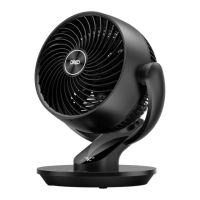

 To Next Page
 General