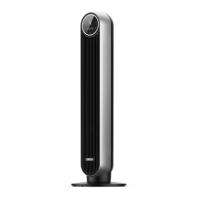
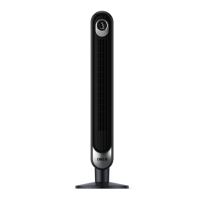
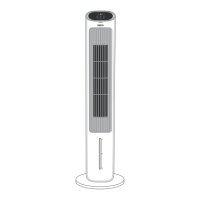
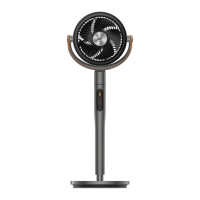
Need help?
Do you have a question about the dreo DR-HTF008S and is the answer not in the manual?
Safety rules for children and general use of the appliance.
Precautions for placing, using, and maintaining the fan safely.
Guidelines for safe electrical connection and usage of the fan.
Technical details like model, input voltage, power, and battery type.
Step-by-step guide to assemble the fan base and cord.
Important warnings about base installation and cord routing.
Lists all items included in the product package.
Instructions for setting up the fan with the Dreo app and Wi-Fi.
Explains the functions of each button on the fan's control panel.
Describes the information shown on the fan's LED display.
How to operate the fan using touch controls for basic functions.
Details on Sleep, Auto, Normal, and Natural modes.
Explains features like Timer, Mute, and Memory.
Information on firmware updates and display auto-off.
Tips for optimizing fan performance and cooling.
Identifies buttons and indicators on the remote control.
Step-by-step guide for replacing the remote control battery.
Crucial safety warning about battery handling and ingestion.
Instructions for cleaning the fan's exterior.
Steps to detach and reattach the fan base for cleaning.
Detailed instructions on how to remove, clean, and reassemble the rear grille.
General safety precautions for cleaning and maintenance.
Guide on how to check and replace the fuse in the plug.
Safety warning regarding the fused plug and potential damage.
Common issues and solutions for the fan not powering on.
Troubleshooting steps for fan instability and wobbling.
Solutions for excessive vibration or noise during operation.
Details of the standard 12-month warranty coverage.
Information on how to register for an extended warranty.
List of conditions that void the product warranty.
Regulatory compliance information regarding FCC rules.
 General
| Model | DR-HTF008S |
|---|---|
| Category | Fan |
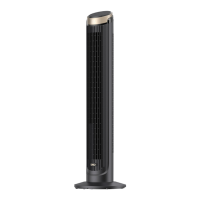
| Type | Tower Fan |
| Power | 45W |
| Voltage | 120V |
| Frequency | 60Hz |
| Oscillation | Yes |
| Remote Control | Yes |
| Noise Level | 25 dB |
| Display | LED |
| Height | 36 inches |
| Modes | Normal, Natural, Sleep |
| Timer | Up to 12 hours |

 To Next Page