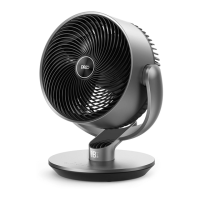
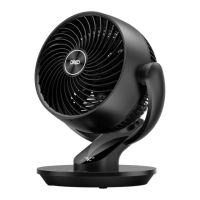
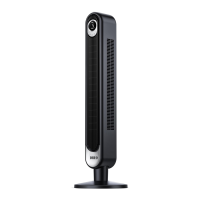
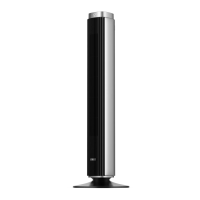
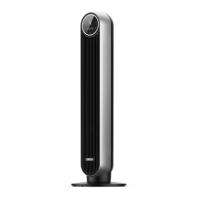
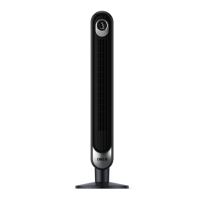
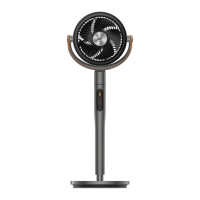
The Dreo Smart Pedestal Air Circulator Fan (Model: DR-HAF003S) is a versatile home appliance designed to provide efficient air circulation and cooling. It features a sleek design with a pedestal stand, an adjustable height, and a user-friendly control panel, along with remote control and smart app connectivity for enhanced convenience.
Function Description:
The Dreo Smart Pedestal Air Circulator Fan is primarily designed to circulate air within a room, helping to maintain a comfortable temperature. It can be used in various scenarios:
- Summer: Positioned in front of an air conditioner, it helps circulate cold air more effectively, enhancing cooling.
- Winter: Used with a heater, it helps distribute warm air to corners of the room faster.
- Spring & Fall: It can be used to keep indoor air fresh and pleasant.
The fan offers multiple operating modes and oscillation options to suit different preferences and room layouts. Its smart features allow for remote control via a mobile app and integration with voice assistants like Amazon Alexa and Google Assistant.
Important Technical Specifications:
- Model: DR-HAF003S
- Power Supply: 24V-1.5A
- Rated Power: 36W
- Power Adapter Input: 120V~60Hz 1.0A
- Power Adapter Output: 24V 1.5A
- Battery Type (for Remote Control): CR2025 3V
- Adjustable Height: 0-5.9 inches
- Wireless Module: CMIIT ID is FCC ID: 2A3SYMBL02 (for radio transmitting module)
Usage Features:
The fan can be controlled via its integrated LED display control panel, a remote control, or the Dreo mobile app.
Control Panel & LED Display:
The LED display shows the current air circulator speed/timer hour, and indicators for vertical oscillation, horizontal oscillation (60°, 90°, 120°), WiFi connection, Turbo Mode, Auto Mode, and Timer.
- Power Button: Turns the fan on/off. A long press for 10 seconds resets to factory settings.
- Increase Speed Button (+): Increases airflow speed (1-8 levels) and exits Turbo Mode.
- Decrease Speed Button (-): Decreases airflow speed (1-8 levels) and exits Turbo Mode.
- Horizontal Oscillation Button: Sweeps airflow horizontally (0°/60°/90°/120°). A long press for 5 seconds initiates network settings and device pairing.
- Vertical Oscillation Button: Sweeps airflow vertically (90°). A long press for 3 seconds mutes/unmutes button sounds (note: appliance is mute by default, sounds can be enabled via the Dreo app).
Working Modes (accessible via remote or app):
- Normal Mode: Air circulator runs at a fixed speed.
- Auto Mode: Air circulator speed adapts to the ambient temperature.
- Turbo Mode: Air circulator runs at maximum speed.
- Natural Mode (App Only): Air circulator runs at alternating speeds.
- Custom Mode (App Only): Air circulator speed changes according to desired temperatures or time.
- Sleep Mode (App Only): Mutes auto-on. Air circulator speed decreases every 30 minutes, with a minimum constant speed at level 1, 2, or 3.
Additional Features:
- Timer: Sets an auto-off/auto-on timer from 1 to 8 hours. Can be extended beyond 8 hours via the Dreo app.
- Child Lock: Activated by long-pressing the Horizontal Oscillation and Vertical Oscillation buttons simultaneously for 3 seconds. Does not apply to remote control or app operations. Can be deactivated by re-plugging, factory reset, or via the Dreo app.
- Memory: Retains previous settings (except Timer) when turned off or disconnected from power.
- Firmware Update: Allows for regular firmware updates via the Dreo app for improved performance.
- Display Auto Off: The display turns off after 1 minute (or 5 seconds in sleep mode). Can be woken by any button. This feature can be disabled via the Dreo app.
Remote Control:
The remote control includes buttons for Power, Increase Speed, Decrease Speed, Mode selection, Horizontal Oscillation, Vertical Oscillation, and Timer. It requires a CR2025 3V battery, which can be replaced by pressing the locking button to pop out the battery holder, replacing with a new battery (positive side up), and pushing the holder back in.
Assembly Instructions:
- Push the air circulator into the base, aligning the cutout on the bottom with the jutting point in the middle of the base.
- Thread a screw through a flat washer, insert into the base, and use the included screwdriver to secure it to the bottom of the air circulator.
- Adjust the height by holding the main body and rotating the Adjustment Collar counterclockwise to raise or lower the air circulator (adjustable 0-5.9 inches).
- Tighten the adjustment collar by rotating clockwise.
- Plug the power adapter into the back of the air circulator and then into a power outlet.
- Caution: Do not operate the air circulator if the base has not been installed.
Maintenance Features:
General Cleaning:
- Outer Surface: Gently wipe off dust with a soft, dry cloth.
- Base: Can be disassembled in the reverse order of assembly for cleaning.
Grilles Cleaning:
- Turn off and unplug the appliance before cleaning.
- Remove the screws on the front and rear grilles.
- Rotate the grilles counterclockwise to take them off.
- Remove the blade cap by rotating it and take the blade assembly out of the shaft.
- Rinse the cap, blades, and grilles under running water or clean with a damp cloth.
- Dry all parts thoroughly.
- Insert the blade assembly back into the shaft, aligning the D-shaped points on the center.
- Align the point on the front grille with the right point on the casing, then rotate the grille clockwise and install the screw back in place. Repeat for the rear grille.
Safety Warnings for Cleaning:
- Always unplug the fan before cleaning or maintenance to avoid fire, electric shock, or injury.
- Do not immerse in water or get water inside the motor housing.
- Do not use any chemical agents when cleaning the fan.
- Store in a cool, dry place and cover it to protect from dust.
Battery Safety (for Remote Control):
- WARNING: Chemical Burn Hazard. Keep batteries away from children.
- This product contains a lithium button/coin cell battery. If swallowed, it can cause severe internal burns and be fatal in as little as 2 hours.
- Always secure the battery compartment. If it does not close securely, stop using the product, remove the battery, and keep it away from children.
- Seek immediate medical attention if batteries are swallowed or placed inside any part of the body.
- Dispose of batteries properly, keeping them away from children. Even used cells may cause injury.
Troubleshooting:
- Fan won't turn on: Ensure the cord is connected to a powered outlet and the mains voltage matches the fan's requirements.
- Fan is shaky/wobbling: Place on a flat, level surface. Check assembly instructions (pages 3-4) for correct installation.
- Fan is making vibration/noise: Place on a flat, level surface. Ensure nothing is inserted into the air inlet and outlet.
For persistent issues, contact Dreo Customer Support. The product comes with a default 12-month warranty, which can be extended by registering on the Dreo website. The warranty does not cover misuse, unauthorized repairs, normal wear and tear, external influences, non-observance of the user manual, or partially/completely dismantled appliances.

 Need help?

 To Next Page
 General