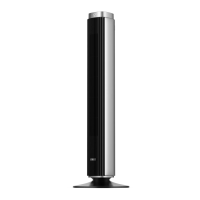
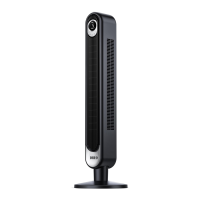
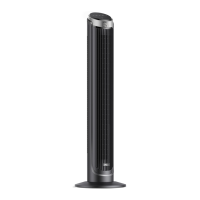
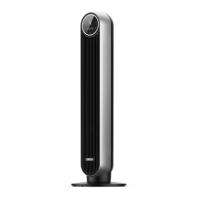
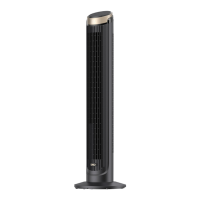
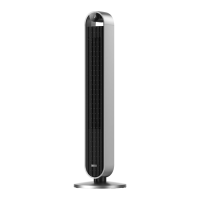
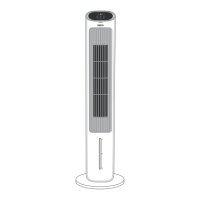
This document is a user manual for the Dreo Tower Fan, model DR-HTF007. It provides comprehensive information on assembly, operation, maintenance, and troubleshooting for the device.
Function Description
The Dreo Tower Fan is designed to provide airflow and cooling in household environments. It is not an air conditioner but can be used in conjunction with an AC unit for enhanced cooling. The fan offers multiple operating modes and adjustable fan speeds to suit various preferences and ambient conditions. It also features an oscillation function to distribute airflow across a wider area and a timer for scheduled operation.
Important Technical Specifications
- Model: DR-HTF007
- Input: AC 120V 60Hz
- Rated Power: 42W
- Battery Type (for Remote Control): CR2025
- Fuse: 2.5 Amp, 125 Volt (located in the plug)
Usage Features
The tower fan is equipped with both a control panel on the unit and a remote control for convenient operation.
Control Panel and LED Display:
The LED display shows the current fan speed or timer hour. Icons on the display indicate the active mode (Normal, Natural, Sleep, Auto), mute status, oscillation status, and timer status. The display turns off after 1 minute (or 5 seconds in Sleep mode) and can be woken up by pressing any button. It remains on when the auto-on timer is enabled.
Buttons on Control Panel:
- Mode Button: Switches between Normal, Natural, Sleep, and Auto modes.
- Fan Speed Button: Adjusts airflow volume across 4 levels (1-4).
- Power Button: Turns the fan on or off.
- Timer Button: Sets a timer from 0 to 8 hours.
- Oscillation Button: Adjusts the airflow direction.
Working Modes:
- Normal Mode: The fan runs at a constant speed.
- Natural Mode: The fan runs at alternating speeds to simulate natural breeze.
- Sleep Mode (Mute Auto On): Fan speed decreases every 30 minutes. Speed decreases by two levels at most, remaining constant if at level 1 (e.g., level 4 → 3 → 2, level 3 → 2 → 1, level 2 → 1, level 1 → 1).
- Auto Mode: Fan speed adapts to the ambient temperature.
Additional Features:
- Timer: Can be set from 1 to 8 hours. The fan will stop/start automatically when the timer ends. Setting to 0 hours cancels the timer.
- Mute Function: Button sounds can be turned on/off by short pressing the mute button on the remote control or long pressing the mode button on the control panel.
- Memory Function: If the fan is turned off or disconnected from power, it will resume previous settings (except the timer setting) when turned on again.
Remote Control:
The remote control provides the following functions:
- Power On/Off
- Increase Fan Speed
- Decrease Fan Speed
- Mode Selection
- Mute On/Off
- Oscillation On/Off
- Timer Setting
Battery Replacement (Remote Control):
- Press the locking button to pop out the battery holder.
- Replace with a CR2025 battery, ensuring the (+) side faces up.
- Push the holder back until securely locked.
- Warning: The product contains a lithium button/coin cell battery. Keep batteries away from children due to chemical burn hazard. Dispose of used cells properly.
Maintenance Features
General Safety for Cleaning and Maintenance:
- Always unplug the fan before any cleaning or maintenance to avoid fire, electric shock, or injury.
- Do not immerse in water or allow water inside the motor housing.
- Do not use chemical agents for cleaning.
- Store in a cool, dry place and cover to protect from dust.
Cleaning the Outer Surface:
- Gently wipe off dust with a soft, dry cloth.
Cleaning the Base:
- Press on the lock sign on the base and rotate counterclockwise to release the base from the fan.
- Press the tabs on the edges to detach the two base halves from each other.
Cleaning the Rear Grille:
- Turn off and unplug the appliance.
- Remove the screw on the top of the rear grille using a Philips screwdriver.
- Lift up the grille and pull it out.
- Clean dust from the blades using a vacuum cleaner or air duster.
- Rinse the rear grille under running water or with a clean, damp cloth.
- Dry thoroughly.
- Install the grille and screw back by following the reverse order of disassembly.
User Servicing Instructions (Fuse):
The appliance has a fused safety plug for overload/short-circuit protection.
- Grasp the plug and remove it from the outlet (do not pull by the cord).
- Open the fuse cover by sliding the access cover on top of the attachment plug towards the blades.
- Carefully remove the fuse by pushing it from the other side.
- Replace with a 2.5 Amp, 125 Volt fuse.
- Close the fuse cover by sliding it back into place.
- Warning: Risk of fire. Do not replace the attachment plug itself. If the attachment plug is damaged, discard the product.

 Need help?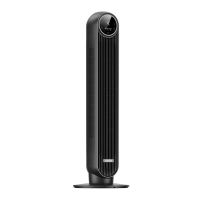

 To Next Page
 General