EasyManua.ls Logo

dreo Pilot Max S - User Manual

dreo Pilot Max S
19 pages
Print Icon
To Next Page IconTo Next Page
Loading...
DREO
Tower
Fan
USER
MANUAL
Question and Answer IconNeed help?

Do you have a question about the dreo Pilot Max S and is the answer not in the manual?

Summary

Important Safety Instructions

General Safety

Safety guidelines for children and general use of the appliance.

Operation Safety

Safety precautions to follow during fan operation and handling.

Electricity Safety

Gentle Reminder

Reminders for regular checks and signs of appliance issues.

Specifications

Technical specifications of the DREO Tower Fan model.

Assembling Your Tower Fan

Assembly Instructions

Step-by-step guide for correctly assembling the tower fan base.

Package Contents

Knowing Your Tower Fan

Control Panel

Explanation of the functions of each button on the fan's control panel.

LED Display

Getting the Most out of Your Tower Fan

Tips for optimal use and performance of the tower fan.

Using Your Tower Fan

General Operations

Basic steps for operating the tower fan and its core functions.

Working Modes

Details on different fan modes: Sleep, Auto, Normal, and Natural.

Additional Features

Change Oscillation Angle

Instructions on how to adjust the fan's oscillation angle.

Timer

How to set and cancel the fan's timer function.

Mute

Methods to turn on/off button sounds via remote or control panel.

Memory

How the fan retains previous settings after power interruption.

Remote Control

Overview of the remote control layout and button functions.

Battery Replacement

Cleaning and Maintenance

Outer Surface

Instructions for cleaning the exterior of the tower fan.

Grilles & Blades

Method for removing dust from the fan's grilles and blades.

Base

Information on disassembling the fan base for cleaning.

Troubleshooting

My fan wont turn on!

Solutions for when the tower fan fails to power on.

My fan is shaky and wobbling!

Troubleshooting steps for fan instability and wobbling.

My fan is making vibration and noise!

Advice for addressing unusual vibration and noise from the fan.

Dreo Customer Care

Default 12-Month Warranty

Details on the standard warranty period for the appliance.

Extend Your Warranty

Instructions on how to register the product to extend the warranty.

FCC Statement

Overview

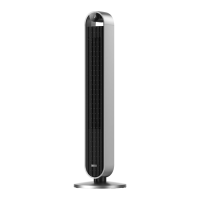
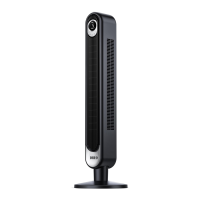
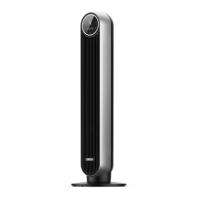
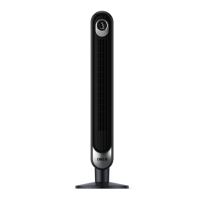
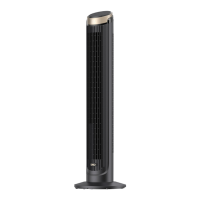
The Dreo Tower Fan is a modern and efficient cooling appliance designed to provide comfort in various indoor environments. It functions primarily as an air circulator, moving air to create a cooling effect without being an air conditioner. The fan features a sleek, tall design with a prominent LED display and an intuitive control panel located at the top.

Function Description

The core function of the Dreo Tower Fan is to generate airflow to cool a room. It offers multiple operating modes to suit different preferences and conditions:

  • Normal Mode: The fan operates at a constant speed, providing a steady stream of air.
  • Natural Mode: This mode simulates natural breezes by alternating fan speeds, offering a more dynamic and less monotonous airflow experience.
  • Sleep Mode: Designed for quiet operation during rest, the fan's speed gradually decreases over time, ensuring a peaceful environment. The fan speed decreases every 30 minutes, reducing by three or two levels at most, and will remain constant if at level 3, 2, or 1. For example, if starting at level 12, it would go 12→11→10→9.
  • Auto Mode: In this intelligent mode, the fan speed automatically adjusts based on the ambient temperature, optimizing comfort and energy efficiency.

The fan also includes an oscillation feature, allowing it to rotate and distribute air across a wider area. Users can select from various oscillation angles (30°, 60°, 90°, 120°) to customize the coverage. A timer function is available, enabling users to set the fan to turn on or off automatically after a specified period, ranging from 1 to 12 hours.

Usage Features

The Dreo Tower Fan is designed for user-friendly operation, offering both a control panel on the device and a remote control for convenience.

Control Panel:

  • Power Button: Turns the fan on or off.
  • Mode Button: Cycles through Normal, Natural, Sleep, and Auto modes. A long press mutes or unmutes button sounds.
  • Oscillation Button: Initiates or pauses oscillation. When pressed, its icon flashes for 5 seconds, allowing users to adjust the oscillation angle using the increase/decrease buttons.
  • Decrease Button: Reduces fan speed (1-12 levels) or decreases the oscillation angle (30°/60°/90°/120°) during the oscillation setting period.
  • Increase Button: Increases fan speed (1-12 levels) or increases the oscillation angle (30°/60°/90°/120°) during the oscillation setting period.
  • Timer Button: Sets the auto-off timer from 0 to 12 hours.

LED Display: The LED display provides clear visual feedback on the current settings, including fan speed, selected mode (Normal, Natural, Sleep, Auto), oscillation status, mute status, and timer hours. The display features auto-brightness, adapting to ambient lighting conditions for optimal visibility.

Remote Control: A compact remote control (battery included) mirrors the functions of the control panel, allowing users to operate the fan from a distance. It includes dedicated buttons for power, mode, oscillation, timer, mute, and fan speed adjustment (increase/decrease). The remote control uses a CR2025 3V battery, which is replaceable.

Additional Features:

  • Mute Function: Button sounds can be turned on or off via a short press on the mute button on the remote control or a long press on the mode button on the control panel.
  • Memory Function: The fan retains its previous settings (except for the timer) when turned off or disconnected from power, resuming operation with those settings when powered on again.
  • Portability: The fan includes a carry handle, making it easy to move from one location to another.

Optimizing Cooling Performance:

The manual provides tips for maximizing the fan's effectiveness:

  • It clarifies that the device is not an air conditioner.
  • Suggests removing tall obstacles that might block airflow.
  • Recommends combining the fan with an AC unit for better air circulation.
  • Advises positioning the fan closer for more direct airflow.
  • Offers a creative tip: placing a bucket of ice in front of the fan for an extra cooling boost.

Maintenance Features

Regular cleaning and maintenance are crucial for the longevity and optimal performance of the Dreo Tower Fan.

Cleaning Instructions:

  • Outer Surface: Gently wipe off dust with a soft, dry cloth.
  • Grilles & Blades: Use a vacuum cleaner or an air duster to remove dust from these areas.
  • Base: The base can be disassembled for cleaning by reversing the assembly order.

Safety Precautions During Maintenance:

  • Always unplug the fan before any cleaning or maintenance to prevent the risk of fire, electric shock, or injury.
  • Do not immerse the fan in water or allow water to get inside the motor housing.
  • Avoid using any chemical agents when cleaning the fan.
  • Store the fan in a cool, dry place and cover it to protect it from dust when not in use.

Battery Replacement (Remote Control):

  1. Press the locking button to pop out the battery holder.
  2. Replace the battery with a new CR2025 3V battery, ensuring the (+) side faces up.
  3. Push the holder back in until it securely locks into place. If the remote control's indicator light no longer turns on, it's an indication that the battery needs replacement.

Safety Warning for Batteries:

The product contains a lithium button/coin cell battery. It is critical to keep batteries away from children due to the chemical burn hazard. If swallowed, these batteries can cause severe internal burns and even death. The battery compartment must always be securely closed. If it doesn't close securely, stop using the product, remove the battery, and keep it away from children. Seek immediate medical attention if batteries are suspected to have been swallowed or placed inside any part of the body. Batteries must be disposed of properly, away from children, as even used cells can cause injury.

The Dreo Tower Fan is designed for household use only, emphasizing safety and ease of use throughout its operation and maintenance.

dreo Pilot Max S Specifications

General IconGeneral
ModelPilot Max S
Remote ControlYes
OscillationYes
Power SourceCorded Electric
Voltage120V
Speeds12
ModesNormal/Auto/Sleep
Timer12H
Oscillation Angle90°

Related product manuals