EasyManua.ls Logo

dreo Pilot Max S - Using Your Tower Fan; General Operations; Working Modes

dreo Pilot Max S
19 pages
Print Icon
To Next Page IconTo Next Page
To Previous Page IconTo Previous Page
Loading...
USING
YOUR
TOWER
FAN
General
Operations
SRONCD
RO
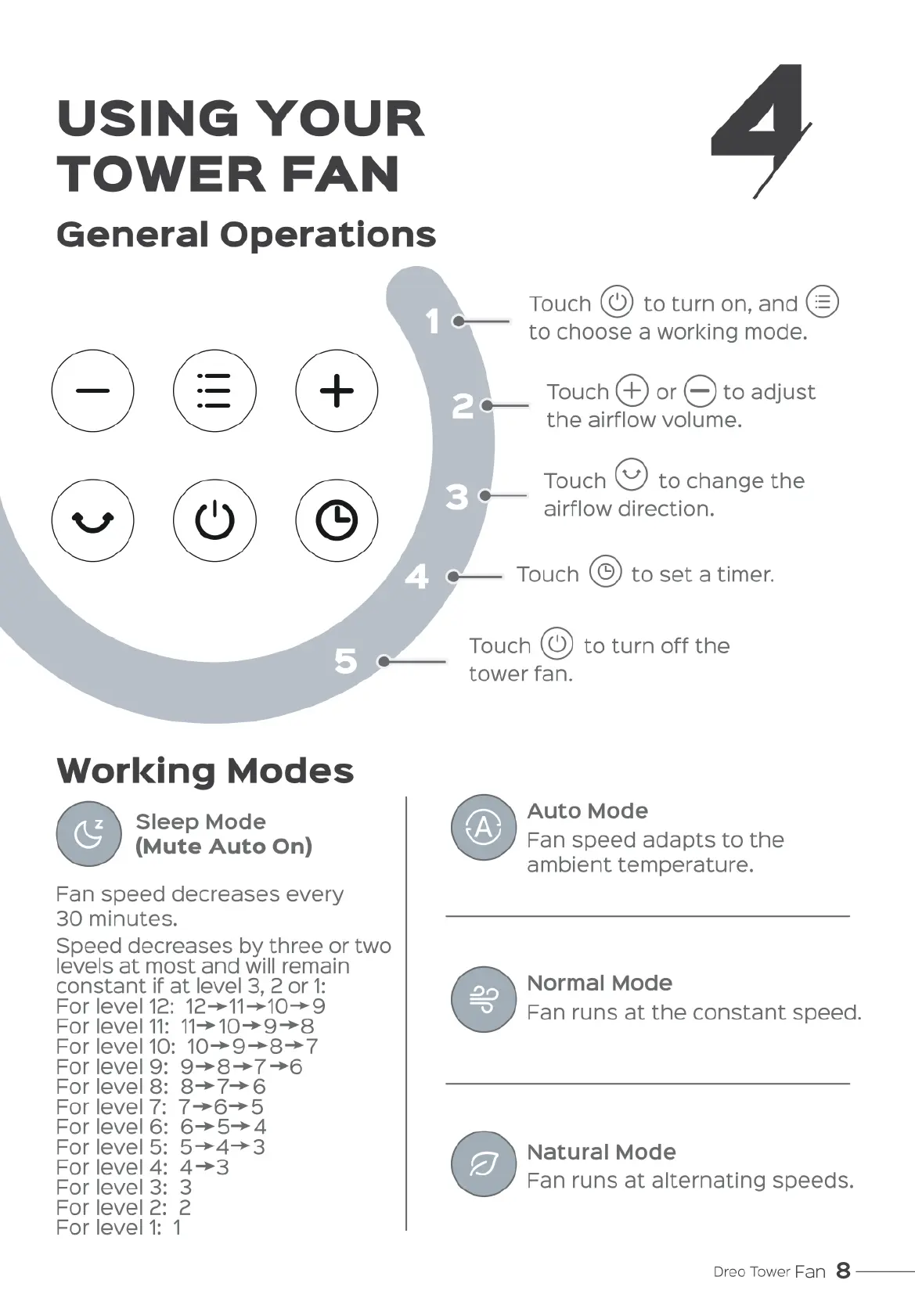
Touch
@
to
turn
on,
and
to
choose
a
working
mode.
e
Touch
@
or
@
to
adjust
the
airflow
volume.
*——
Touch
@
to
change
the
airflow
direction.
e——
Touch
.
to
set
a
timer.
Touch
@
to
turn
off
the
tower
fan.
Working
Modes
Sleep
Mode
Auto
Mode
(Mute
Auto
On)
Fan
speed
adapts
to
the
ambient
temperature.
Fan
speed
decreases
every
30
minutes.
Speed
decreases
by
three
or
two
levels
at
most
and
will
remain
con?tanlt
if
at
level
3, 2
or
1:
%
Normal
Mode
For
level
12:
12->11->10->9
For
level
11
11>
10>9—>8
Fan
runs
at
the
constant
speed.
For
level
10:
10>9->8—>7
Forlevel
9:
9->8->7->6
For
level
8:
8=>7—>6
For
level
7.
7->6—>5
For
level
6:
6>5—>4
For
level
5:
5>4->3
Natural
Mode
For
level
4:
43
.
For
level
3+
3
Fan
runs
at
alternating
speeds.
Forlevel
2: 2
Forlevel
1:
1
Dreo
Tower
Fan
8
———

Related product manuals