EasyManua.ls Logo

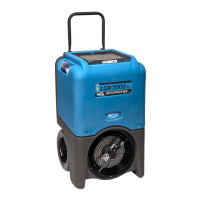
Dri-Eaz LGR 3500i - User Manual

Dri-Eaz LGR 3500i
35 pages
Print Icon
To Next Page IconTo Next Page
Loading...
07-01674F 2011-04 Warranty 07-00420 1 Dri-Eaz Products, Inc.
Owner’s Manual
LGR 2800i Portable Dehumidifier (F410)
LGR 3500i Portable Dehumidifier (F411)
Featuring integrated sensors and remote monitoring capability
DRI-EAZ PRODUCTS, INC.
15180 Josh Wilson Road, Burlington, WA 98233
Phone: 800-932-3030 Fax: 360-757-7950 www.dri-eaz.com
The Dri-Eaz® LGR i-Series dehumidifiers reduce humidity in enclosed structural
environments by removing water vapor from the air. The i-Series product line is engineered
to be rugged, durable and highly portable, making them ideally suited for water damage
restoration, structural drying, construction, and other applications requiring temporary,
high-performance dehumidification.
Product may be covered by: U.S. Patent Pending 12/272,455; 12/558,389; 12/767,526
READ AND SAVE THESE INSTRUCTIONS
SAFETY INSTRUCTIONS
WARNING! Electric shock hazard, rotating fan, hot
surface hazards. Unplug unit before opening cover
for cleaning or servicing. Unit must be grounded.
Inspect the power cord before use. If cord is
damaged, do not use. Always grasp the plug (not
the cord) to unplug.
Insert three-prong plug on power cord into a
matching electrically grounded outlet. Do not use
adapter. Never cut off third prong. Do not use an
extension cord.
The unit must be operated on a 115V/60 Hz circuit
protected by a Ground Fault Circuit Interrupter
(GFCI) device.
Keep motor and wiring dry.
Do not attempt to repair the unit. For Authorized
Service Centers, call DriEaz at 800-932-3030.
BEFORE YOU BEGIN
Unpacking your unit
Retain all packing material and boxes for possible
equipment returns. Find and retain the AA batteries,
which must be installed before using the unit.
Installing the sensor batteries
Two AA batteries are shipped with the 2800i and 3500i
to provide power to the built-in HygroTrac® wireless
transmitter when the unit is not connected to AC power.
The battery compartment is located directly under the
power cord socket on the back of the unit (see Figure C).
Use a flat-blade screwdriver to turn the battery
compartment cover 90° counter-clockwise and remove
the cover. Insert the batteries with the negative terminal
in first. After inserting the batteries, secure the cover by
pressing it in with the screwdriver and turning it 90°
clockwise.
Warranty registration
Visit warranty.drieaz.com to register your purchase.
Registration allows us to better assist you with using,
maintaining or servicing your equipment, as well as to
contact you in case we have important safety information
concerning your Dri-Eaz product. If you determine
service is required, have your equipment model, serial
number and original proof of purchase available and call
your distributor for assistance with obtaining a return
material authorization (RMA).
WARNING
IMPORTANT
To help prevent drip tray overflow after using the dehumidifier, always purge the unit before moving.
1. Turn the unit off and allow the plugged in dehumidifier to rest for 10 minutes.
2. Press the
PURGE key and while the purge pump is operating, tip the unit back approximately 45° and hold the
unit in place until the purge cycle is complete. The manual purge cycle lasts approximately 10 seconds.
3. Return the unit to the upright position and press PURGE one more time to empty the pump.
Remove the dehumidifier promptly from the job site once these steps have been completed.


Other manuals for Dri-Eaz LGR 3500i

Questions and Answers

  • B
    brownmichelleAug 14, 2025
    Why is my Dri-Eaz LGR 3500i not working?
    • C
      Casey HallAug 14, 2025
      If your Dri-Eaz Dehumidifier isn't operating, make sure the unit is switched on and properly plugged into a working power outlet. Check the power cord connection both at the wall and at the base of the unit.
  • L
    leonstacyAug 17, 2025
    What to do if my Dri-Eaz Dehumidifier is running but the room isn't drying?
    • T
      Traci HernandezAug 17, 2025
      If your Dri-Eaz Dehumidifier is running, but the room isn't drying, it could be due to several reasons. First, allow more time for drying. Second, increase air movement in the room using air movers. Finally, reduce moist air infiltration into the room.
  • B
    bgonzalezAug 20, 2025
    Why is my Dri-Eaz LGR 3500i not turning on?
    • E
      Erik DaltonAug 20, 2025
      If your Dri-Eaz Dehumidifier isn't operating, it could be due to a lack of power or the unit not being switched on. Ensure the unit is plugged in and check the power at both the outlet and the base of the unit. Also, make sure to switch the unit on.
  • J
    James KingAug 25, 2025
    What to do if my Dri-Eaz LGR 3500i collects too little water?
    • M
      Michael LambAug 25, 2025
      If your Dri-Eaz Dehumidifier is collecting too little water, it could be because the room air is too dry or the room temperature is too low. Check the humidity using a hygrometer and increase the room temperature. Also, inspect the filter and coils and clean them if necessary.
  • L
    Latasha ChristensenAug 27, 2025
    What to do if Dri-Eaz Dehumidifier collects too little water?
    • S
      sbutlerAug 27, 2025
      If your Dri-Eaz dehumidifier isn't collecting enough water, check the humidity with a hygrometer, increase the room temperature, and inspect the filter and coils, cleaning them if necessary. This might be happening because the room air is dry or the room temperature is too low.
  • M
    Michelle ThomasAug 30, 2025
    Why Dri-Eaz Dehumidifier does not operate?
    • A
      Amy OliverAug 31, 2025
      If your Dri-Eaz dehumidifier isn't operating, plug in the unit, check the power at the outlet and at the base of the unit, and switch the unit on. This issue may arise from a lack of power to the machine or the unit not being switched on.
  • B
    Briana HarringtonSep 3, 2025
    How to fix Dri-Eaz Dehumidifier blower wheel not turning?
    • S
      Stephanie LevineSep 3, 2025
      To fix a Dri-Eaz dehumidifier with a blower wheel that isn't turning, remove the duct ring and grill, remove any obstruction, and then replace the duct ring and grill. This is likely due to an obstructed blower.
  • D
    David MillsSep 6, 2025
    How to fix a Dri-Eaz LGR 3500i blower wheel that is not turning?
    • D
      Danny WrightSep 6, 2025
      If the blower wheel of your Dri-Eaz Dehumidifier is not turning, it's likely due to an obstruction. Remove the duct ring and grill, then remove any obstruction. After that, replace the duct ring and grill.
  • A
    Alexis RichardsonSep 9, 2025
    What to do if Dri-Eaz Dehumidifier is operating, but room is not dry?
    • S
      Steven CostaSep 9, 2025
      If your Dri-Eaz dehumidifier is running but the room isn't drying, allow more time for drying. Increase air movement with air movers. Reduce infiltration. The causes might be not enough time to dry, poor air movement in the room, or excessive moist air infiltration.

Summary

Safety Instructions

Before You Begin

Unpacking and Sensor Battery Installation

Steps for unpacking the unit and installing AA sensor batteries.

Warranty Registration

Information on registering the product for service and updates.

Introduction and System Features

How LGR Dehumidifiers Work

Explains the working principle of Dri-Eaz low-grain refrigerant dehumidifiers.

HygroTrac Remote Sensing

Details the HygroTrac wireless sensor technology for remote monitoring.

Asset Tracking

Explains how the unit's location can be tracked using HygroTrac.

Data Transmitted

Describes the type of data transmitted by the HygroTrac system.

Positioning a Dehumidifier

Parts Identification

Operating Your Dehumidifier

Setting the Unit Upright

Instructions on how to properly position the unit after transport.

Setting Up the Drain Hose

Guide for connecting and positioning the drain hose for water removal.

Control Panel and Operation

Using the Control Panel

Explains the functions of the control panel keys and display.

Main Menu Display

Describes the information shown on the control panel display.

User Settings Menu

Details how to access and adjust user-configurable settings.

System Status and Error Messages

System Status and Data Messages

Overview of status and data messages displayed on the control panel and HygroTrac.

Error Messages

Lists and explains error messages displayed by the unit and their causes.

End of Job Procedures

Provides steps to purge the unit before moving it after a job.

Maintenance

Pre-Use Maintenance Checks

Pre-operation checks including power cord and filter inspection.

Maintenance Procedures

Monthly Maintenance Tasks

Routine maintenance including checking coils and heat exchange block.

Servicing the Pump and Drain Pan

Cleaning the Pump and Pump Tray

Annually

Transportation and Storage

Cleaning Coils and Heat Exchange Block

System Status and Data Messages

Error Messages

Troubleshooting

Specifications

Dri-Eaz LGR 3500i Specifications

General IconGeneral
Power Supply115V, 60Hz
Power Cord Length25 ft
RefrigerantR410A
ModelLGR 3500i
Operating Temperature Range33°F to 100°F

Related product manuals