07-01706B 2010-02 1 Dri-Eaz Products
Owner’s Manual
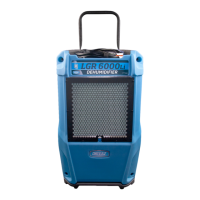
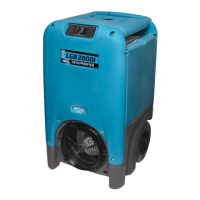
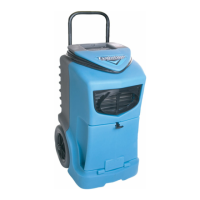
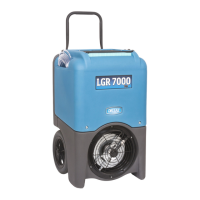
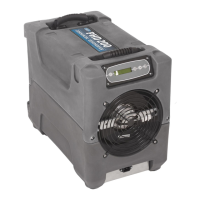
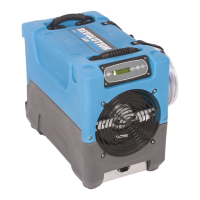
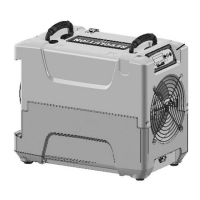
LGR1800 Portable Dehumidifier 230 volt
with remote monitoring capability (F432i)
The Dri-Eaz® LGR1800 dehumidifier reduces humidity in enclosed structural environments
by removing water vapour from the air. The LGR1800 is engineered for improved operating
performance within lower humidity environments. With a rugged, durable and highly port-
able design, the LGR1800 is ideally suited for water damage restoration, structural drying,
construction, and other applications requiring temporary, high-performance
dehumidification. With built-in humidistat control, the LGR1800 is ideal for environments
that require longer term humidity control, museums, server rooms, etc.
READ AND SAVE THESE INSTRUCTIONS
SAFETY INSTRUCTIONS
WARNING! Electric shock hazard, rotating fan, hot
surface hazards. Unplug unit before opening cover
for cleaning or servicing. Unit must be earthed.
• Inspect the power cord before use. If cord is
damaged, do not use. Always grasp the plug (not
the cord) to unplug.
• The unit must be operated on a 230V/50Hz circuit
protected by a Residual Current Device (RCD).
• Keep motor and wiring dry.
• Do not operate in standing water
• Do not operate in rain or snow. If electrical
components become wet, allow them to dry before
using.
• Do not attempt to repair the unit. For service, call
Dri–Eaz at +44 (0)1908-611-211
BEFORE YOU BEGIN
Unpacking your unit
Retain all packing material and boxes for possible
equipment returns.
Warranty registration
Complete and post the enclosed card to register your
purchase. Registration allows us to better assist you with
using, maintaining and servicing your equipment, and
provides us with your contact information in case we
need to communicate important safety information
concerning your Dri-Eaz product. If you determine
service is required, have your equipment model, serial
number and original proof of purchase available and call
Dri-Eaz on +44 (0)1908-611-211 for assistance.
INTRODUCTION
Dehumidifiers reduce humidity in enclosed structural
environments by removing water vapour from the air.
With proper use, the LGR1800 can help dry carpet,
carpet pad, floors, walls, building contents and more.
Using dehumidifiers can also help prevent secondary
damage caused by high humidity. For best results, use
the LGR1800 with Dri-Eaz TurboDryer airmovers placed
around the perimeter of the room. Airmovers help to
distribute heat energy, which accelerate the release of
moisture from wet surfaces into the air.
How the LGR1800 dehumidifier works
Dri-Eaz refrigerant dehumidifiers operate by pulling
moist air in across a very cold evaporator coil. The
moisture in the air condenses on the coil and drips into a
catch basin. The water collects in a tray and is pumped
out through a hose. In certain conditions, the machine
operates in defrost mode, warming any frost
accumulated on the evaporator coil back into water. LGR
(Low Grain Refrigerant) dehumidifiers have better heat
exchange and defrost abilities than regular refrigerant
dehumidifiers, and are able to continue removing
moisture in drier environments.
Remote Monitoring Option
Your Dri-Eaz distributor can modify the LGR1800 to
work with the HygroTrac Remote Monitoring System
(purchased separately). HygroTrac lets you view drying
environment conditions and equipment performance
from any Web browser. Contact Dri-Eaz on +44 (0)1908-
611-211 for more information about this option.


 To Next Page
 General