EasyManua.ls Logo

Dri-Eaz LGR 7000XLI - User Manual

Dri-Eaz LGR 7000XLI
63 pages
Print Icon
To Next Page IconTo Next Page
Loading...
Owner’s Manual
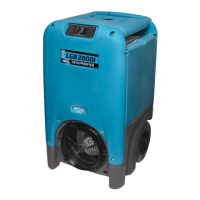
LGR 7000XLi Portable Dehumidifier
Model F412
DRI-EAZ PRODUCTS, INC.
15180 Josh Wilson Road, Burlington, WA 98233
Phone: 800-932-3030 Fax: 360-757-7950 www.dri-eaz.com
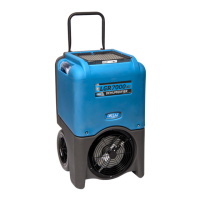
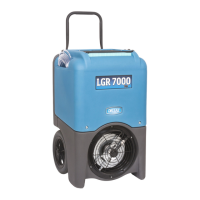
The Dri-EaLGR 7000XLi dehumidifier reduces humidity in enclosed environments by
removing water vapor from the air. The 7000XLi is rugged, durable and highly portable, making
it ideal for water damage restoration, structural drying, construction, and other applications
requiring temporary, high-performance dehumidification.
Patents: http://www.LBpatents.com
READ AND SAVE THESE INSTRUCTIONS
SAFETY INSTRUCTIONS
[WARNING! Do not alter or modify your LGR 7000XLi
in any way. Use only replacement parts authorized
by Dri-Eaz Products, Inc. Modifications or use of
unapproved parts could create a hazard and will
void your warranty. Contact your authorized
distributor for assistance.
WARNING! Electric shock hazard, rotating fan, hot
surface hazards. Unplug unit before opening cover
for cleaning or servicing. Unit must be grounded.
Inspect the power cord before use. If cord is
damaged, do not use. Always grasp the plug (not
the cord) to unplug.
Insert three-prong plug on power cord into a
matching electrically grounded outlet. Do not use
adapter. Never cut off third prong. Do not use an
extension cord.
The unit must be operated on a 115V/60 Hz circuit
protected by a Ground Fault Circuit Interrupter
(GFCI) device.
Keep motor and wiring dry.
Do not attempt to repair the unit. For Authorized
Service Centers, call DriEaz at 800-932-3030.
BEFORE YOU BEGIN
Warranty registration
Visit warranty.drieaz.com to register your purchase.
Registration allows us to better assist you with using,
maintaining or servicing your equipment and to contact
you in case we have important safety information
concerning your Dri-Eaz product. If you determine
service is required, have your equipment model, serial
number and original proof of purchase available and call
your distributor for assistance with obtaining a return
material authorization (RMA).
CONTENTS GUIDE
OPERATIONS
Parts identification .......................................... 2
Positioning a dehumidifier ............................. 2
Operating your dehumidifier .......................... 2
Control Panel Guide ........................................ 3
At the end of the job ........................................ 4
Setting humidistat mode ................................. 4
MAINTENANCE
Maintenance schedule .................................... 6
Cleaning the coils and block .......................... 6
Cleaning the pump valve .............................. 11
Inspecting the Control Panel ........................ 17
Error messages ............................................. 19
Troubleshooting ............................................ 20
WARNING
07-01776F 2015-02 F412 (115V) Warranty 07-00420 1 Dri-Eaz Products, Inc.

Other manuals for Dri-Eaz LGR 7000XLI

Questions and Answers

  • J
    Jessica MartinAug 17, 2025
    Why Dri-Eaz LGR 7000XLI Dehumidifier does not operate?
    • J
      jeffreytaylorAug 17, 2025
      If your Dri-Eaz Dehumidifier isn't turning on, first ensure it's properly plugged into a working outlet and that the power switch is in the 'on' position. Check the power at both the outlet and the base of the unit.
  • J
    jonathanrodriguezAug 20, 2025
    What to do if Dri-Eaz LGR 7000XLI Dehumidifier is operating, but room not dry?
    • S
      Steven ThomasAug 20, 2025
      If your Dri-Eaz Dehumidifier is running but the room isn't drying, consider these factors: Allow more time for drying, increase air movement with air movers, and reduce infiltration of moist air.
  • A
    Andrew NicholsAug 22, 2025
    Why Dri-Eaz LGR 7000XLI Dehumidifier collects too little water?
    • B
      Brandon HuffmanAug 22, 2025
      If your Dri-Eaz Dehumidifier isn't collecting enough water, the room air may be too dry or the temperature might be too low. Use a hygrometer to check the humidity. Increase the room temperature. Also, inspect the filter and coils, and clean them if necessary.
  • S
    samuelnobleAug 25, 2025
    What to do if my Dri-Eaz LGR 7000XLI Dehumidifier is running but the room isn't drying?
    • H
      heathercruzAug 26, 2025
      If your Dri-Eaz Dehumidifier is running, but the room isn't drying, it might need more time, or there could be insufficient air movement. Try allowing more time for drying, increase air movement using air movers, and seal off the area to reduce moist air infiltration.
  • B
    Brandi RoyAug 27, 2025
    Why is my Dri-Eaz Dehumidifier collecting so little water?
    • J
      johnaguilarAug 27, 2025
      Your Dri-Eaz Dehumidifier might be collecting too little water because the room air is too dry, the room temperature is too low, the HAF filter is full, or the heat exchange block and/or coils are clogged. Check the humidity level with a hygrometer, increase the room temperature, check the filter (clean or replace if necessary), and inspect the heat exchange block and coils, cleaning them if needed.
  • G
    Gregory HamiltonAug 30, 2025
    What to do if my Dri-Eaz Dehumidifier does not operate?
    • D
      danielrobertsonAug 30, 2025
      If your Dri-Eaz Dehumidifier does not operate, ensure the unit is switched on and has power. Plug in the unit and check the power cord connection at the wall outlet and the base of the unit.
  • C
    Charles StevensonSep 2, 2025
    How to fix blower wheel not turning in Dri-Eaz LGR 7000XLI Dehumidifier?
    • C
      Cristian WillisSep 2, 2025
      If the blower wheel in your Dri-Eaz Dehumidifier isn't turning, there might be an obstruction. Remove the duct ring and grill to check for and remove any obstructions. Then, replace the duct ring and grill.
  • A
    Ann SparksSep 4, 2025
    Why does water drip out when moving my Dri-Eaz Dehumidifier?
    • C
      challSep 4, 2025
      If water drips out of your Dri-Eaz Dehumidifier when moving it, it is likely because the unit was unplugged before the purging process was completed. Before moving the unit, make sure to purge it.
  • M
    Megan FlynnSep 7, 2025
    What to do if water drips when moving Dri-Eaz LGR 7000XLI?
    • S
      Sarah DrakeSep 8, 2025
      If water drips out of your Dri-Eaz Dehumidifier when you move it, it's likely because the unit wasn't fully purged before being unplugged. Always purge the unit completely before moving it. Refer to the “At the End of the Job” section for instructions on how to do it properly.
  • J
    Joseph NguyenSep 10, 2025
    How to fix a Dri-Eaz LGR 7000XLI blower wheel that is not turning?
    • C
      Cindy PerezSep 12, 2025
      If the blower wheel in your Dri-Eaz Dehumidifier isn't turning, it's likely obstructed. Remove the duct ring and grill, then clear the obstruction. After that, replace the duct ring and grill.

Summary

Safety Instructions

Operating Your Dehumidifier

Control Panel

Error Message Explanations

What to do when the unit displays an error message and where to find explanations.

Control Panel Operation Details

Detailed explanation of control panel buttons and their functions.

At the End of the Job

Transportation and Storage

Maintenance Schedule

Pre-Use Maintenance Checks

Pre-operation checks including cord inspection and filter status.

Monthly Maintenance Tasks

Recommended monthly maintenance for coils, block, and exterior surfaces.

Cleaning Coils and Heat Exchange Block

Disassembling for Coil Cleaning

Reinstalling Heat Block and Top Cover

Inspecting and Cleaning Pump Check Valve

Reassembling Pump and Back Cover

Draining and Winterizing

Inspecting the Control Panel

Error Messages

Troubleshooting

Dri-Eaz LGR 7000XLI Specifications

General IconGeneral
Airflow300 CFM
Refrigerant TypeR410A
Power Supply115V/60Hz
ModelLGR 7000XLI
Water Removal Capacity (AHAM)70 pints/day
Operating Temperature Range33°F to 100°F
Power Cord Length25 feet

Related product manuals