6
www.DrillDoctor.com
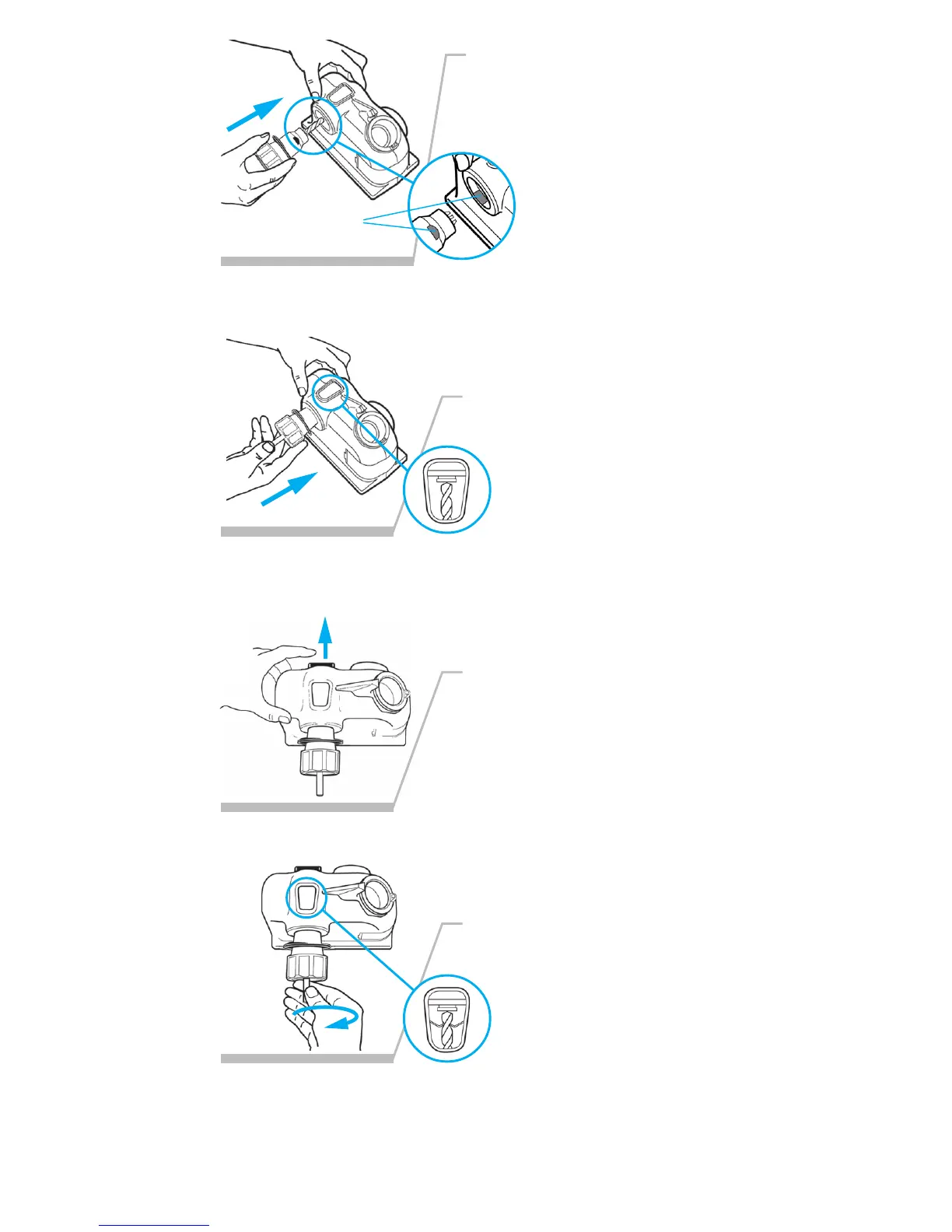
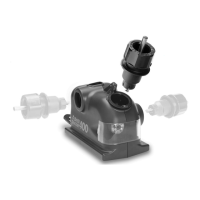
Flat Spots
5.
With your free hand, insert the
Chuck into the Alignment Port—
make sure the flat spots on the
Chuck match the flat spots in the
port.
At this point, the Chuck
should be inserted into the
Alignment Port with the
flat spots hidden, and the
Chuck should be locked in the port.
6.
8.
With the Alignment Button held
in, push the drill bit forward until
it is against the Drill Stop.
Look at the drill bit through
the Window over the
Alignment Port—it should be
against the Drill Stop.
Release the Alignment Button
and hold the chuck in place with
your thumb.
While looking in the Window,
turn the drill bit to the right until
you feel the Bit Clamps grip
the bit at its narrowest
point (the bit is now difficult
to turn either way).
7.
<MODIFY ART>
<MODIFY ART>
<MODIFY ART>
<MODIFY ART>
<MODIFY ART>
<MODIFY ART>
<MODIFY ART>
<MODIFY ART>




 To Next Page