SKU 93440 For technical questions, please call 1-800-444-3353. Page 10
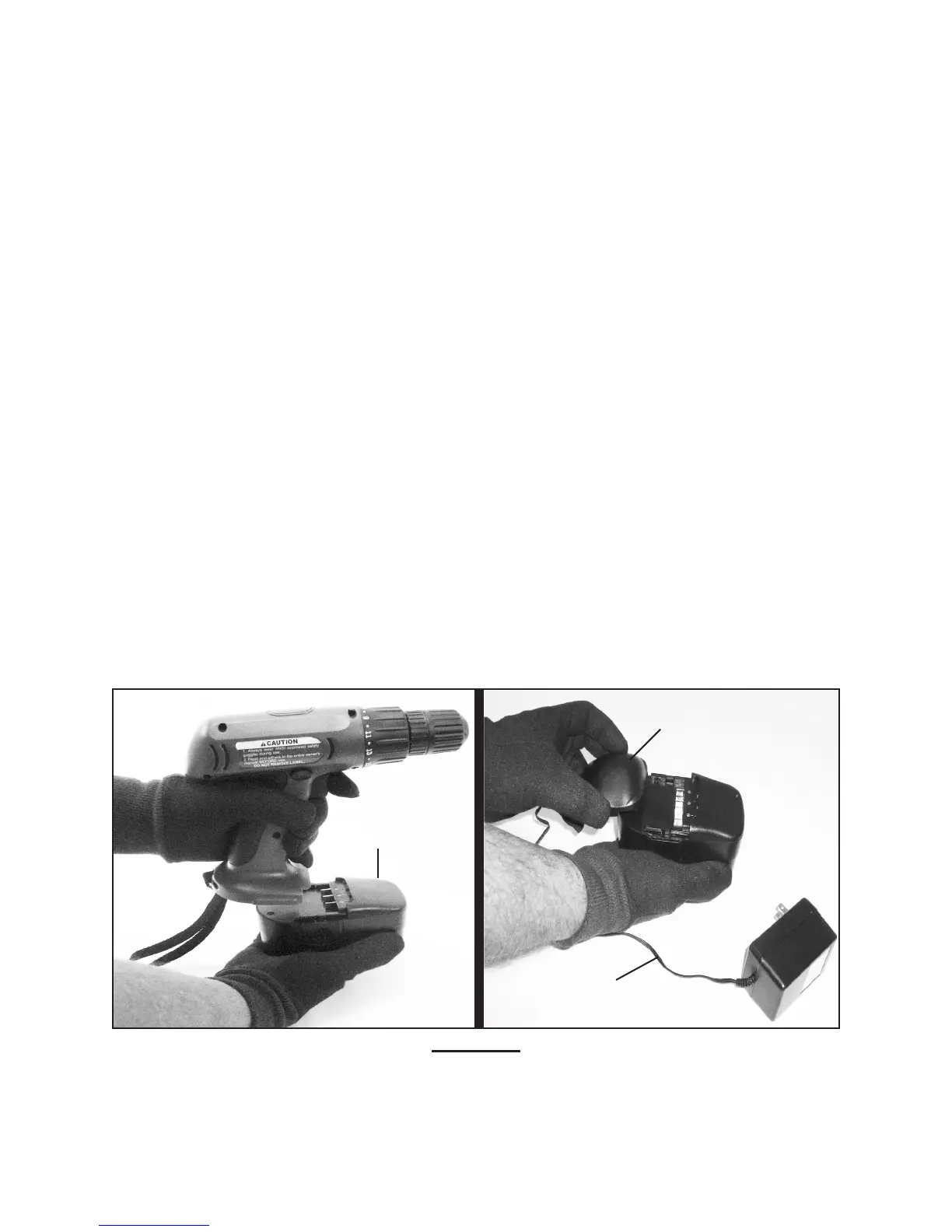
Slide the Battery (27) into the Charger (30) Base. The Battery can only insert one 4.
way using the guide tabs. (See Figure E.)
Plug the Charger Output Cord into the Battery Charger Base. 5. (See Figure E.)
Plug the Charger (30) into a 120 volt, grounded, electrical outlet. 6. (See Figure E.)
Verify on the Charger (30) Base that the green power indicator light and the red 7.
charging indicator light illuminate. If they do not illuminate, check the power con-
nection or try a different electrical outlet. (See Figure E.)
Charge the Battery (27) for 5 hours. Never charge the Battery for more than 5 8.
hours or damage to the Battery and/or Drill will result. (See Figure E.)
IMPORTANT:9. The Charger (30) will not automatically shut off when the Battery
is fully charged. As a safety precaution, if the battery is being overcharged and
heats up the charger will automatically shut off to help reduce the risk of re. This
will cause the red charging indicator light will slowly blink while the green light will
remain on. Avoid battery/ tool damage by removing power to the Charger after the
5 hour charging is nished and before the red light starts blinking.(See Figure E.)
When nished charging, disconnect the Charger (30) from the electrical out-10.
let. Disconnect the Charger Output Cord from the Charger Base. Remove the
Charger Base from the Battery (27). Then, reinstall the Battery onto the Drill.
(See Figure E.)
REV 01/06
FIGURE E
BATTERY
(27)
CHARGER BASE
CHARGER
OUTPUT CORD




 To Next Page