Installing Your Water 1000 Pro Series
Installing Your Water 1000 Pro Series 2-31
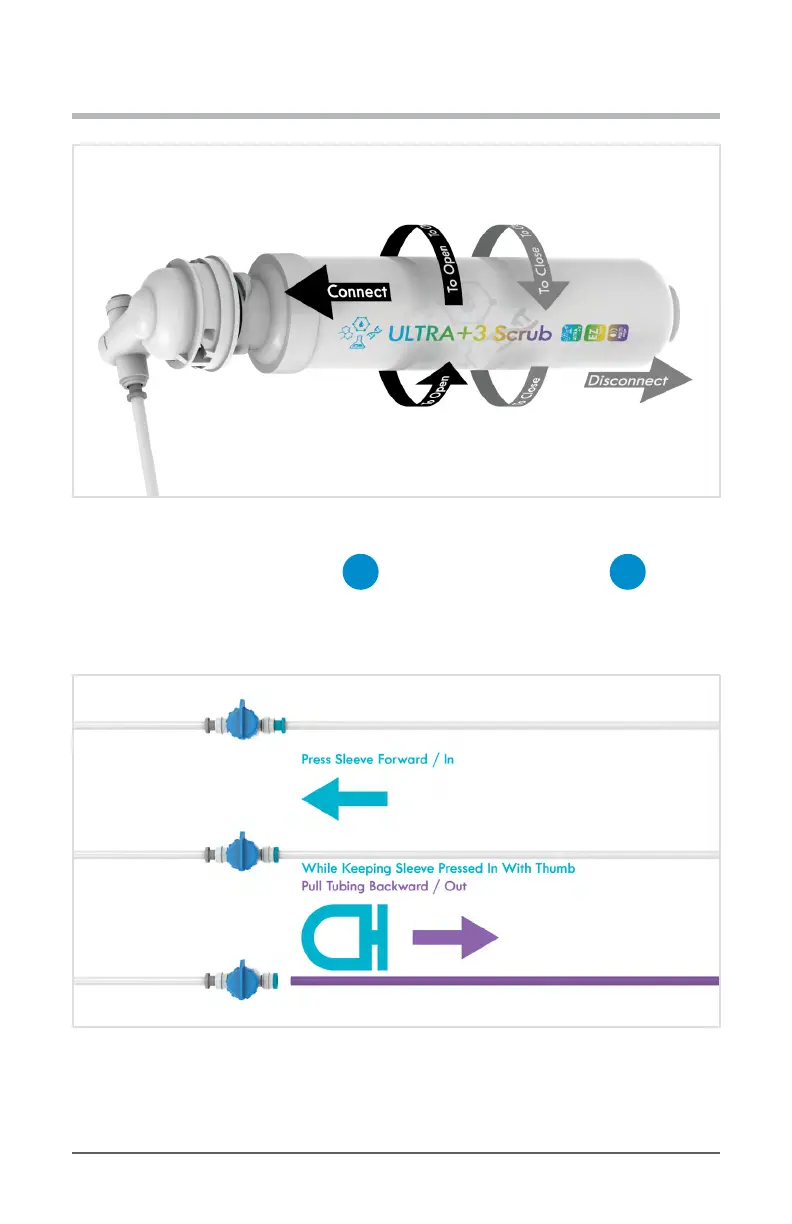
Diagram 2.5.10 Connect & Flush Polishing Filter
11. Now push the tubing (running from
G
Filter Flushing Attachment to
C
1/4 in. Quick Connect Shuto Valve back into the valve as far as possible. Then,
while using your thumb to keep the QC sleeve fully depressed, gently pull the tubing out
of the port.
Diagram 2.5.11 Disconnecting Filter Flushing Setup From Water Source
12. Be sure to store the your ‘Filter Flushing Setup’ somewhere safe and accessible for
each time you replace your lters.


 To Next Page