Installing Your Water 1000 Pro Series
Installing Your Water 1000 Pro Series 2-45
6. If you’ve connected accessory appliances, use the same method from Step #4 to
remove Acc. Output Port Plug from Accessory Output Port on the back of your
Drinkpod 1000 Pro Series. If you don’t have any accessory appliances, proceed to
“Installing Filters” on page 2-46.
7. Next, connect the open end of the section of
A
1/4 in. White PP Tubing connected
to your Accessory Line to the Accessory Output Port on the back of your
1000 Pro Series, the same way you did with the Source Line in Step #5.
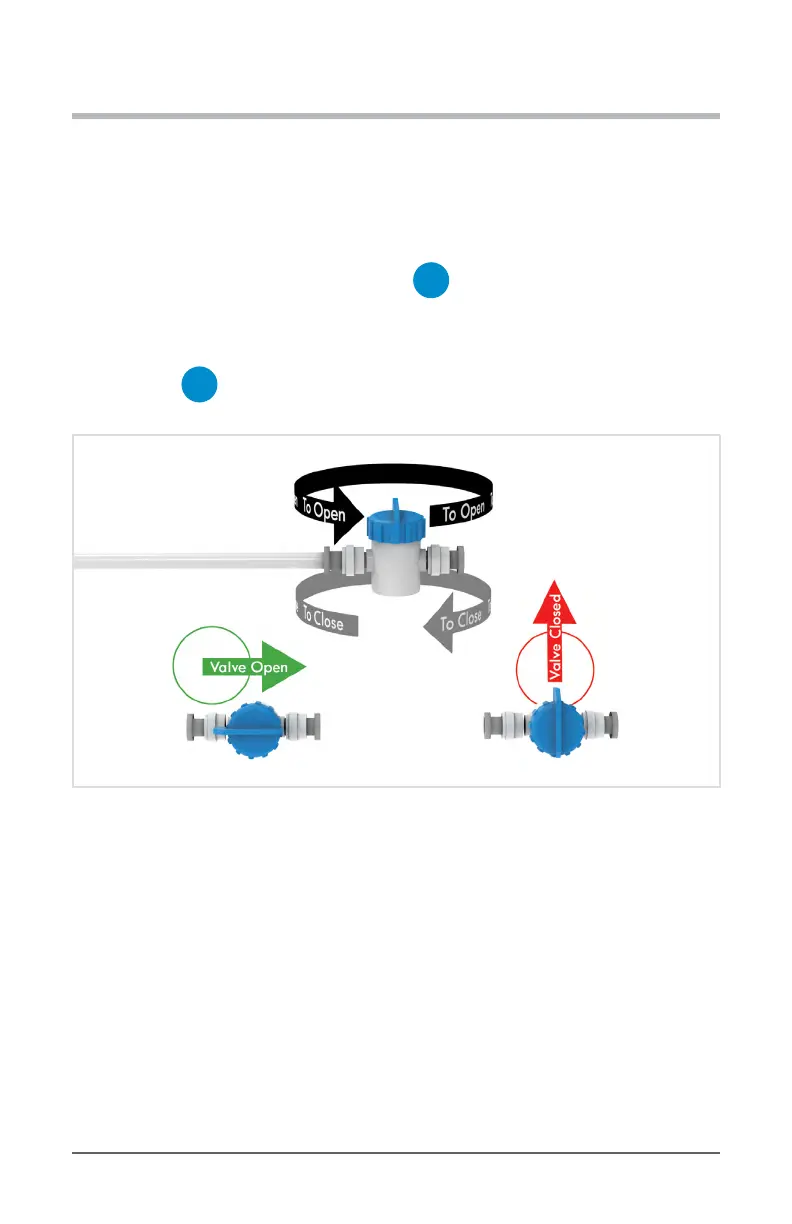
8. Ensure both
C
1/4 in. Quick Connect Shuto Valve(s) are closed as shown below,
then procced to “Installing Filters” on page 2-46.
Diagram 2.7.8 - Ensure Valve Is Closed


 To Next Page