EasyManua.ls Logo

DriSteem GTS - User Manual

DriSteem GTS
80 pages
Print Icon
To Next Page IconTo Next Page
Loading...
mc_060508_1220
GTS
®
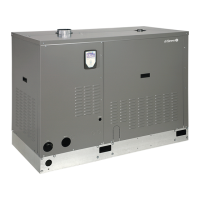
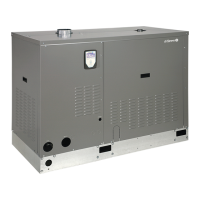
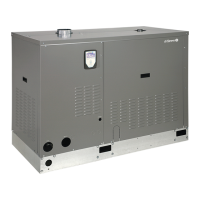
Gas-to-Steam Humidifier
WARNING!
If the information in this manual is not
followed exactly, a fire or explosion may
result causing property damage, personal
injury, or loss of life.
Do not store or use gasoline or other
flammable vapors and liquids in the
vicinity of this or any other appliance.
If you smell gas:
• Do not try to light any appliance.
• Do not touch any electrical switch;
do not use any phone in your building.
• Immediately call your gas supplier
from an off-site phone. Follow the gas
supplier’s instructions.
• If you cannot reach your gas supplier,
call the fire department.
Installation and service must be per-
formed by a qualified installer, service
agency, or the gas supplier.
For toll-free technical support call:
1-800-328-4447
Installation, Operation,
and Maintenance Manual
IMPORTANT: Read and save these instructions.

Other manuals for DriSteem GTS

Questions and Answers

  • J
    John WashingtonAug 28, 2025
    How to clear alarm light on DriSteem VAPOR-LOGIC 3 keypad?
    • S
      Sheila LopezAug 28, 2025
      If the alarm light is on the VAPOR-LOGIC 3 keypad of your DriSteem Humidifier, it means the controller has detected a system malfunction. To find out what's wrong, go to the Alarms screen on the VAPOR-LOGIC keypad from either the Idle screen or Main Menu to identify the specific fault. For more detailed information, access the Diagnostics screen from the keypad’s Main Menu. Once you've addressed the issue, acknowledge or clear the alarm on the keypad to resume normal operation.
  • E
    Eric HenryNov 15, 2025
    How to troubleshoot DriSteem GTS Humidifier system that will not energize?
    • M
      Mary ZimmermanNov 15, 2025
      If your DriSteem Humidifier system won't energize, with the tank quiet and no lights on, there are several things you can check: * **Power Supply**: Start by verifying the main-line fuse, main-line safety switch, and main-line supply voltage. * **Control Voltage**: Ensure there is proper voltage supply and transformer voltage. Check the transformer wiring and look for 24 VAC in the control circuit. If there's no voltage, check and reset the transformer circuit breaker if necessary. * **External Interlocks**: Confirm the correct operation of any field-installed switch wiring for cabinet door, combustion air damper, or power venter interlocks. * **Field Wiring**: Disconnect field wire connections and check the supply voltages. * **Control Board**: With only the 24 VAC power supply...
  • D
    Darryl MyersNov 18, 2025
    Why is my DriSteem GTS producing reduced or no steam output?
    • D
      David PetersNov 18, 2025
      If your DriSteem Humidifier has reduced or no steam output, resulting in low humidity, consider the following troubleshooting steps: * Check if the controller has shut the system down. * Verify the system is energized. * Confirm proper operation of duct humidistats and air flow switches. Check the demand signal and control signal wiring. Ensure input signals match the program code configuration string. * Inspect the burner(s) to ensure they are operating correctly. Verify the ignitor energizes and check the gas supply pressure. The recommended supply pressure is 7" wc (1.75 kPa) for natural or LP gas and the minimum supply pressure is 4" wc (1.0 kPa) for natural or LP gas. Clean the burner assembly(s) and/or heat exchanger tubes if needed. Check control voltage if limit controls ...
  • K
    Kristen FowlerNov 21, 2025
    What to do if DriSteem GTS Humidifier tank will not fill with water?
    • J
      Juan TaylorNov 21, 2025
      If the tank of your DriSteem Humidifier is not filling with water, here's what you can check: * **Water Supply**: Ensure the water supply line strainer isn't plugged. Check the fill valve for sediment. Verify that the manual water line shut-off valve is open and that there's sufficient pressure (minimum 25 psi [172 kPa], maximum 90 psi [621 kPa]). * **Inlet Needle Valve**: Make sure the inlet water needle valve is open and free of sediment. Replace it if necessary. * **Fill Valve**: Verify voltage to the fill valve (24 VAC). Ensure the valve stem moves freely. If 'water hammer' exists, inspect the fill valve for damage and replace it. Consider installing a shock arrester. * **Auto Mode**: Confirm the unit is in Auto Mode via the Control Modes screen on the keypad. * **End of Sea...
  • H
    hreedNov 24, 2025
    Why DriSteem GTS Humidifier tank will not stop filling?
    • J
      Jonathan WilsonNov 24, 2025
      If your DriSteem Humidifier tank won't stop filling or the fill valve cycles on and off frequently, here are some potential solutions: * **Drain Valve**: If the unit has an automatic drain valve, ensure it's not locked in the manual open position. Reset it to auto. For manual drain valves, ensure they are fully closed. Clean or replace the drain valve if there's an obstruction preventing complete closure. * **Fill Valve (Standard and EOS Drain Systems)**: Check if the fill valve is plumbed backward, paying attention to valve inlet markings. Inspect the internal spring or diaphragm; replace the valve if faulty. Clear any obstructions preventing proper seating. Ensure a strainer is present in the water supply line. Check for control voltage across the fill valve coil; replace the valve ...
  • J
    Janet ZimmermanDec 1, 2025
    Why is DriSteem GTS causing humidity above desired level?
    • Z
      Zachary MossDec 1, 2025
      If the humidity level is higher than desired with your DriSteem Humidifier, consider these potential causes and solutions: * **Control Input Type**: Ensure the humidity control input type matches the original specifications. * **Humidistat Location**: Poorly located humidistat humidity transmitters can cause inaccurate readings. Replace them with properly positioned sensing devices. * **Airflow**: Reduced airflow can affect humidity levels. Check fans, dampers, and VAV systems. * **Entering Humidity**: High entering relative humidity can contribute to the issue. Consider dehumidifying the space. * **RH Offset**: The relative humidity offset may need adjustment. Recalibrate the system. * **Control System Malfunction**: Verify the operation of duct humidistats and air flow switc...

Summary

Safety Precautions

Safe Operating Instructions

Step-by-step instructions for safe operation, including gas leak procedures.

To Turn Off Gas to Appliance

Procedure for safely shutting off the gas supply to the humidifier.

Product Overview

Specifications, Capacities, and Weights

Dimensions

Installation

Location and Clearance Recommendations

Guidelines for choosing a safe and accessible location for the humidifier.

Outdoor Enclosure Mounting

Handling

Instructions for safely lifting and handling the outdoor enclosure unit.

Location

Specific location requirements and considerations for outdoor installations.

Before You Begin

Preparatory steps and checks before installing the outdoor enclosure.

Outdoor Enclosure Operation

GTS Outdoor Enclosure Sequence of Operation

Details the operational sequence and temperature controls of the outdoor enclosure.

Wiring: Electrical Connections

Piping: Standard Water Models

Piping: DI;RO Water Models

Piping: Supply Water and Drain Overflow Connections

Piping: Water Supply Piping

Piping: Drain Piping

Piping: Gas Piping

Combustion and Ventilation Air

Sealed Combustion

Requirements and instructions for setting up sealed combustion systems.

Vertical and Horizontal Venting

Dispersion: Interconnecting Piping Requirements

Connecting Humidifier to Dispersion Assembly with Vapor Hose

Guidelines for connecting the humidifier to dispersion using vapor hose.

Connecting Humidifier to Dispersion Assembly with Tubing or Pipe

Guidelines for connecting the humidifier to dispersion using tubing or pipe.

Dispersion: Drip Tee Installation

Dispersion: Single Tube and Multiple Tube

Dispersion: Rapid-sorb

Rapid-sorb Pitch Requirements

Specifies pitch requirements for Rapid-sorb interconnecting piping and dispersion tubes.

Assembly and Installation Instructions for a Rapid-sorb Installed with Header Outside the Duct (Horizontal Airflow)

Step-by-step guide for installing Rapid-sorb with external header in horizontal ducts.

Assembly and Installation Instructions for a Rapid-sorb Installed with Header Inside the Duct (Horizontal Airflow)

Step-by-step guide for installing Rapid-sorb with internal header in horizontal ducts.

Dispersion: Area-type Fan

Start-up Procedure

Safety Systems

Start-up Commissioning Checklist

GTS and GTS-DI Models

Inspecting Burner Assemblies and Heat Exchanger Tubes

Instructions for inspecting and cleaning burner assemblies and heat exchanger tubes.

GTS Standard Water Models

Adjusting Skim Duration

Guide on adjusting the skim time for water quality management.

Cool Down Humidifier Before Beginning Maintenance

Procedure to safely cool down the humidifier before performing maintenance.

Inspection and Maintenance

Annual and seasonal inspection and maintenance tasks for standard water models.

GTS-DI Models

GTS-DI Models DI Water Quality Recommendations

Recommendations for water quality management for DI/RO models.

Cool Down Humidifier Before Beginning Maintenance

Procedure to safely cool down the humidifier before performing maintenance.

Inspection

Annual and seasonal inspection requirements for GTS-DI models.

GTS Humidifier

Fill, Drain, and Blocked Flue

Electrical Parts

Outdoor Enclosure

European Models

Two-year Limited Warranty

DriSteem GTS Specifications

General IconGeneral
Fuel TypeNatural Gas or Propane
InstallationFloor-standing
Electrical Requirements120V/1ph/60Hz or 240V/1ph/60Hz (depending on model)
Steam Output34 to 1, 360 lbs/hr (15 to 617 kg/hr)
MaterialsStainless steel construction
DimensionsVaries by model
WeightVaries by model
Water Connection1/2" NPT
Drain Connection1/2" NPT
Steam Outlet1" NPT

Related product manuals