EN - 7
SmartDose Mode:
(2 digit field). The device has 4 oxygen
settings of 1d through 4d where the d
indicates SmartDose is enabled
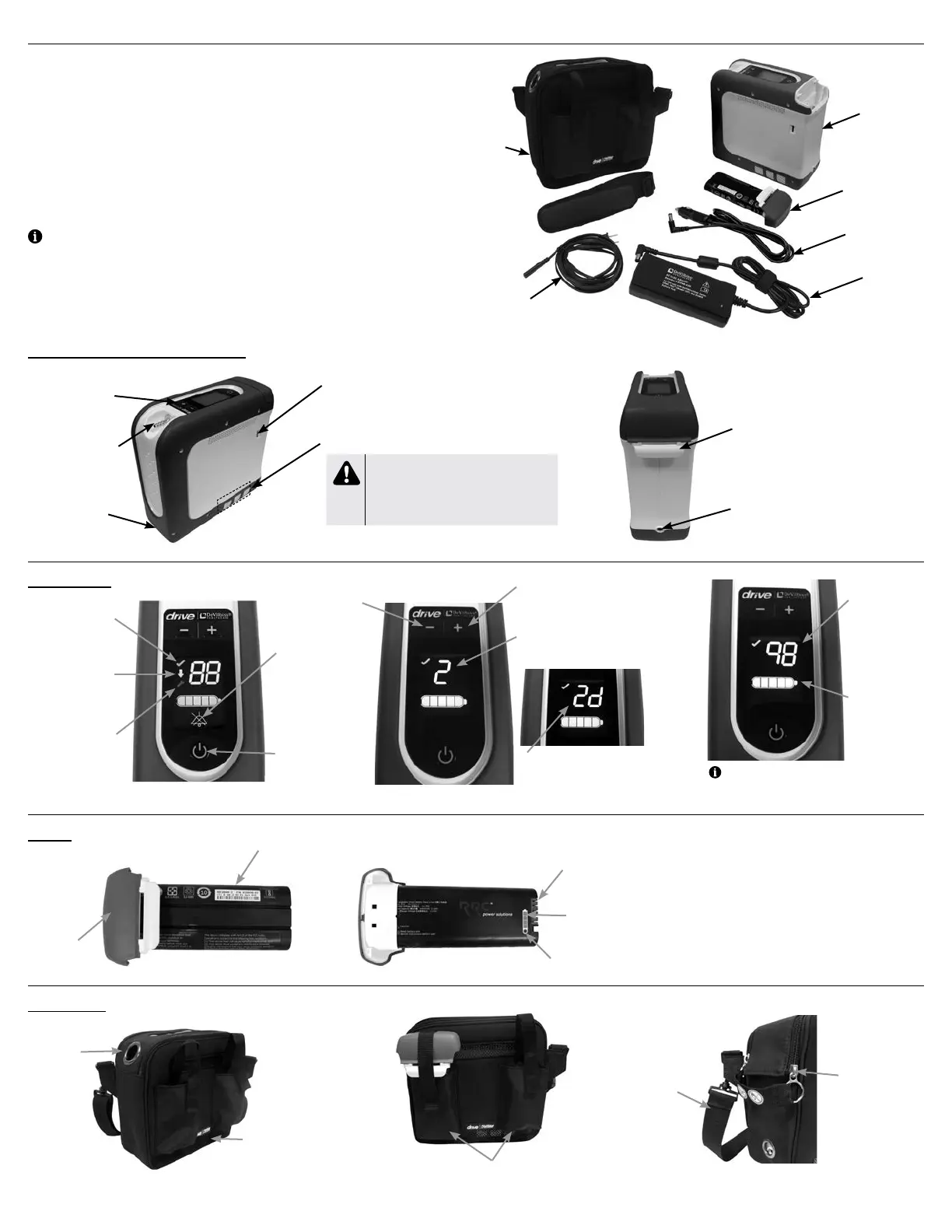
UNPACKING AND CONTENTS
First, unpack your iGo2 concentrator and identify all items.
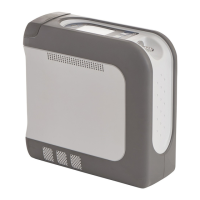
1. Drive DeVilbiss iGo2 Portable Oxygen Concentrator
2. Single Battery Pack
3. Carrying Case
4. Power Supply (AC/DC Adapter)
5. AC Power Cord
6. DC Power Cord (Auto Adapter)
7. Instructions for Use (this document)
NOTE– Contents vary by model. Please refer to the contents list on the device carton for
items specic to your model.
IGO2 PORTABLE OXYGEN CONCENTRATOR OVERVIEW
IMPORTANT PARTS OF YOUR CONCENTRATOR
iGo2 Portable Oxygen Concentrator
Control Panel
Oxygen Outlet/
Cannula Fitting
Exhaust Vents (both sides)
Battery/Battery Bay
Power Input
Battery
Battery Cap
Battery
Battery Charge Status
Gauge
Charge Status Button
Battery Connection
Terminals
Carrying Case
Cannula
Opening
Spare Battery Pockets
Shoulder
Strap
Rating labels with
FAA Statement on
bottom (not shown)
Zipper with hook
& loop closure
Exhaust Vent
Openings (both sides)
Control Panel
Low Oxygen Symbol
(yellow)– below an
acceptable oxygen
level
Service Required
Symbol (red) –
contact your provider
when illuminated
Normal Oxygen
Symbol (green) –
acceptable oxygen
level
Power Button
Battery Status
Indicator
Audible Alarm
Silenced symbol
(illuminates
when audible
alarm has been
silenced by
pressing the
power button)
Prescription Setting
Standard Mode:
(1 digit field). The device has 5 oxygen
settings of 1 through 5.
Battery charge
remaining
percentage
(2-digit field) –
shows remaining
charge as
percentage (99%
max shown)
Increase Prescription
Setting Button
Initial Startup Screen
Decrease Prescription
Setting Button
1
2
4
3
5
6
USB Port – (not for patient use)
NOTE– Press and hold either “+” or “-“ to see
battery charge remaining; display will return to
prescription setting in a few seconds.
A-125
WARNING
When device is used under extreme operating
conditions, the temperature near the exhaust
vents may reach 57˚C (134.6˚F). Keep bare
skin away from this area.


 To Next Page